

Configuration
Obtain a REST endpoint URL
1
Open VictorOps Integrations
Log in to portal.victorops.com and go to Integrations.
2
Select REST
Find and select REST from the integrations list.
3
Generate the URL
Click Generate to create a new REST endpoint URL and copy it.
Add to a contact point
1
Open or create a contact point
Go to Alerting → Contact Points and open an existing contact point or create a new one.
2
Add a VictorOps integration
Click Add Integration and select VictorOps from the Integration dropdown.
3
Fill in the fields
Enter a Label for this integration, paste the URL you copied from VictorOps, and optionally set the Message Type.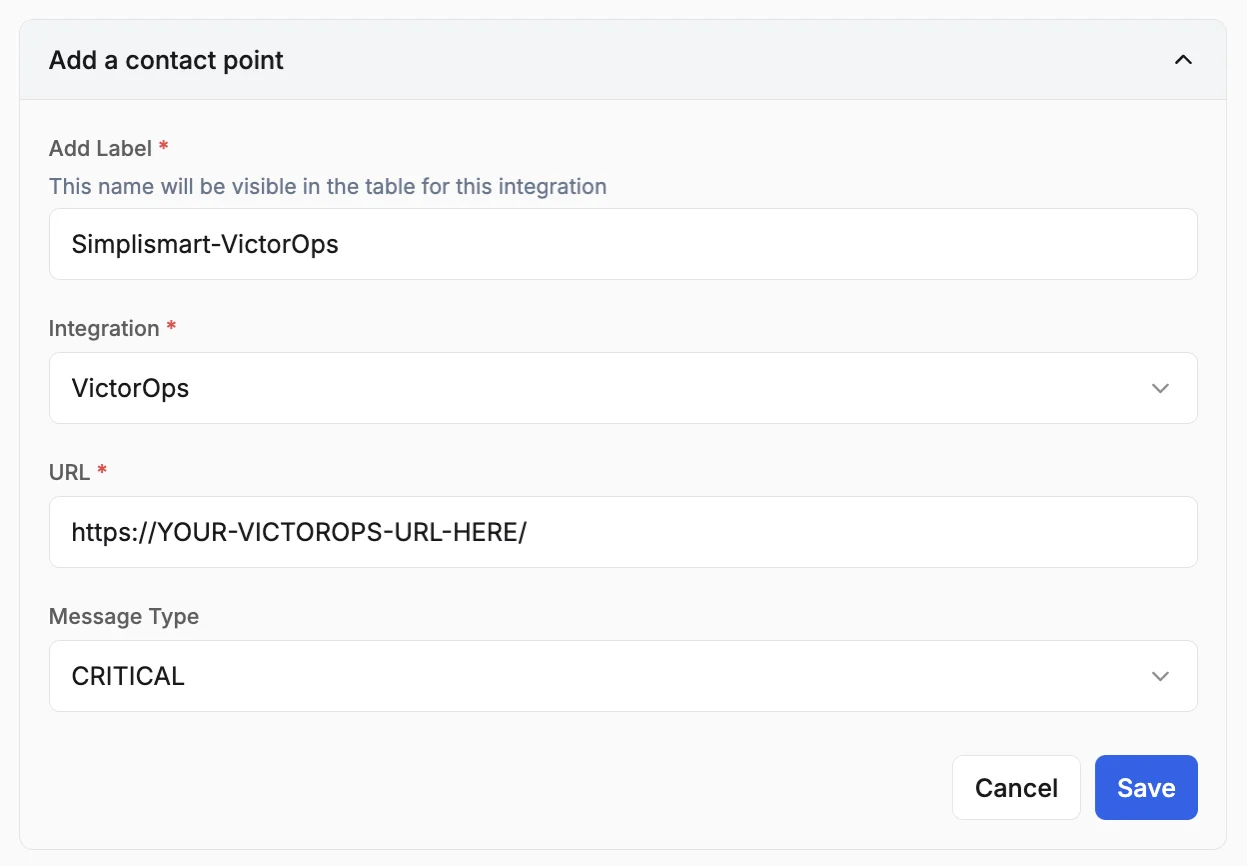
4
Save
Review the configuration and click Save.