

What is LiveKit?
LiveKit is an open-source platform that enables scalable, multi-user conferencing with WebRTC. It provides the tools you need to add real-time video, audio, and data capabilities to your applications. By combining LiveKit with Simplismart’s optimized inference, you can build responsive voice AI agents that handle conversations with minimal latency. Learn more at LiveKit.io.Prerequisites
Before you begin, ensure you have:- Simplismart API Key - Get your API key from Settings > API Keys
- LiveKit Account - Visit LiveKit Cloud and create an account to get your API credentials
- Python 3.11 - 3.13 - LiveKit agents require Python < 3.14. Verify your version with
python --version
Simplismart provides comprehensive AI model serving including STT (Speech-to-Text), LLM (Language Models), and TTS (Text-to-Speech) - all optimized for ultra-low latency in real-time applications.
Configure LiveKit with Simplismart
1
Create and activate a virtual environment
Set up an isolated Python environment for your project. This keeps dependencies organized and prevents conflicts with other projects.
2
Install LiveKit agents and dependencies
Install the LiveKit agents framework with the Simplismart plugin. This includes voice activity detection (VAD) and all necessary components.
3
Configure environment variables
Create a
.env file in your project directory with your API credentials. These credentials authenticate your application with Simplismart and LiveKit services.Get your LiveKit credentials from the LiveKit Cloud dashboard: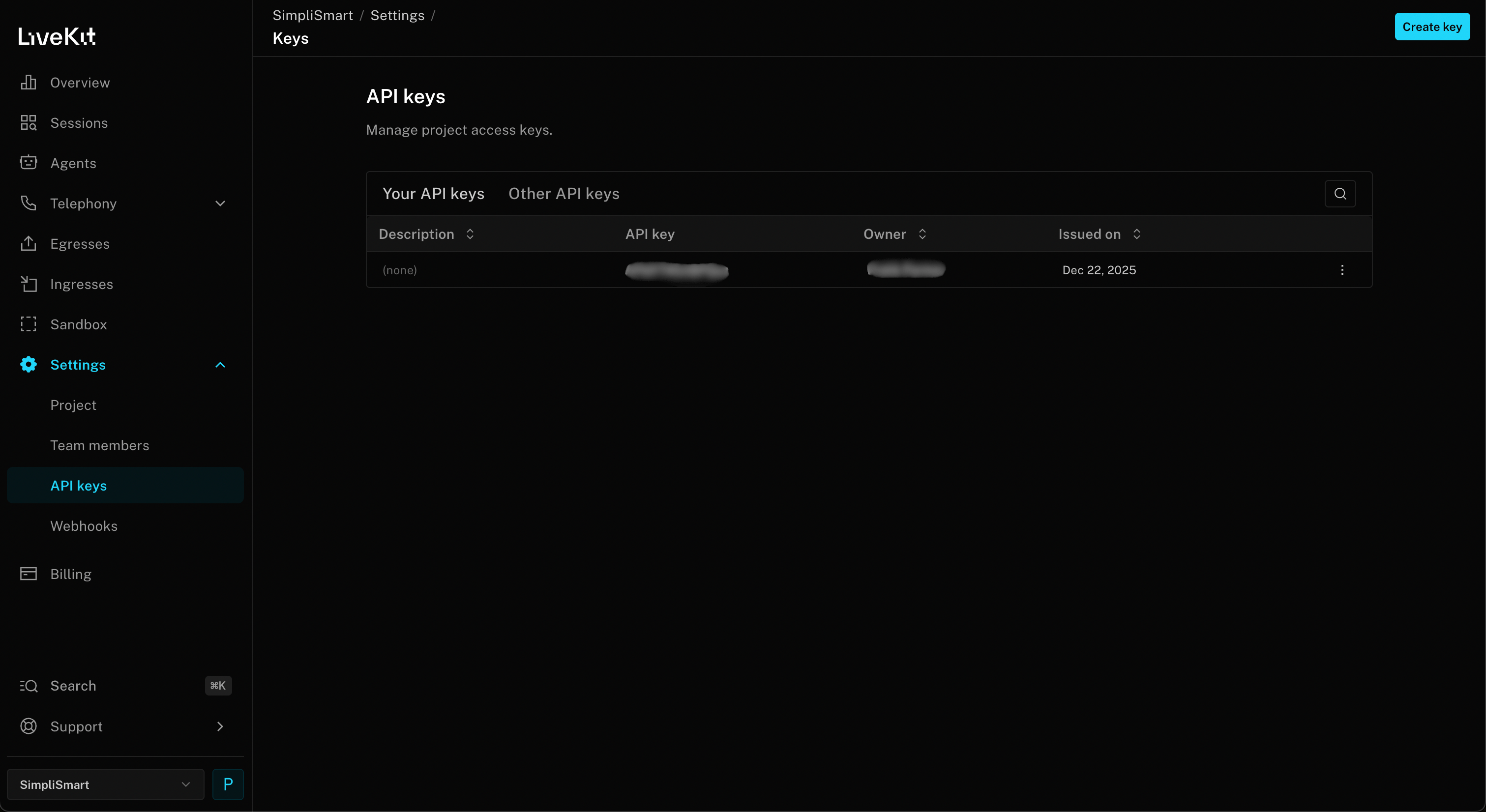
Environment Variables and paste it in the .env file.- LIVEKIT_URL: Your project URL (starts with
wss://) - LIVEKIT_API_KEY
- LIVEKIT_API_SECRET
4
Create a basic voice agent
Build a complete voice AI agent that uses Simplismart for speech-to-text, language processing, and text-to-speech.Create a file named
voice_agent.py:This example uses Simplismart’s Whisper for speech-to-text, Gemma 3 4B for language understanding, and Orpheus TTS for natural-sounding speech synthesis - all optimized for real-time performance.
5
Run and test your voice agent
Start your voice agent with the LiveKit CLI. The agent will connect to your LiveKit room and wait for a user to join.To test your agent:
- Go to the LiveKit Agents Playground
- If authenticated: You’ll see available rooms and can join directly. Otherwise: Use manual connection by entering the URL and token from your terminal (displayed in blue when you run the agent)
- Click Connect
- Approve microphone access when your browser prompts you (required for voice interaction)
- Speak into your microphone - the agent should respond!
Using Different Simplismart Models
OpenAI Compatibility: Simplismart’s LLM API is fully OpenAI-compatible. This means you can use LiveKit’s built-in
openai plugin to connect to any Simplismart LLM endpoint, no custom plugin needed. Just point base_url at https://api.simplismart.live and set your SIMPLISMART_API_KEY, then pick any model from the Simplismart Marketplace.- Fast Response
- Balanced Performance
- Maximum Capability
- Alternative STT Models
For ultra-fast responses with a compact model, use Gemma 3 1B:
Advanced Configuration
Custom Agent Instructions
Customize your agent’s behavior by modifying the system instructions:Adding Function Tools
Enable your agent to perform actions using function tools:Troubleshooting
Agent not responding to voice input
Agent not responding to voice input
Check your microphone permissions - Ensure your browser or application has access to your microphone.Verify VAD settings - The Silero VAD may need tuning for your audio environment. Try adjusting
min_speech_duration and min_silence_duration parameters.Test STT independently - Make a direct API call to Simplismart’s Whisper endpoint to verify your audio is being transcribed correctly.High latency in responses
High latency in responses
Use a smaller model - Try
google/gemma-3-1b-it instead of larger models for faster responses. The 1B model typically responds 2-3x faster.Check network connectivity - Ensure stable connections to both LiveKit and Simplismart endpoints. Use ping and traceroute to diagnose network issues.Optimize instructions - Shorter, more focused system instructions lead to faster generation. Aim for instructions under 200 words.Monitor token usage - Longer conversations accumulate context. Consider implementing context window management to keep prompts concise.Connection errors
Connection errors
Verify API keys - Double-check that your
SIMPLISMART_API_KEY and LiveKit credentials are correct and not expired.Check base URLs - Ensure you’re using the correct Simplismart endpoints:- STT:
https://api.simplismart.live/predict - LLM:
https://api.simplismart.live - TTS:
https://api.simplismart.live/tts
Audio quality issues
Audio quality issues
Enable noise cancellation - Configure noise cancellation in your audio input settings if working in noisy environments.Check sample rates - Ensure your audio input matches the expected sample rate for Whisper (16kHz). Mismatched sample rates can cause quality degradation.Monitor bandwidth - Poor audio quality can result from insufficient bandwidth. LiveKit automatically adjusts quality, but ensure you have at least 1 Mbps available.Try different TTS voices - Simplismart offers multiple TTS models. Experiment to find the best quality for your use case.
Python version compatibility
Python version compatibility
Verify Python version - LiveKit agents require Python 3.11 or later (but < 3.14). Check your version:Use pyenv for version management - If you need multiple Python versions:Check async compatibility - Ensure you’re using
async/await syntax correctly. LiveKit agents are fully asynchronous.Additional Resources
- LiveKit Documentation - Complete guide to LiveKit features and APIs
- LiveKit Agents Repo - Source code and examples
- Simplismart TTS Plugin for LiveKit - Livekit Text-to-Speech Plugin integration documentation
- Simplismart TTS Plugin for LiveKit - Livekit Speech-to-Text Plugin integration documentation
- LiveKit Community - Get help from the LiveKit community
- Simplismart Support - Contact our team for deployment assistance