

Review Usage Overview
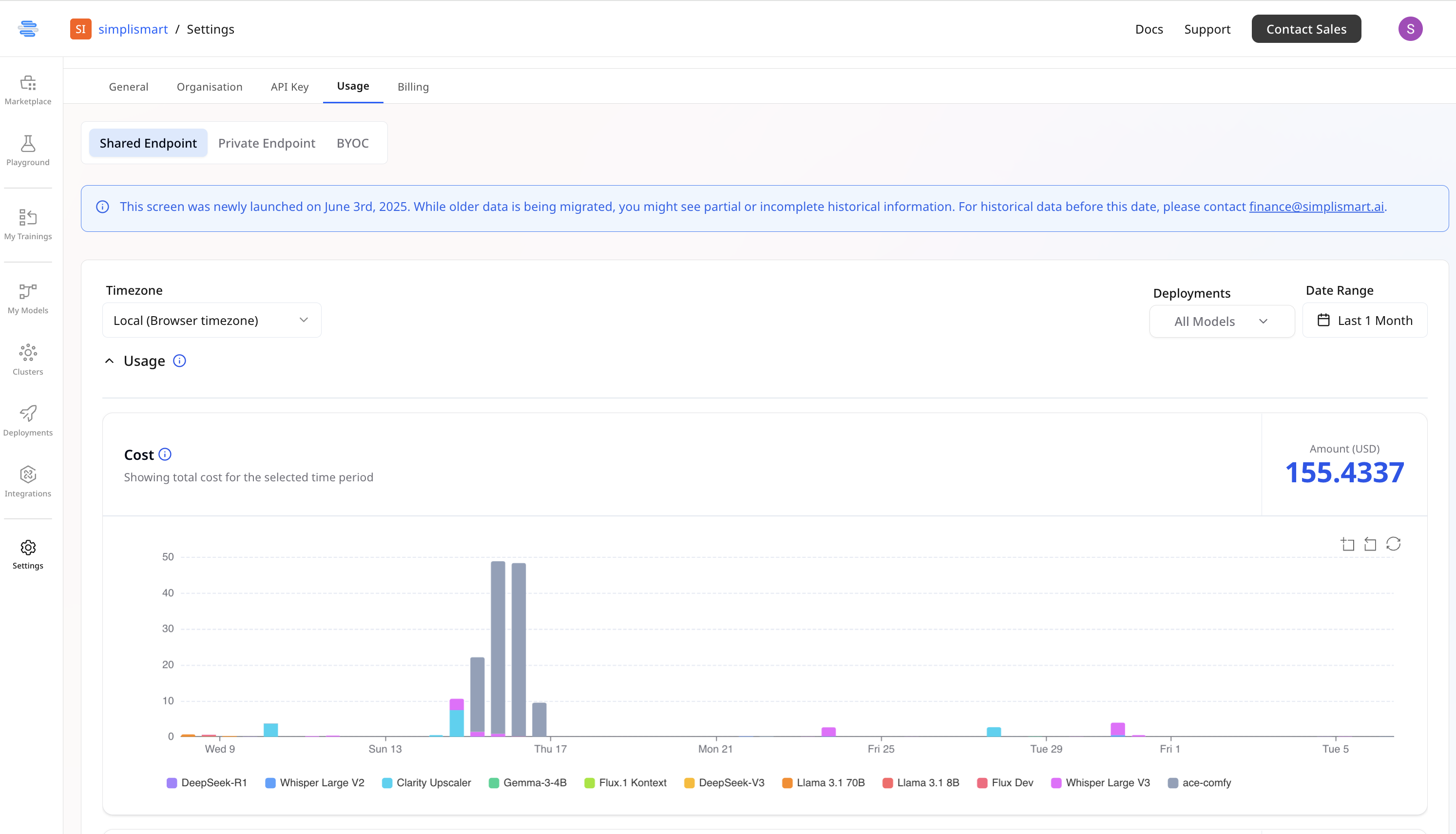
- The board displays total usage data for the chosen date range for all your deployments.
Access Detailed Request Logs
- You will also be able to see the request count in the same time frame
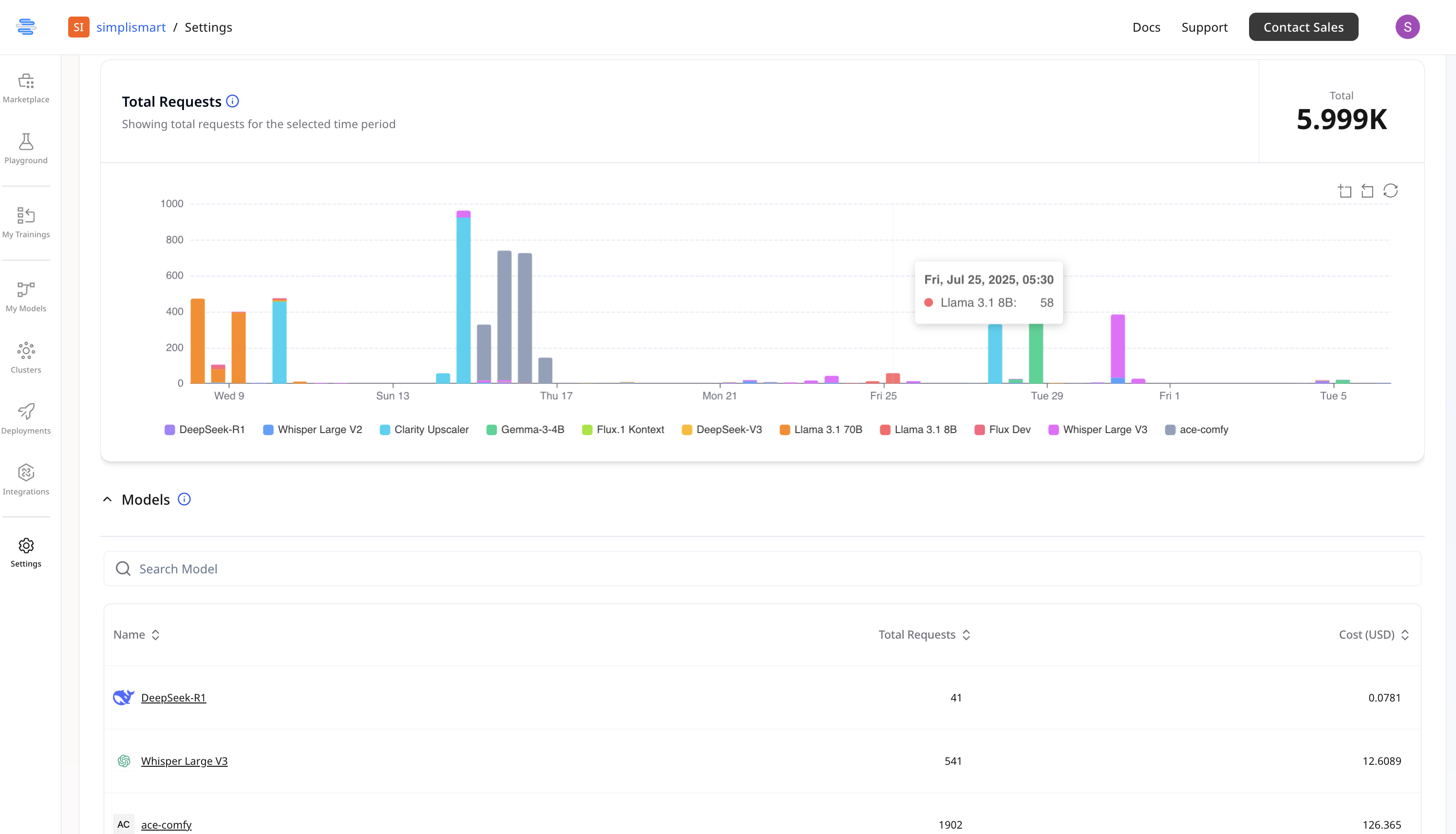
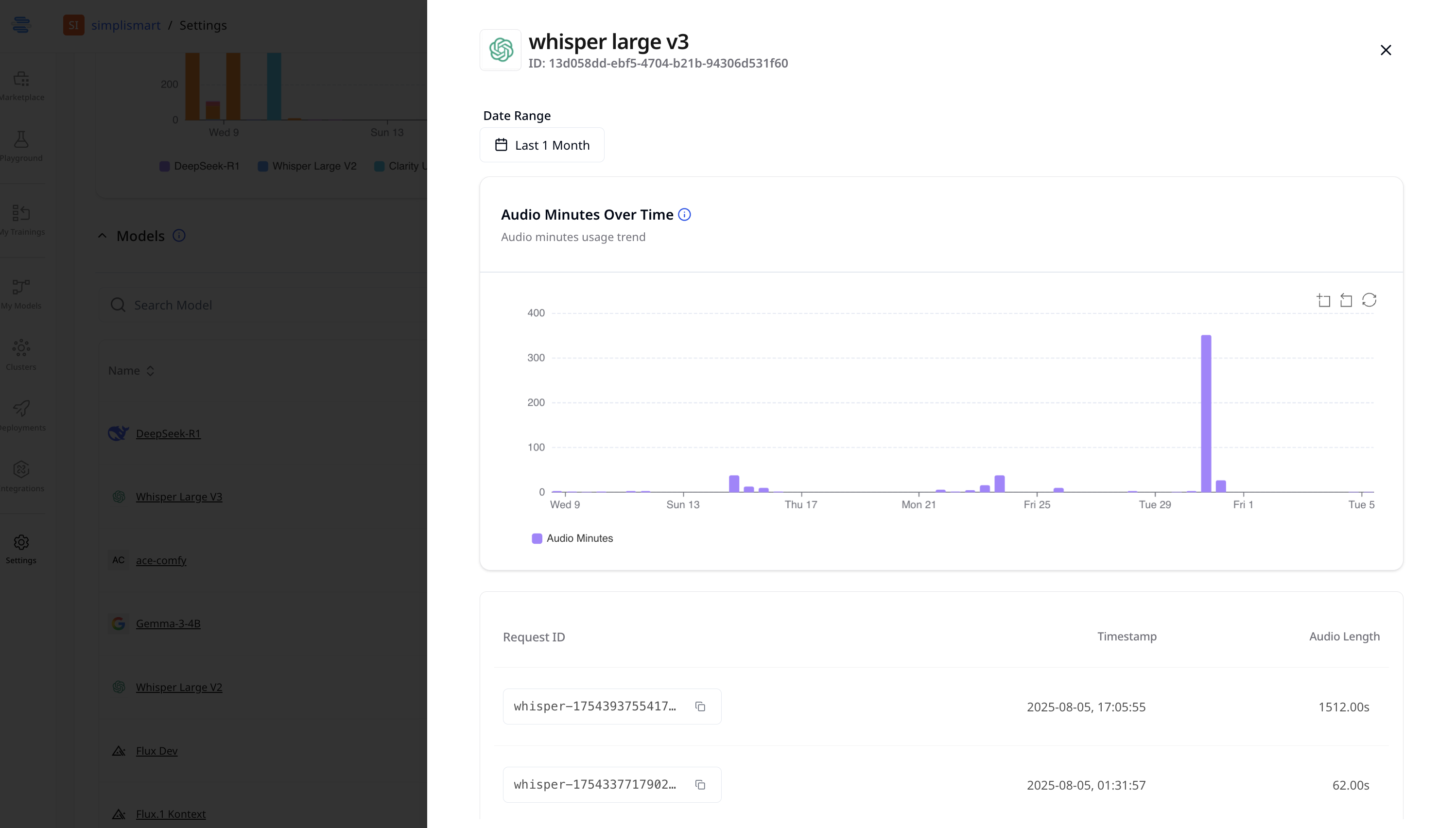
- For more details, click on a specific model.
- This will then give information regarding each request with the associated timeline.
Group By: Deployment or GPU
On the Private Endpoint usage tab, use the Group By dropdown to switch how cost is broken down:- Deployment — cost per individual deployment, same as the default view above.
- GPU — cost per accelerator/GPU type, pooled across all deployments on that GPU type.
Reservation Commitment (Reserved plan orgs)
For orgs on a reservation/commitment billing plan, the cost chart also breaks out how usage reconciles against the committed capacity:- Reserved — cost covered by (utilized within) the committed capacity.
- Reserved not util — committed capacity paid for but not used in that window.
- On-demand overage — usage billed above the committed quantity.