

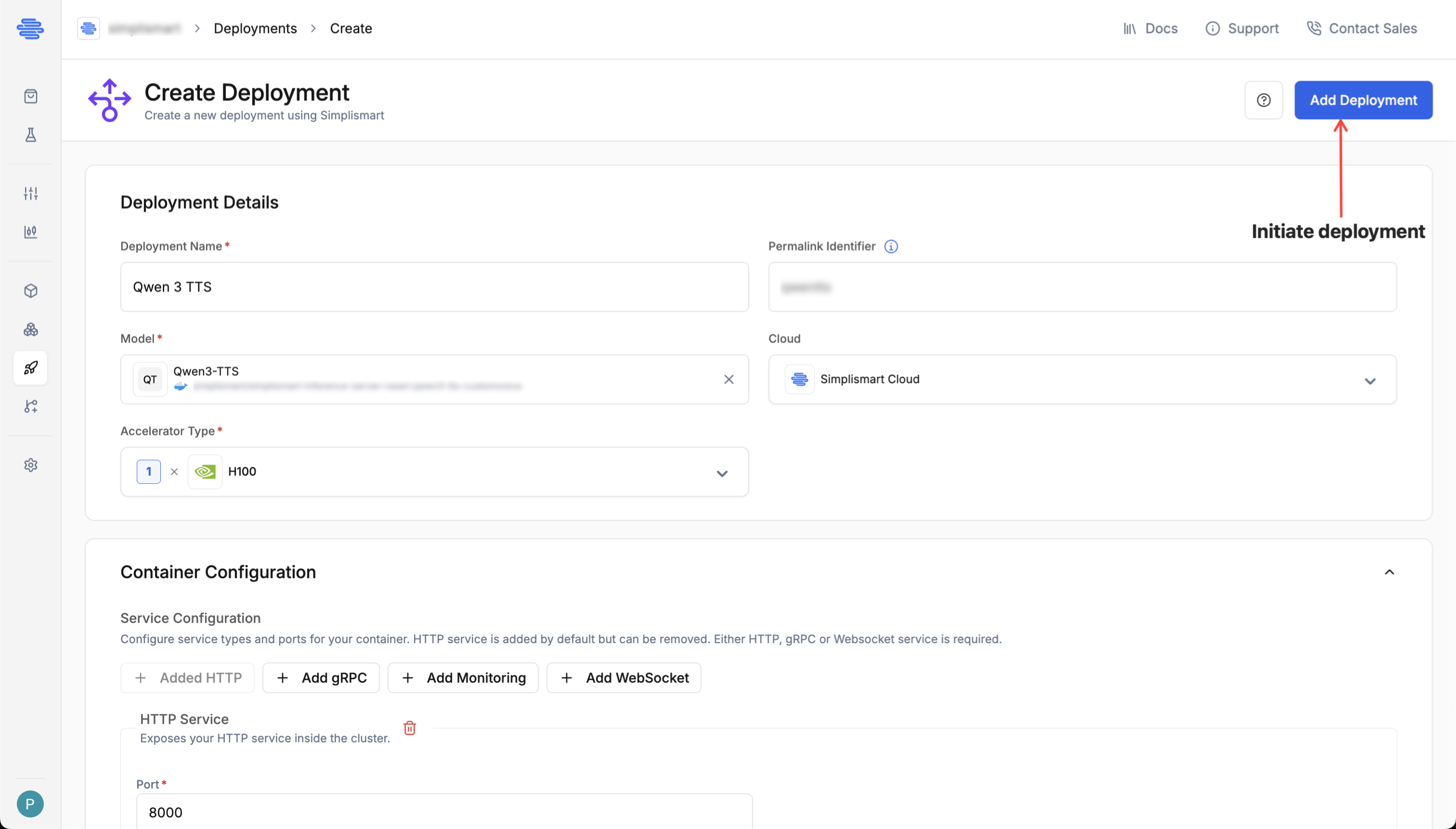
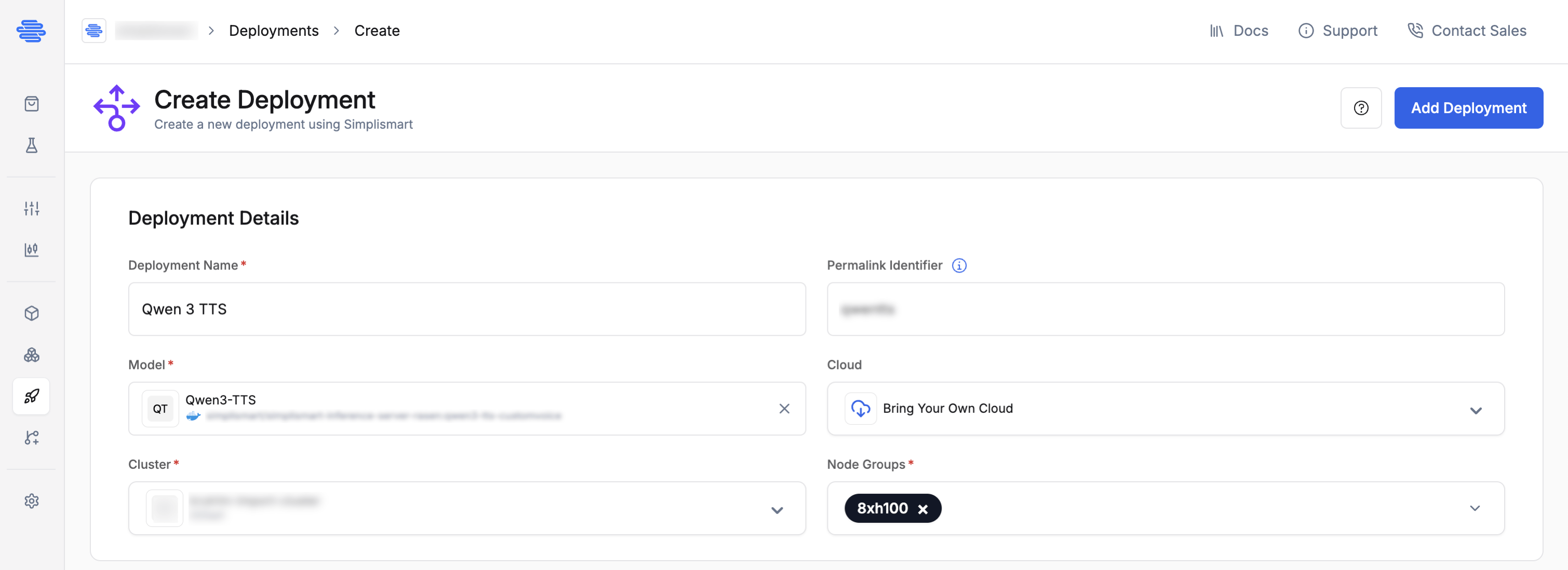
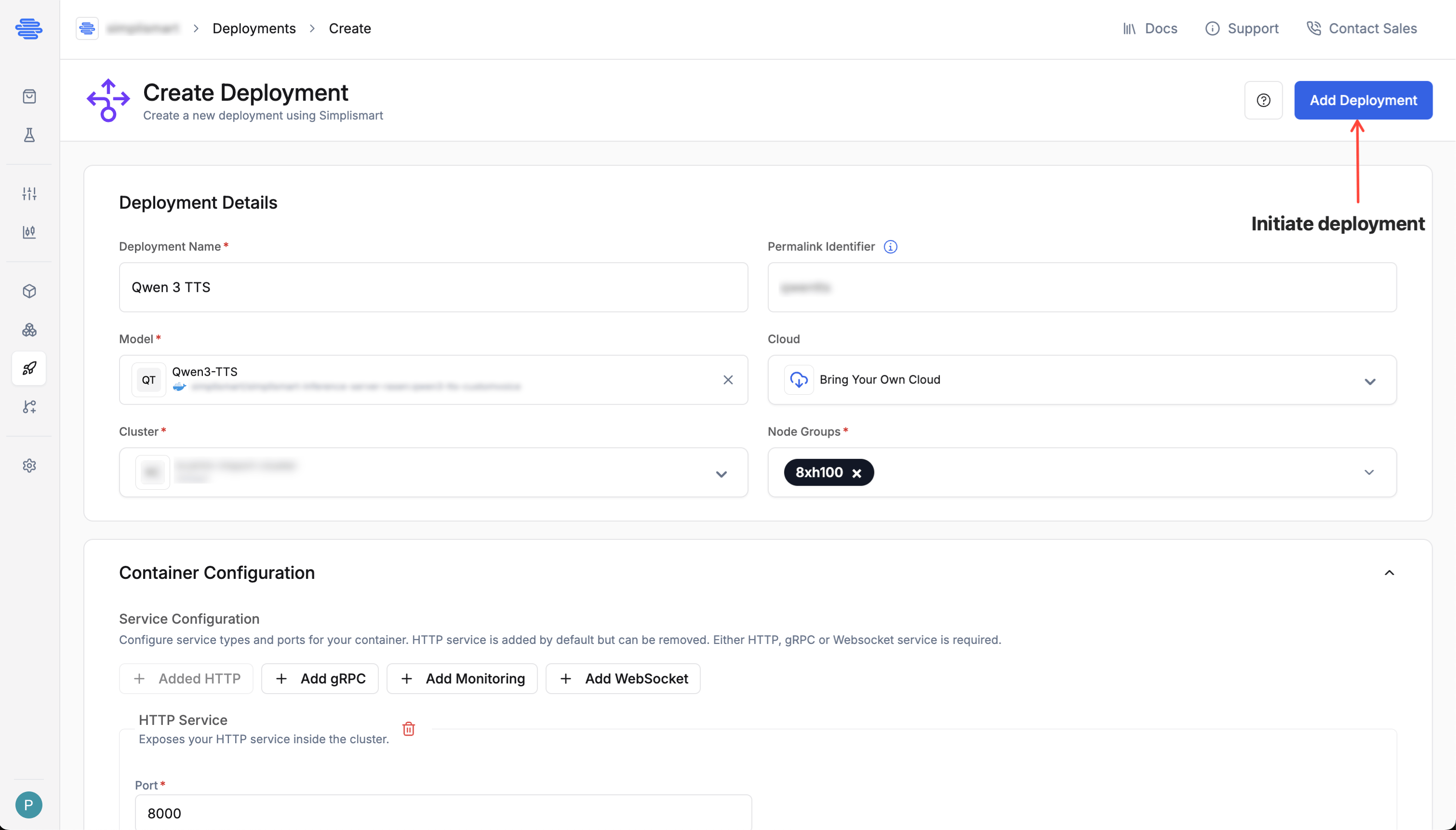
- Deployment Name: Provide a unique name for your deployment.
- Model: Choose the model you want to deploy from the dropdown.
- Cloud: Select Simplismart Cloud to deploy as a Dedicated Endpoint, or BYOC to deploy on your own cluster.
If you haven’t added your container yet, start with Add Your Container before proceeding.
- Dedicated Deployment
- BYOC Deployment
Choose Accelerator
Choose the desired accelerator type based on your model size and SLA requirements.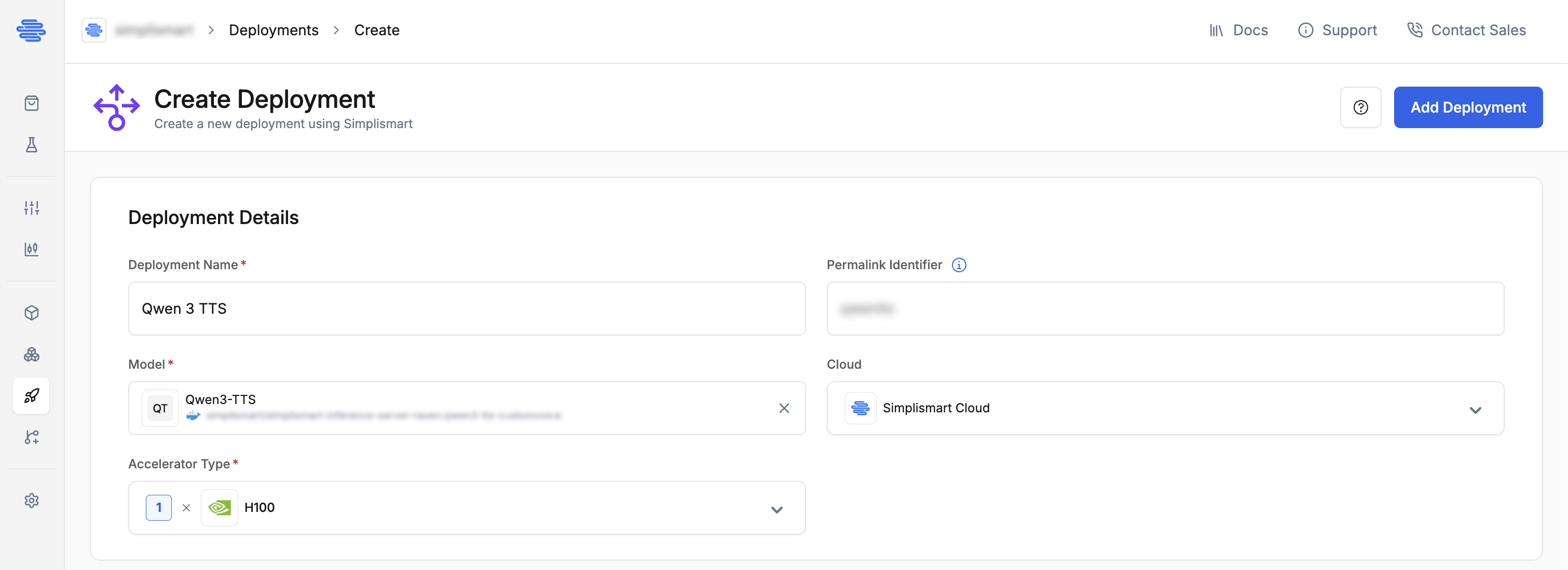
To deploy on a GPU type not listed or for CPU-only deployments, email support@simplismart.tech.
Container Configuration
If you already configured ports, health checks, environment variables, or a command override in the Add Model step, those values are pre-filled here and can be overridden. The fields exclusive to this step are Enable Auth and File Mount.
-
HTTP Service: Exposes your application over HTTP. Set the port your server listens on (e.g.
8000). Added by default; can be removed if you use gRPC or WebSocket instead.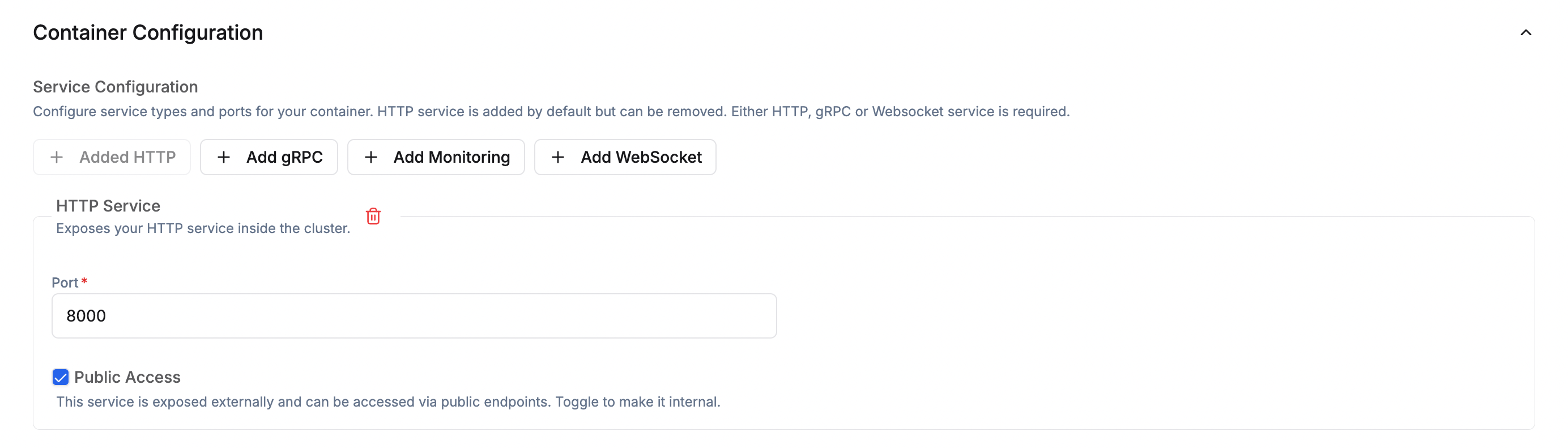
-
gRPC Service (Optional): Enable for high-performance RPC workloads. It requires a port distinct from the HTTP service port (e.g.
9000) and can be combined with HTTP and Monitoring services.
-
Monitoring Service (Optional): Exposes a metrics endpoint for monitoring tools such as Prometheus. Requires a Port (e.g.
9090) and a Path (e.g./metrics). Can be combined with HTTP or gRPC services.
-
WebSocket Service (Optional): Enable for WebSocket-based model serving (e.g. real-time streaming). Set the port (e.g.
8001).
- Health Check Path: Endpoint your app exposes for health probes (e.g.
/health). - Port: Must match your HTTP/gRPC service port (e.g.
8000). - Initial Delay: Wait time before the first health check (e.g.
30s). - Period: How frequently health checks run (e.g.
10s). - Timeout: Maximum time to wait for a health check response (e.g.
5s).

+ button.Command Override (Optional)Override the container’s default startup command. Type or paste the full command and press Enter or click outside the field to parse it automatically (e.g. python -m uvicorn main:app).Model EndpointSet the path your model server exposes for inference requests (e.g. /v1/completions). This field is required when using a WebSocket service (e.g. /v1/audio/speech).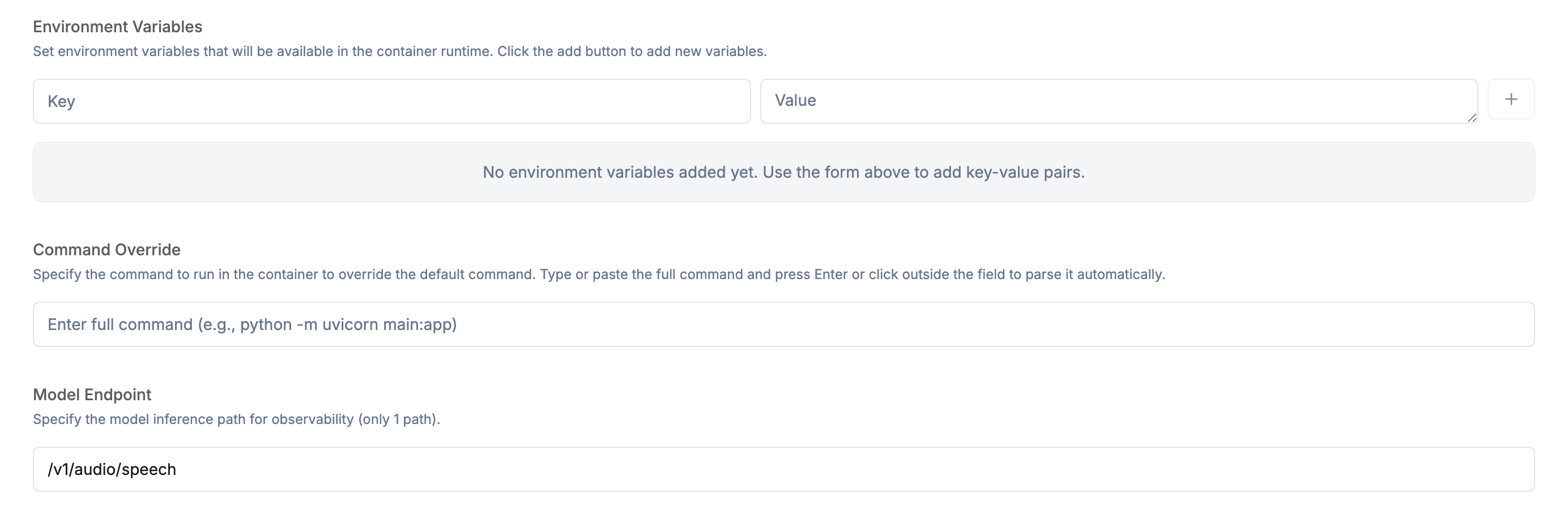
-
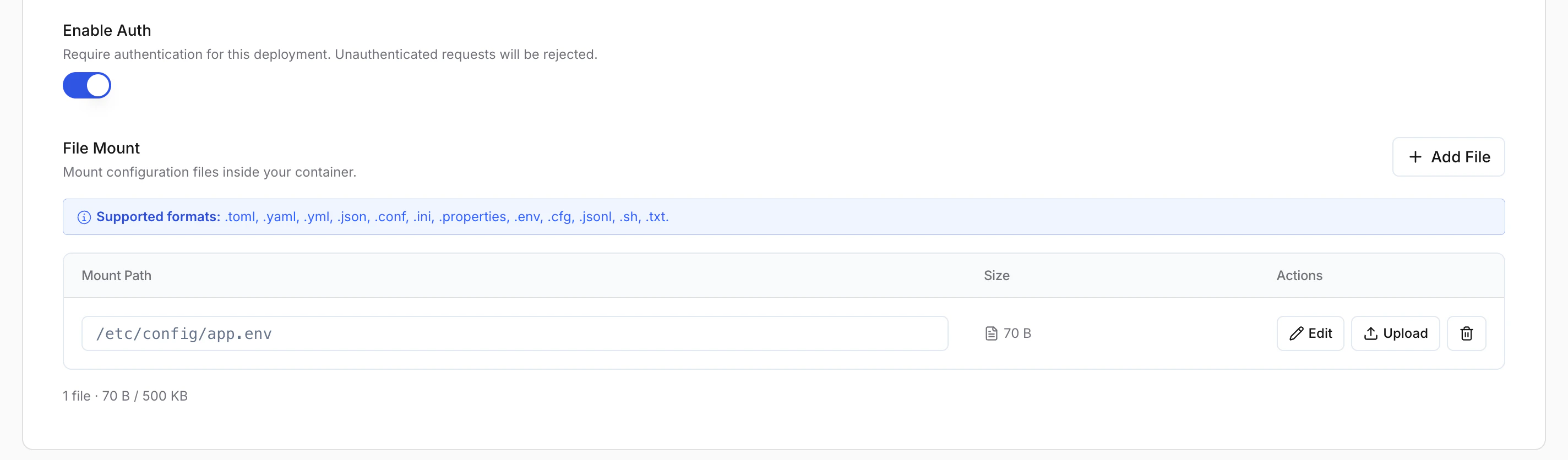
Supported formats:
.toml,.yaml,.yml,.json,.conf,.ini,.properties,.env,.cfg,.jsonl,.sh,.txt - Total size limit: 500 KB across all mounted files
-
Each mounted file can be edited inline or re-uploaded using the Actions column.
SSH Access
SSH access lets you connect directly to a running container in your deployment, which is useful for debugging, inspecting logs, or running ad-hoc commands without rebuilding and redeploying.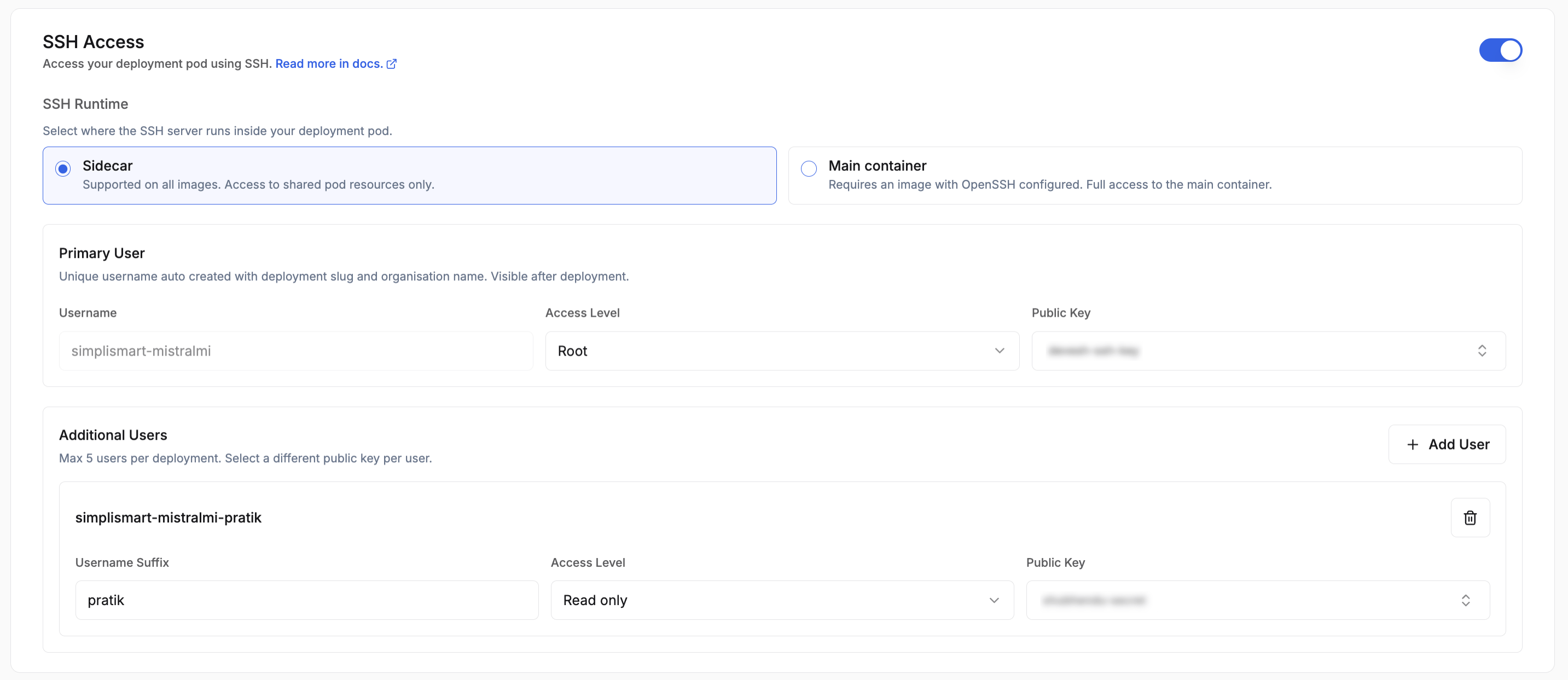
Scaling Parameters
Define how your deployment scales based on demand: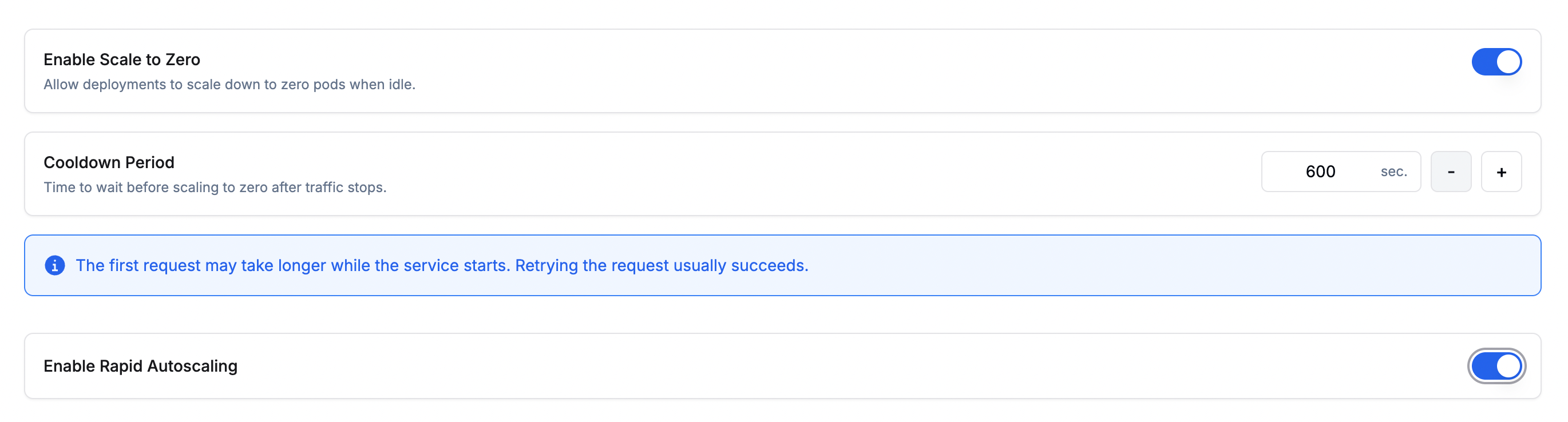
- Range: Minimum and maximum number of instances. The limits are governed by your account quota.
- Scaling Metric: The metric used to trigger scaling. Choose from:
- Memory Usage: Average memory usage across all pods.
- Latency: Response time per request.
- Throughput: Number of requests processed per second.
- Concurrency: Number of concurrent requests being processed.
Available scaling metrics may vary depending on the model type.
-
Threshold: The metric value that triggers a scaling event for both scale-out and scale-in (e.g. scale out at 80% memory, scale in when it drops back below the threshold).
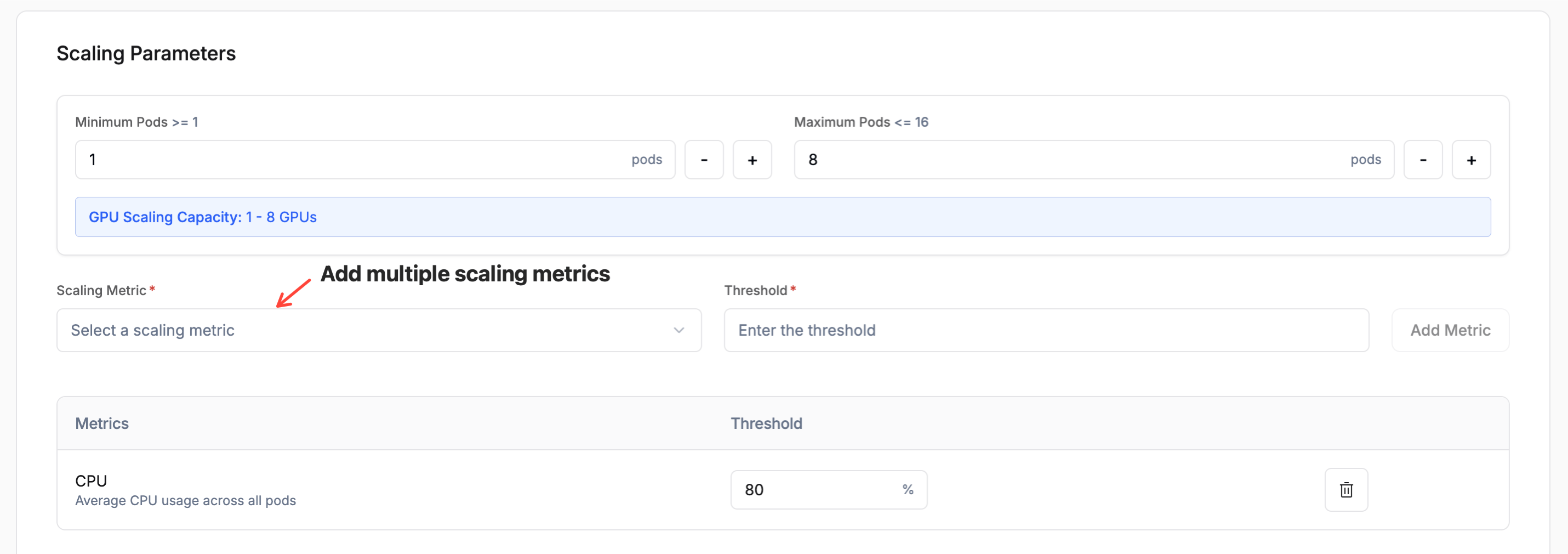
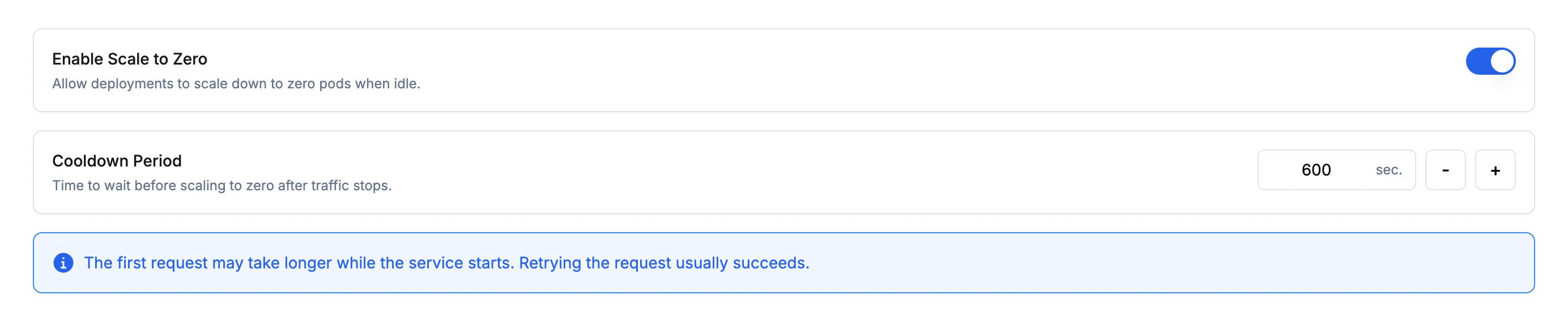
- Enable Scale to Zero: Scales the deployment down to zero instances when there is no incoming traffic, reducing idle costs. When traffic resumes, the deployment scales back up automatically.
- Cooldown Period: The amount of time (in seconds) to wait after traffic stops before scaling down to zero. A longer cooldown avoids premature scale-downs during brief traffic lulls.
Rapid Autoscaling is available on Simplismart Cloud (Dedicated) deployments only. To enable it, contact support@simplismart.tech.
Schedule-Based Autoscaling
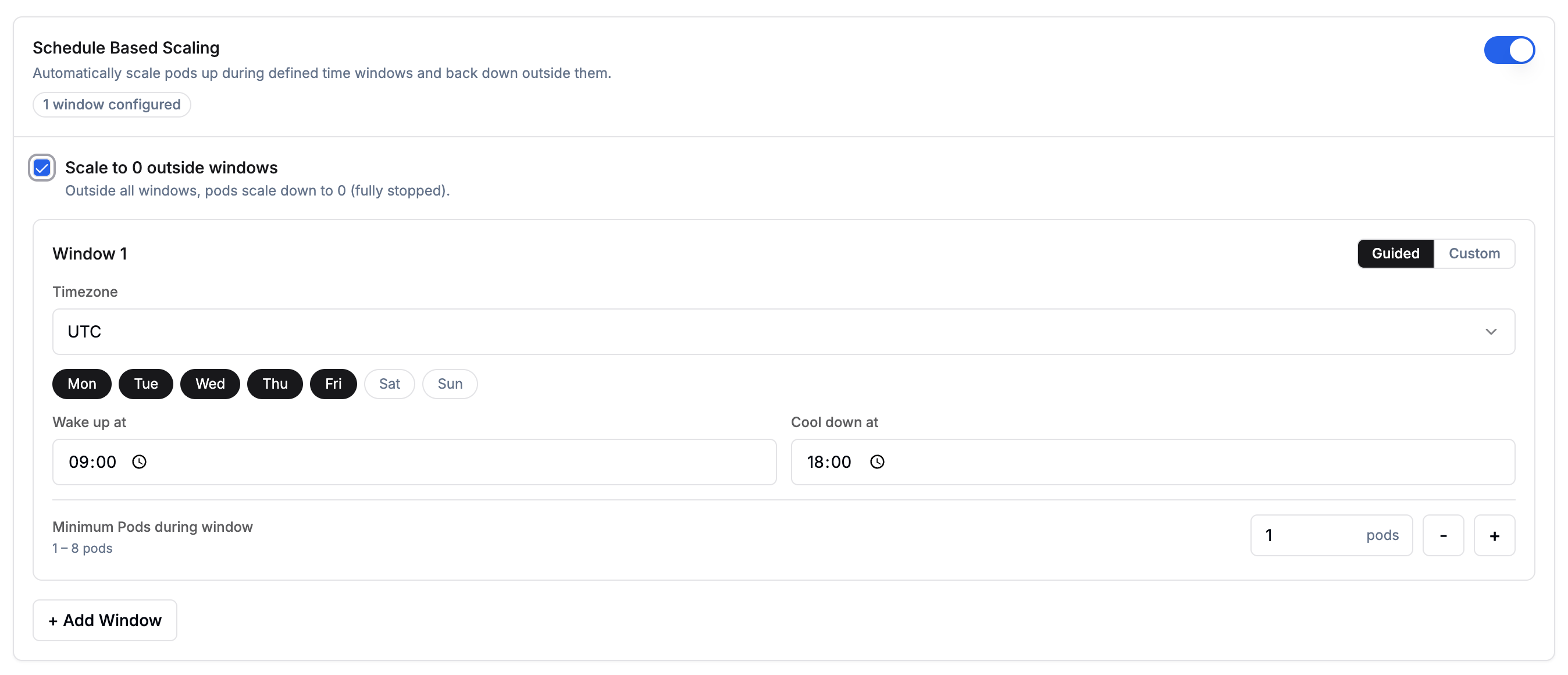
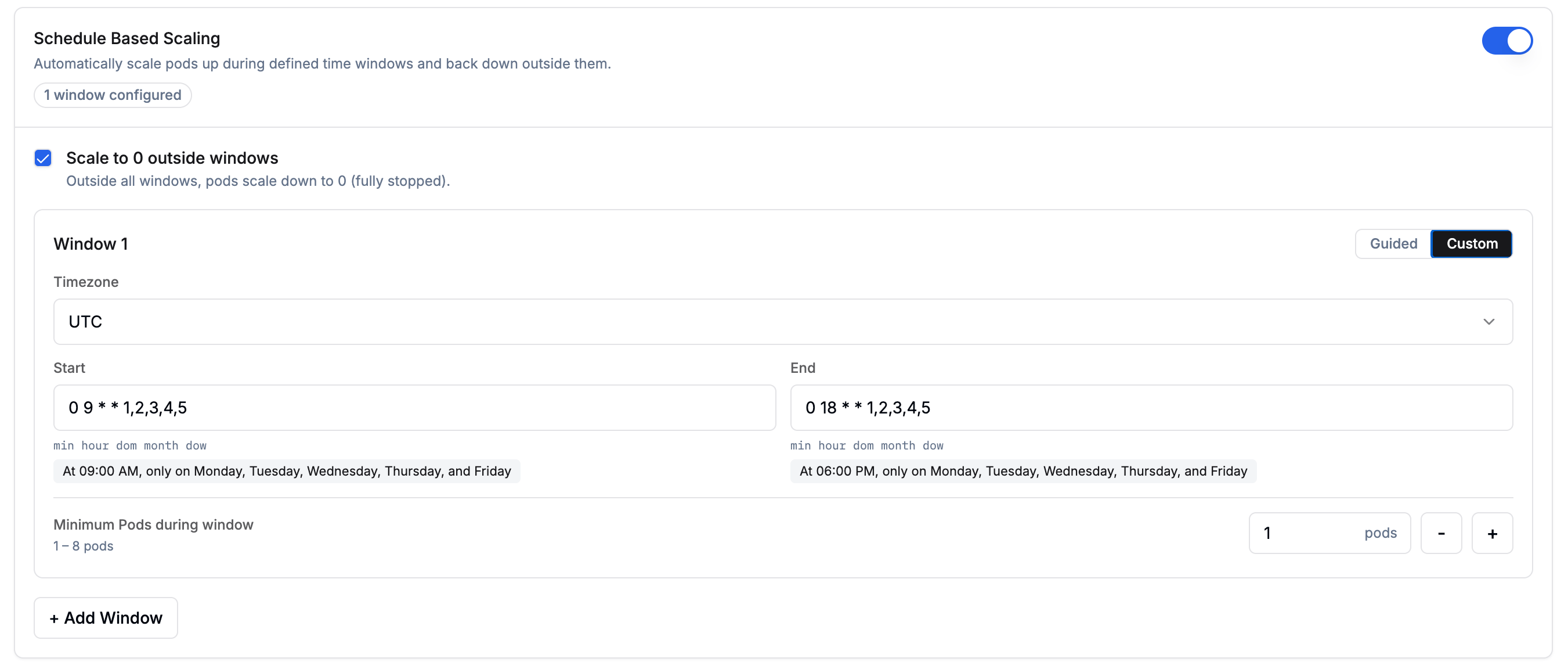
Enable Schedule Based Scaling when you know your traffic pattern in advance. For example, if most of your load arrives on weekdays during office hours, you can define time windows for those periods and let the deployment scale to zero, or fall back to a lower replica count, outside them.Scale to 0 outside windowsChoose what happens outside your configured windows:
Pick Disabled if the endpoint must accept requests outside windows.Configuring windowsEach window defines a time range during which a guaranteed minimum number of pods is maintained. Click + Add Window to add more windows. When multiple rules are active (schedule windows, overlapping windows, standard scaling), whichever produces the higher pod count wins at any given time. The cool-down period is fixed at 5 minutes and cannot be modified.Each window can be configured using either the Guided visual picker or Custom cron expressions:
- Guided
- Custom
Use the visual picker to configure your schedule:
- Timezone: the timezone for interpreting wake-up and cool-down times.
- Days: select one or more days of the week (Mon–Sun).
- Wake up at: the time at which pods scale up to the configured minimum.
- Cool down at: the time at which pods begin scaling down.
-
Minimum Pods during window: number of pods guaranteed during the window (1–8).
Autoscaling Policy
Fine-tune how aggressively your deployment scales up and down by configuring policies and stabilization windows for each direction. This controls the rate of pod changes once the scaling metrics cross their configured thresholds.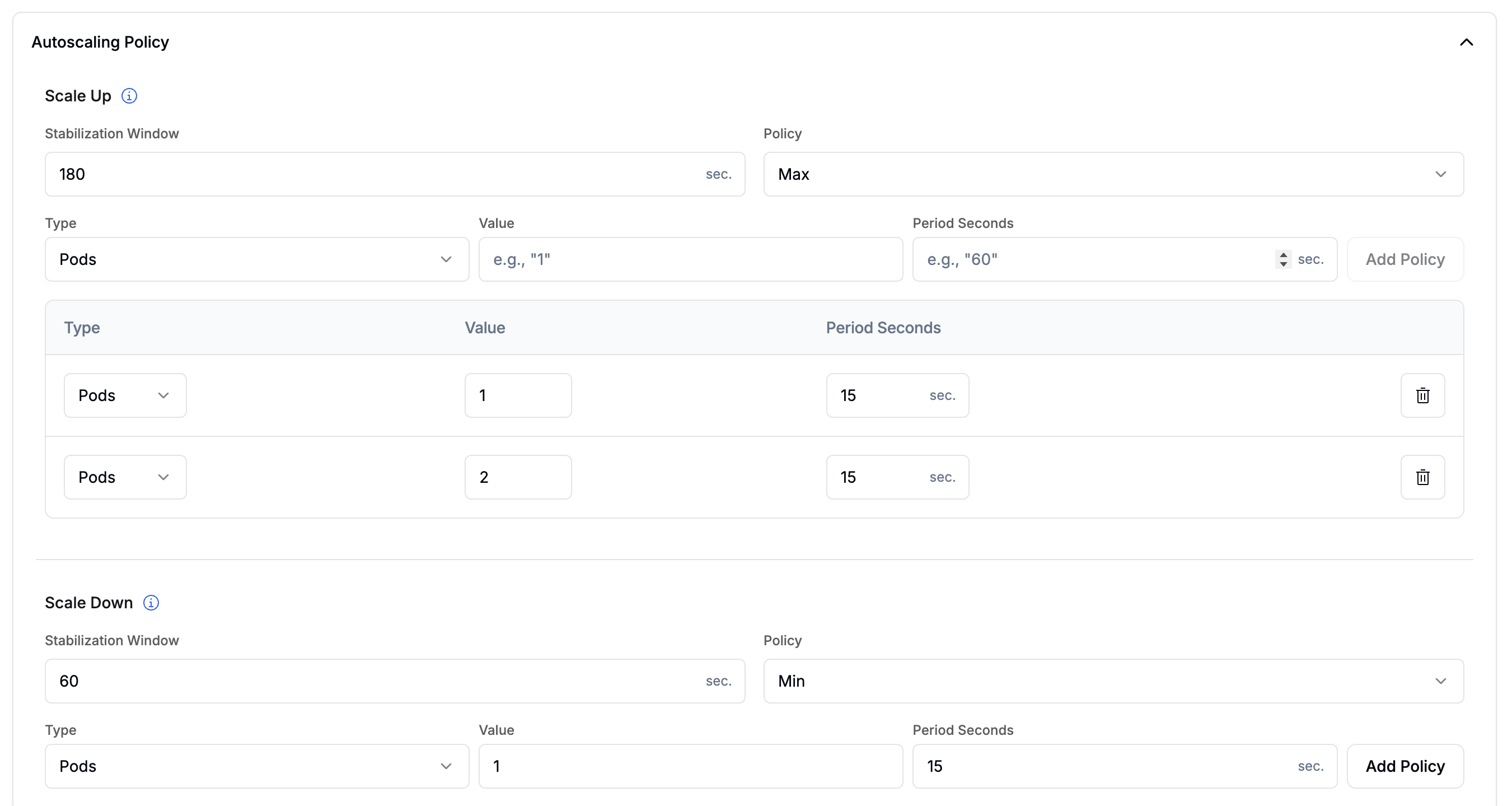
- Stabilization Window: the look-back period (in seconds) used to smooth out scaling decisions. Default:
60s. Range: 0–3600 s. - Select Policy: when multiple policies are configured, determines which one wins:
- Max (default): picks the policy that allows the most pods to be added.
- Min: picks the policy that allows the fewest pods to be added.
- Disabled: disables scale-up entirely.
- Policies: one or more rate-limiting rules. Click Add Policy to configure:
- Type:
Pods(fixed number per period) orPercent(percentage of current count, max 100). - Value: the number of pods or percentage to add per period.
- Period Seconds: the duration of each evaluation window (1–1800 s).
- Type:
When multiple policies are active, Select Policy = Max picks the policy that allows the largest increase.
- Stabilization Window: the look-back period (in seconds) before pods are removed. Default:
180s. Range: 0–3600 s. - Select Policy: when multiple policies are configured, determines which one wins:
- Min (default): picks the policy that removes the fewest pods.
- Max: picks the policy that removes the most pods.
- Disabled: disables scale-down entirely.
- Policies: same fields as Scale Up.
When multiple policies are active, Select Policy = Min picks the policy that removes the fewest pods. This ensures scale-down is gradual even if metrics drop sharply.
Autoscaling Policy is an advanced configuration. If left unconfigured, standard min/max replica scaling based on the configured scaling metrics applies without rate limiting.
Storage
Mount a persistent volume into your deployment to provide model weights or data files that the container reads at runtime.
- Mount Path: The path inside the container where the volume is mounted (e.g.
/mnt/models). - Size (Gi): The size of the volume in gibibytes.
Tags
Add key-value tags to organize and filter your deployments. Tags are useful for tracking environment, team, or cost-center metadata.
- Click + Add Tag to add a new key-value pair.
-
Tags can be used to filter deployments on the Deployments page.


Monitoring and Access
After the deployment is created, Simplismart continuously probes your container using the Health Check Path, Port, Period, and Timeout you configured in Container Configuration. The deployment is marked Healthy once those probes succeed consistently. Until then, the endpoint does not accept traffic. Health checks keep running for the lifetime of the deployment. If a pod stops responding, Simplismart stops routing traffic to it and may replace it.Health states
The status shown on the deployment page reflects the current health of your deployment:
When the deployment is Healthy, it is ready to accept inference requests:
- Health Status: Shows Healthy on the deployment page.
- Deployment URL: Direct link to your running deployment. Use the API tab to find the endpoint URL and a pre-generated inference script. See Inference & Monitoring for a full walkthrough.
- Events Tab: Tracks lifecycle events such as health transitions, scale-out, scale-in, and instance restarts. Start here when debugging unexpected behaviour.
Managing Your Deployment
Once your deployment is live, you can manage it from the Deployments page:- Open the Deployments tab from the main menu.
- Select the deployment you want to modify.
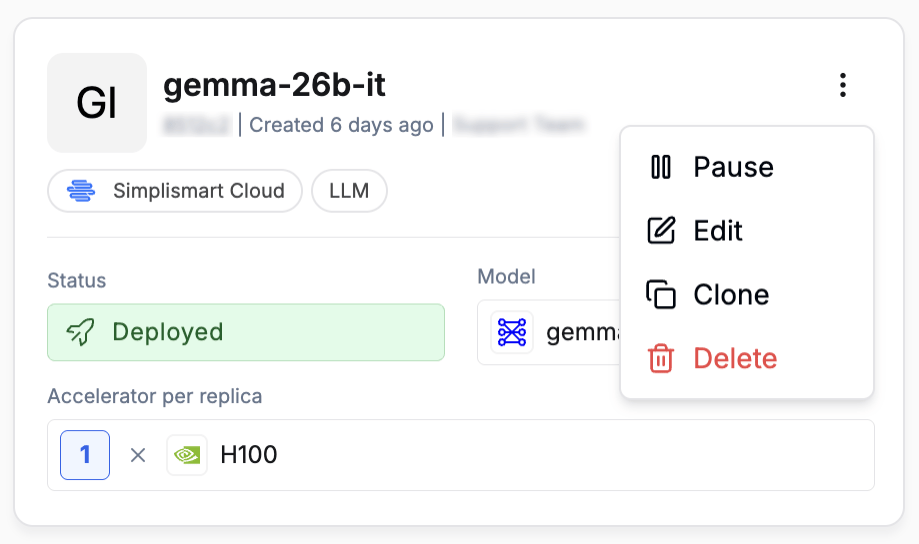
- Click the kebab menu (
⋮) in the top-right of the deployment card and choose Pause, Edit, Clone, or Delete.
Edit Deployment
Adjust scaling, model, or tags without redeploying. Changes are applied as rolling updates.
Pause Deployment
Halts all running instances. The deployment configuration is preserved and can be resumed at any time.
Clone Deployment
Duplicates the current deployment’s configuration as a starting point for a new deployment.
Delete Deployment
Permanently removes the deployment and all its instances. This action cannot be undone.
Troubleshooting
- Verify your application implements the health check endpoint and responds within the configured timeout.
- For private images, ensure the registry secret has read access to the repository.
- Confirm the HTTP service port matches the port your application listens on.