

Prerequisites
Before starting, ensure you have:- Dataset formatted according to the Sequence Classification Training Requirements
Supported models
LLM/VLM Architectures
meta-llama/Llama-3.1-8B-Instructmeta-llama/Llama-3.2-1B-Instructmeta-llama/Llama-3.2-3B-InstructQwen/Qwen2.5-3B-InstructQwen/Qwen2.5-14B-Instruct
Creating a Training Job
To create a new training job, navigate toMy Trainings > LLM/VLM Model > Add a Training Job
1
Configure Basic Settings
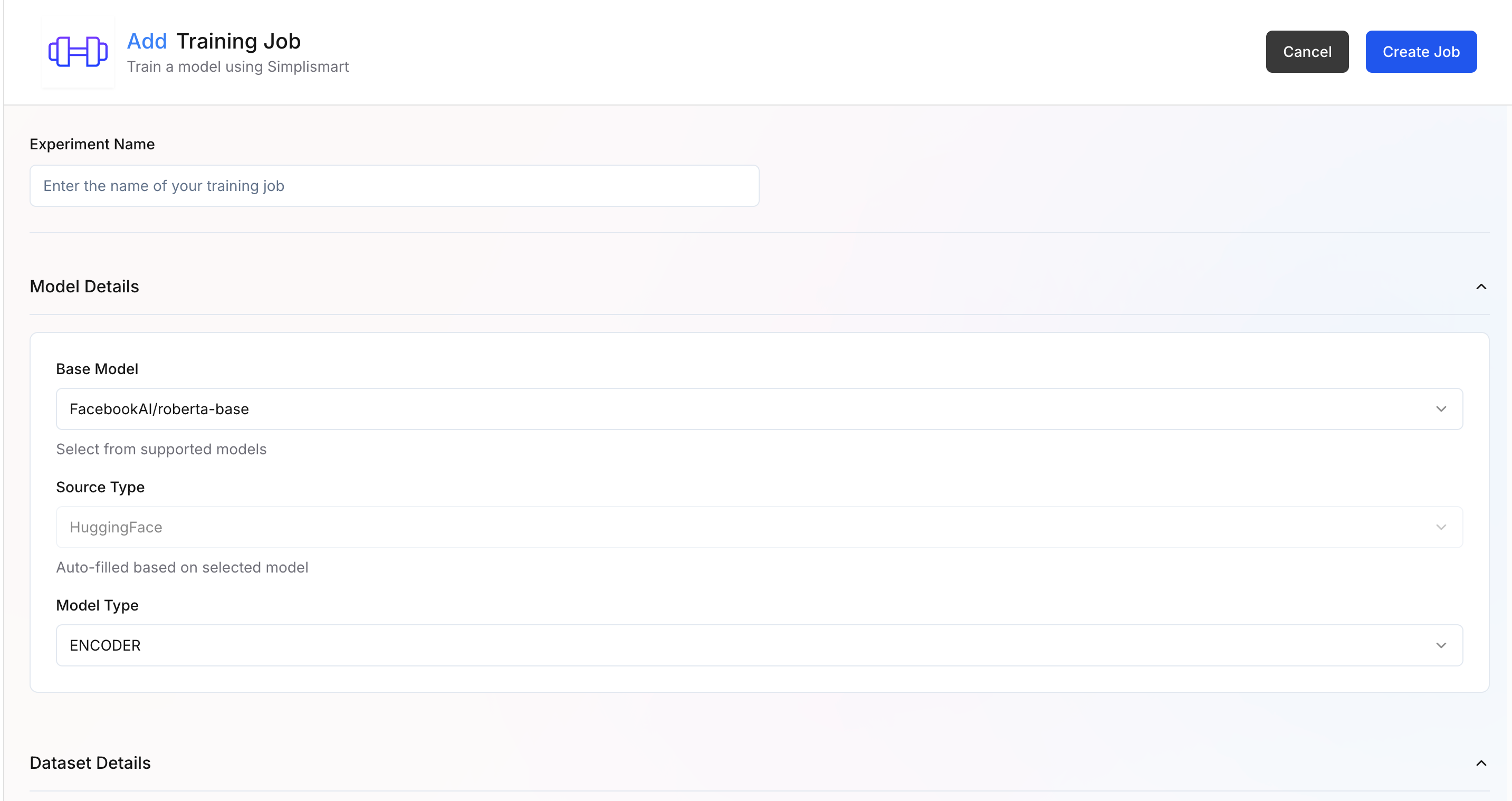
- Experiment Name: Enter a descriptive name for your training experiment
- Model Details:
- Base Model – Select the base model you want to fine-tune. Supported models (e.g.,
meta-llama/Llama-3.1-8B-Instruct) are available in the dropdown. - Source Type – Automatically filled based on the selected model source (e.g.,
Hugging Face).
- Base Model – Select the base model you want to fine-tune. Supported models (e.g.,
When the base model is selected, the rest of the parameters get updated automatically with recommended defaults for that model and training type.
2
Dataset Details
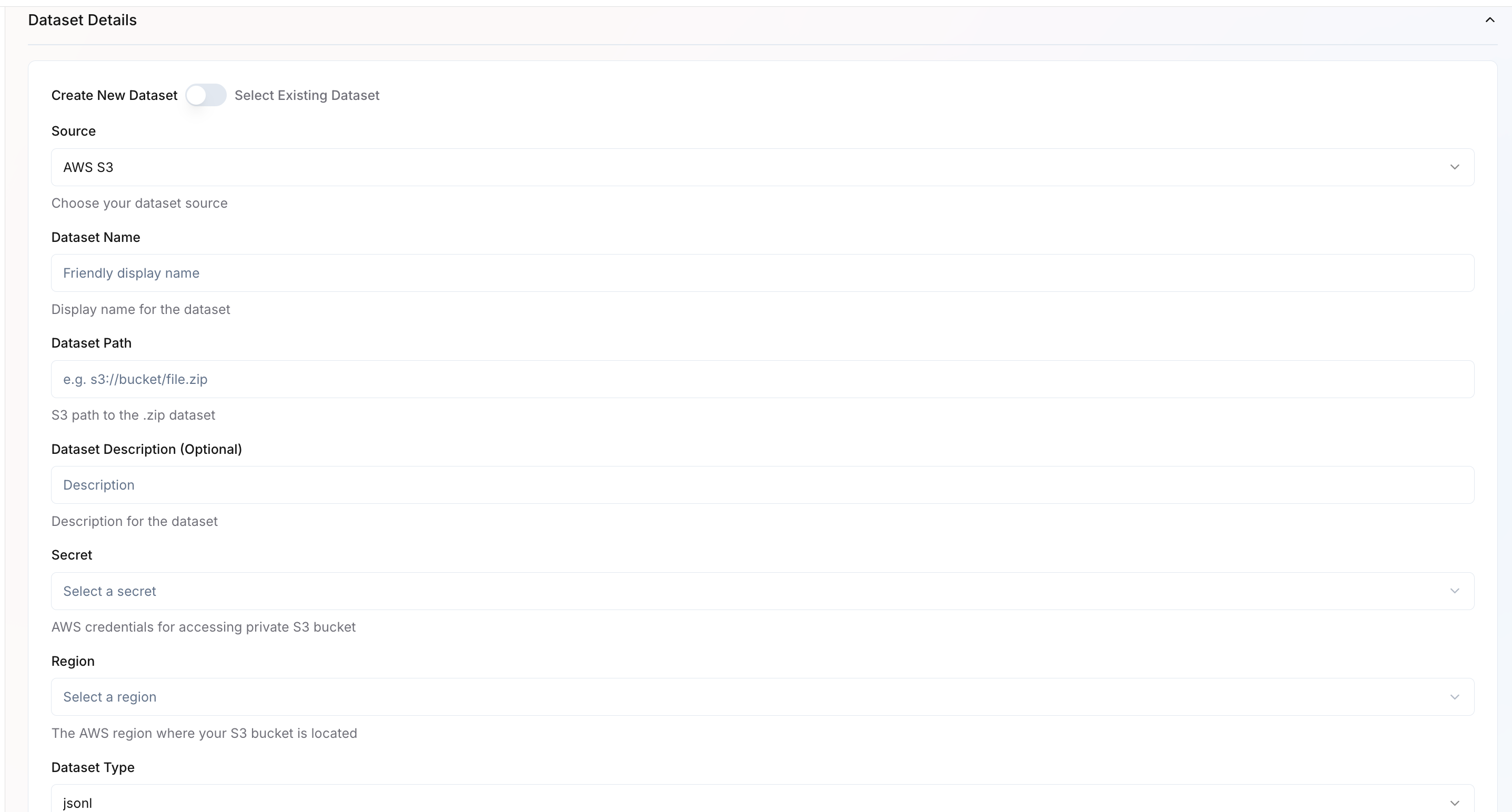 You can either create a new dataset or select an existing one.Create New Dataset
- Source – Choose the dataset source (e.g., AWS S3, GCP).
- Dataset Name – Provide a friendly name for your dataset.
- Dataset Path – Specify the full path to your dataset (e.g.,
s3://bucket/file.jsonl). - Dataset Description – Optional field for describing your dataset.
- Secret – If AWS/GCP source, select the credential secret required to access private buckets. Learn how to configure cloud credentials.
- Region – If AWS/GCP source, choose the region where your bucket is located.
- Dataset Type – Specify the data format, such as JSONL.
- In the Dataset Details section, select Use Existing Dataset.
- A dropdown will appear listing all datasets available under your organization.
- Choose the dataset you want to attach to this training job.
- Once selected, key information such as Dataset Name, Source, Path, and Region will auto-populate based on the saved configuration.
- Review the prefilled values to ensure the dataset is still valid and accessible.
- After selection, proceed to configure Dataset Configuration parameters.
3
Dataset Configuration
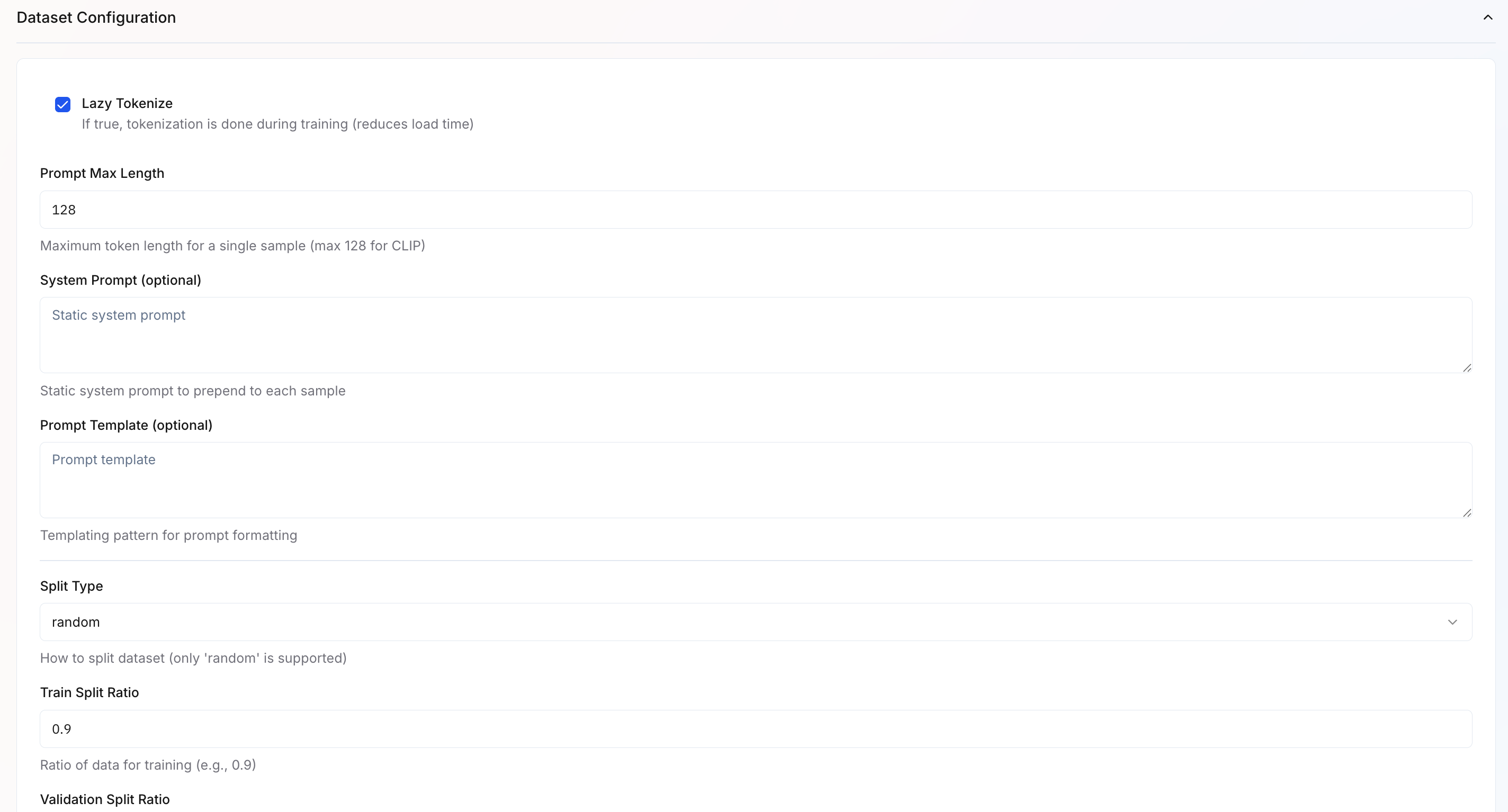
- Lazy Tokenize – Tokenizes text during training rather than upfront, reducing memory usage and initial load time.
- System Prompt – Optional instruction prepended to each input sequence (e.g., “Classify the sentiment of the following text:”).
- Prompt Template – Template for formatting inputs consistently (supports variables like
{content}). - Split Type – Method for dividing data into train/validation sets. Currently supports
randomsplitting. - Train Split Ratio – Proportion of data used for training (default:
0.9or 90%). - Validation Split Ratio – Proportion reserved for validation to monitor overfitting (default:
0.1or 10%).
4
Infrastructure Configuration
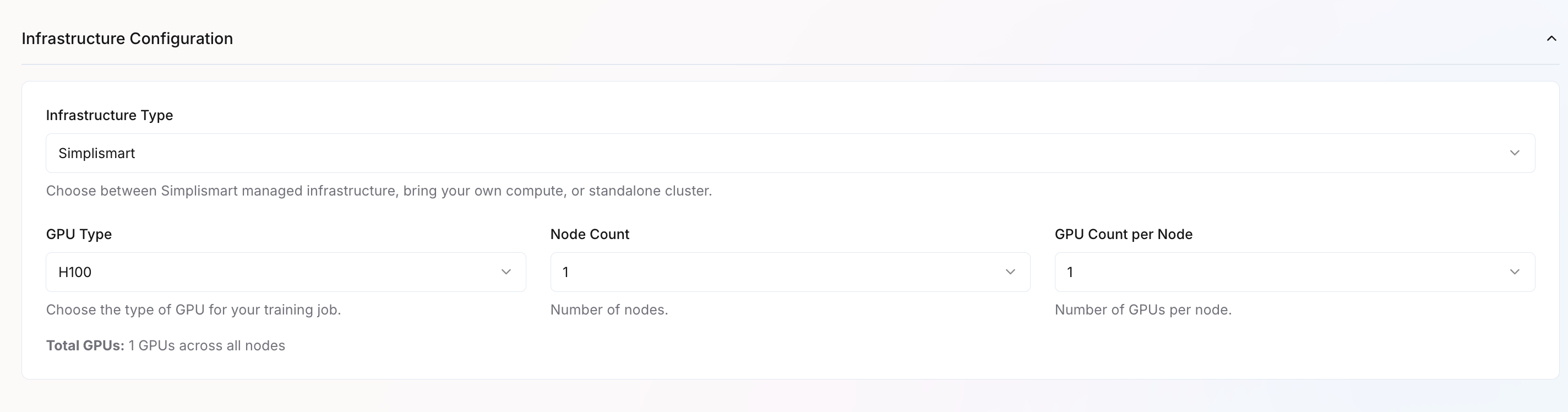
- Infrastructure Type – Choose where to run training:
- Simplismart Cloud – Fully managed infrastructure
- Bring Your Own Compute – Use your own cloud resources
- Imported Cluster – Use a pre-configured standalone cluster
- GPU Type – Select GPU hardware based on your performance needs
- Node Count – Number of machines to use
- GPU Count per Node – GPUs per machine
5
Set Training Parameters
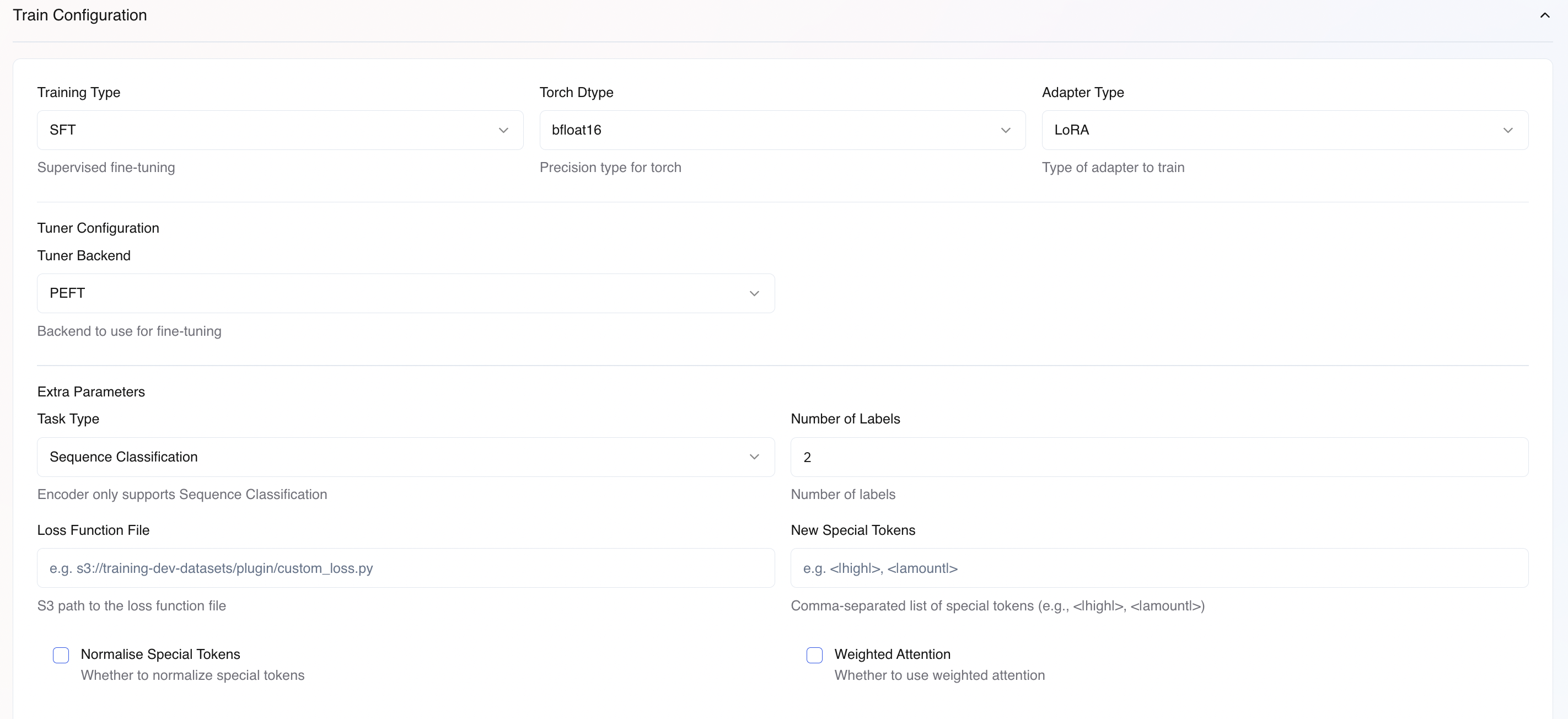
Basic Training Configuration
Tuner Configuration
Extra Parameters for Tuner Backend
For the PEFT backend, these extra parameters needs to be configured, based on your usecase:Task Type (for PEFT Training)- Casual Language Modeling: For LLM/VLM finetuning jobs
- Sequence Classification: For sequence classification training jobs.
-
Total number of classes in your dataset (e.g.,
2for binary classification,5for 5-class).
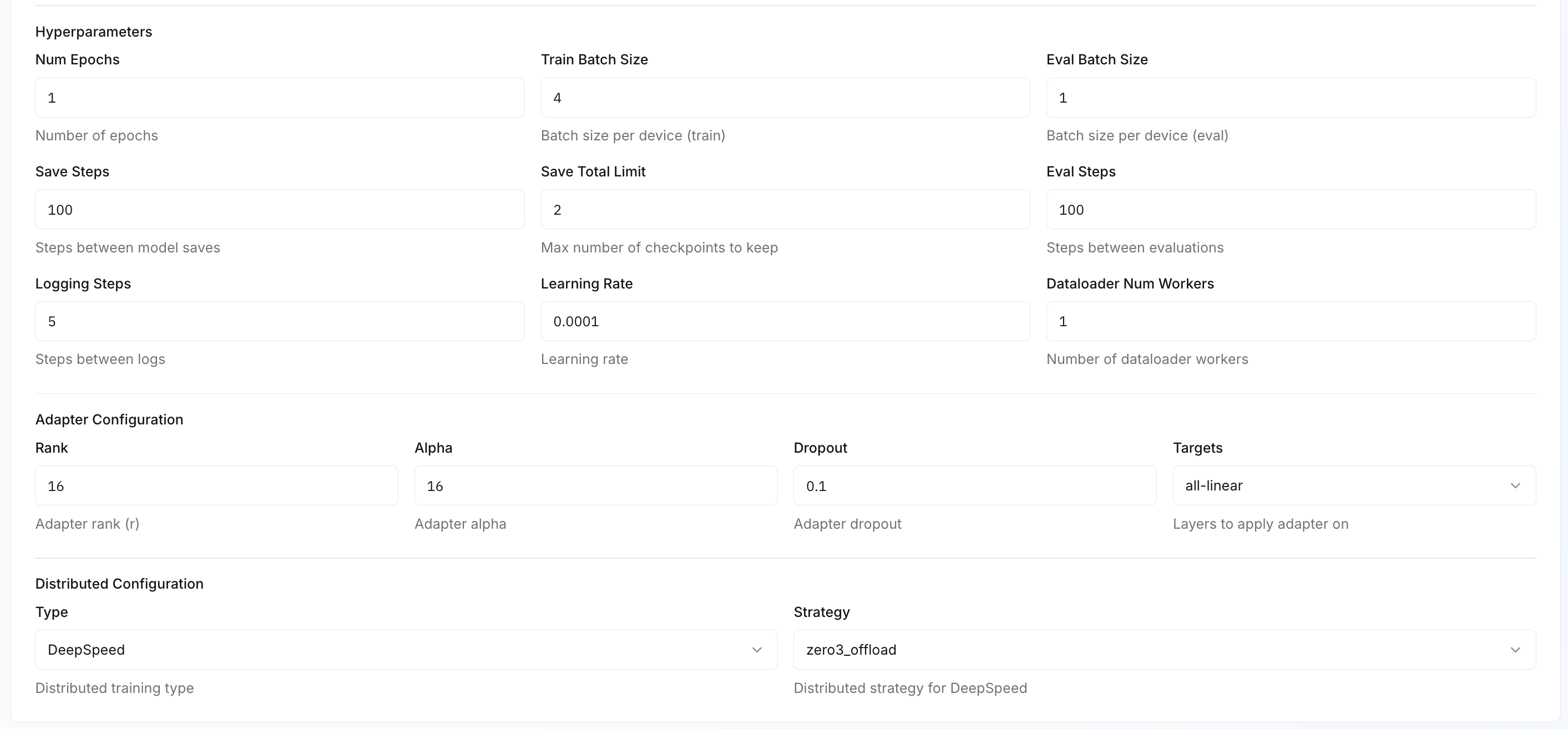
Hyperparameters
Adapter Configuration
Configure fine-tuning parameters based on your selected Adapter Type (LoRA or Full). Different parameters apply depending on your choice. Learn more about adapter configuration.Distributed Configuration
Configures multi-GPU or multi-node training for large-scale training.6
Create and Monitor Training
- Review all settings carefully
- Click
Create Jobto start training - Monitor training progress in the
My Trainings>Your Training Job>Metricstab.
Deployment and Inference
Once training completes successfully, you can compile and deploy your finetuned model for inference.During model compilation, if your usecase is text-classification please add a field under
extra_params adding "task": "text-classification".Sharing below, a sample Pipeline Configuration for your reference. By default, it takes fill-mask as a task.Text Classification Example
Fill Mask Example
You can refer to the HuggingFace page of the respective model for more information about the<MASK>token.