> ## Documentation Index
> Fetch the complete documentation index at: https://docs.simplismart.ai/llms.txt
> Use this file to discover all available pages before exploring further.
# Dedicated Endpoint
> Deploy models on exclusive, isolated infrastructure with stable performance and full customization
Dedicated endpoints provide exclusive infrastructure for your model deployments, ensuring stable performance, reliability, and isolation from shared workloads. They also enable the deployment of **proprietary or custom models**, allowing greater flexibility in configuration, scaling, and security.
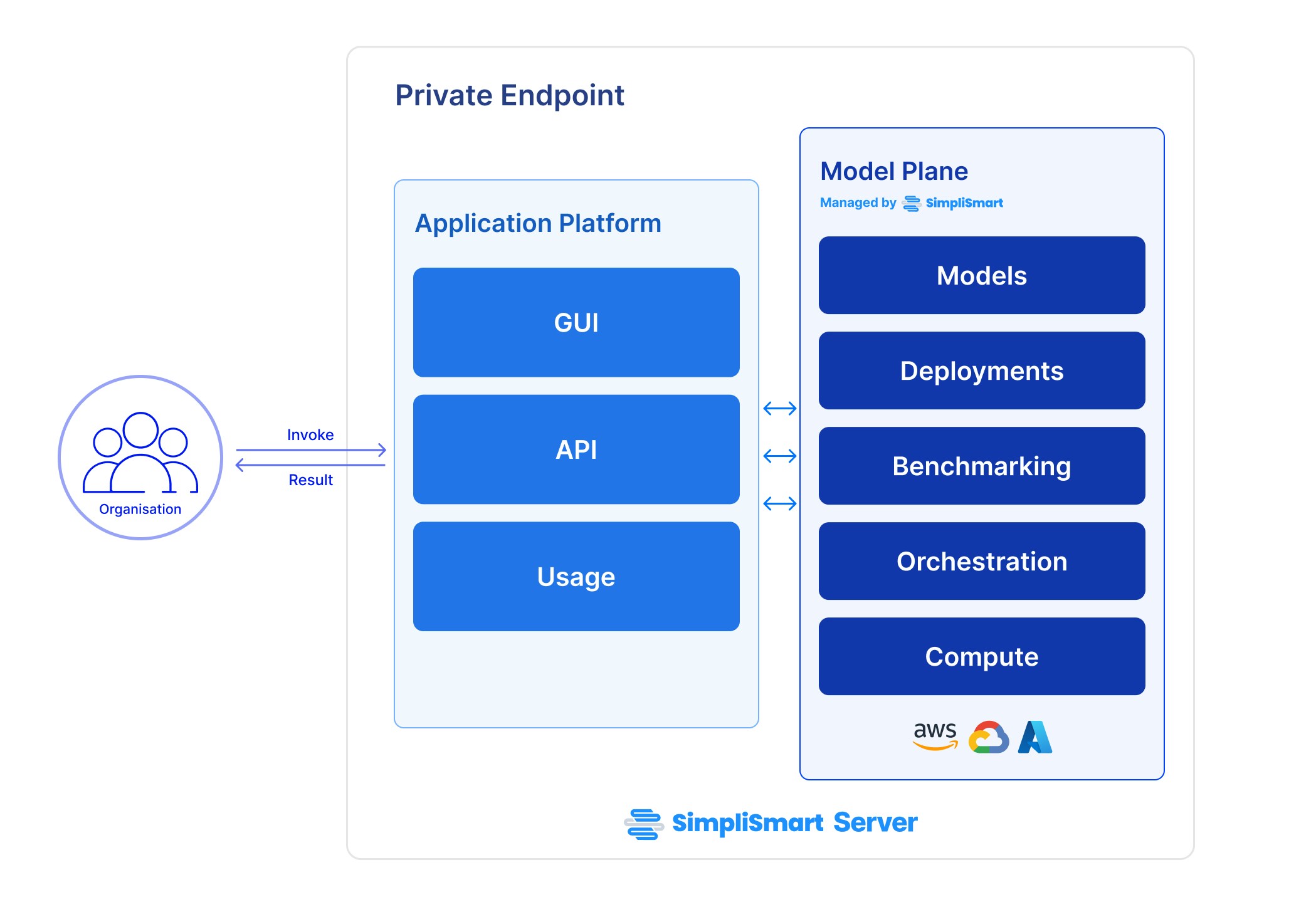 ## **Benefits of using a Dedicated endpoint**
* **Dedicated resources**: No sharing of compute resources with other users.
* **Bring your own models**: Deploy your own custom or finetuned models.
* **Enhanced performance**: Improved response times and throughput.
* **Higher reliability**: Reduced risk of downtime and performance degradation.
***
## Deploying your model on a Dedicated Endpoint
To deploy your model on a dedicated endpoint, follow these outlined processes. Each step includes a link for detailed instructions, ensuring a smooth launch and use of your deployed model.
***
1. Optimise your model for deployment by visiting the [Models](/model-suite/optimise-a-model) page and using our optimisation tools.
2. You can either choose a pre-optimized model from our [Model Marketplace](https://app.simplismart.ai/model-marketplace), or add your own.
**Pre-optimized models** are faster to deploy and support one-click deployment for quick setup and usage.
You can deploy your optimised model on a dedicated endpoint by selecting your cloud provider as `Simplismart Cloud`, click here for detailed [Deployment](/model-suite/deployments/creating-a-deployment) steps.
You can invoke your deployed models from the
API tab
of the model deployment.
Want the deployment to run in your own cluster? Here's [how](/inference/bring-your-own-compute).
For dedicated endpoints, pricing depends on GPU usage, with different GPUs priced separately. For detailed pricing information, refer to the [Pricing](https://www.simplismart.ai/pricing) section on our website.
## **Benefits of using a Dedicated endpoint**
* **Dedicated resources**: No sharing of compute resources with other users.
* **Bring your own models**: Deploy your own custom or finetuned models.
* **Enhanced performance**: Improved response times and throughput.
* **Higher reliability**: Reduced risk of downtime and performance degradation.
***
## Deploying your model on a Dedicated Endpoint
To deploy your model on a dedicated endpoint, follow these outlined processes. Each step includes a link for detailed instructions, ensuring a smooth launch and use of your deployed model.
***
1. Optimise your model for deployment by visiting the [Models](/model-suite/optimise-a-model) page and using our optimisation tools.
2. You can either choose a pre-optimized model from our [Model Marketplace](https://app.simplismart.ai/model-marketplace), or add your own.
**Pre-optimized models** are faster to deploy and support one-click deployment for quick setup and usage.
You can deploy your optimised model on a dedicated endpoint by selecting your cloud provider as `Simplismart Cloud`, click here for detailed [Deployment](/model-suite/deployments/creating-a-deployment) steps.
You can invoke your deployed models from the
API tab
of the model deployment.
Want the deployment to run in your own cluster? Here's [how](/inference/bring-your-own-compute).
For dedicated endpoints, pricing depends on GPU usage, with different GPUs priced separately. For detailed pricing information, refer to the [Pricing](https://www.simplismart.ai/pricing) section on our website.