> ## Documentation Index
> Fetch the complete documentation index at: https://docs.simplismart.ai/llms.txt
> Use this file to discover all available pages before exploring further.
# Weights and Biases Integration
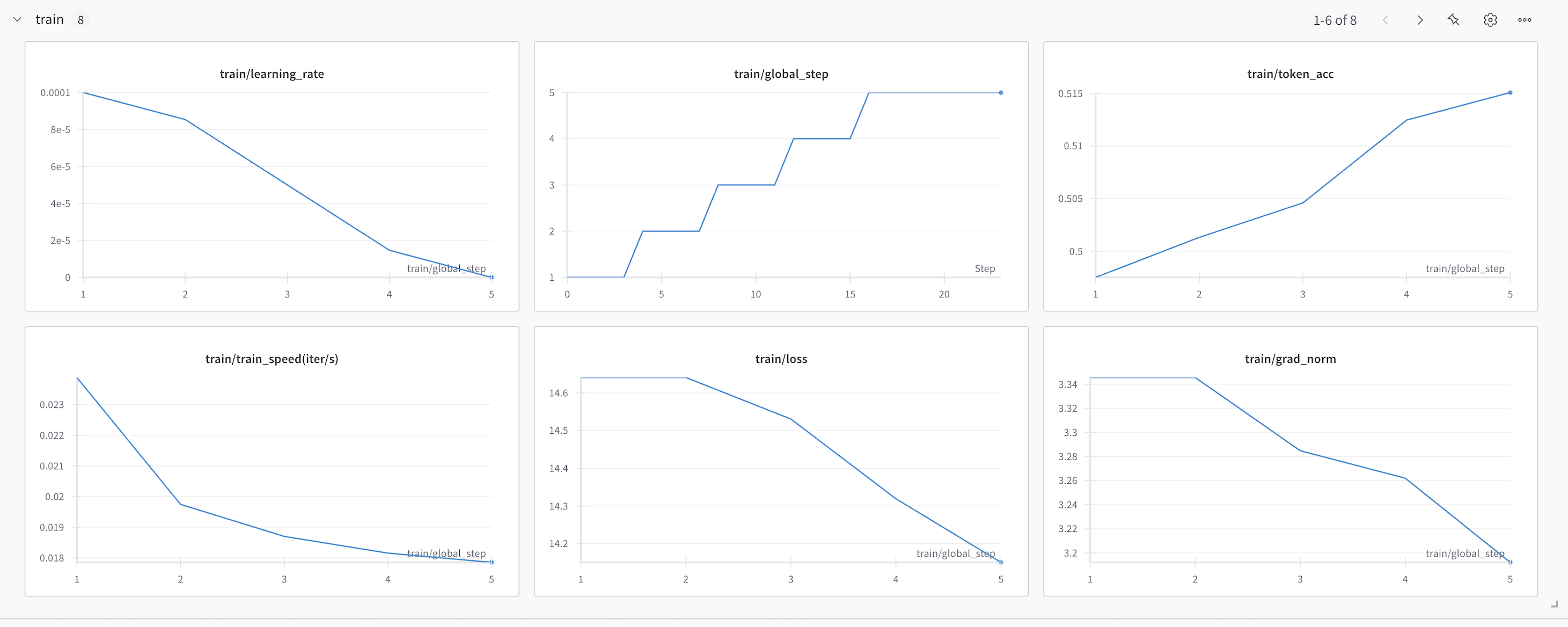
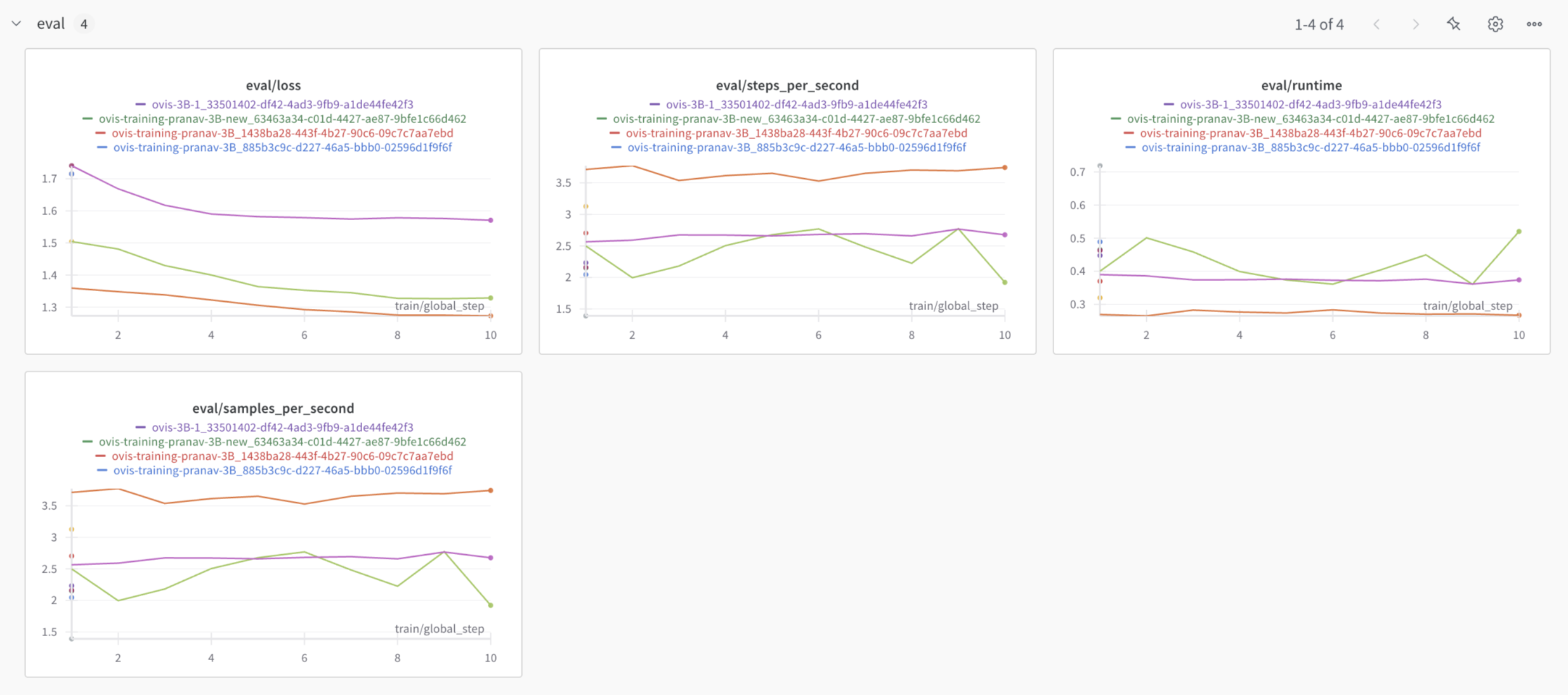
To help you track, visualize, and optimize your model training process in detail, you can integrate **Weights & Biases (W\&B)**. During the fine-tuning process, W\&B will automatically log key metrics, hyperparameters, loss curve, gradient decay etc.
* **Real-Time Monitoring:** Track your training's progress through **W\&B's** live dashboards.
* **Experiment Tracking:** View and compare multiple fine-tuning runs to choose the best-performing model.
* **Visualizations & Alerts:** Leverage W\&B's advanced tools for visualizing training performance and setting up alerts for key events.
***
## Connecting to Weights & Biases
* Bring your own **W\&B** account and connect it during training. We’ll automatically upload all your training metrics to your account for seamless tracking.
***
## Integration Steps
1. **Connect Your W\&B Account:** You connect your **W\&B Account** by adding your [**W\&B API Key**](https://docs.wandb.ai/support/find_api_key/) in the **Advanced Configuration** while initializing the training job.
```json theme={null}
{
"quantization": {
"load_in_4bit": true,
"load_in_8bit": false,
"bnb_4bit_compute_dtype": "float16",
"bnb_4bit_quant_type": "nf4",
"bnb_4bit_use_double_quant": true,
"bnb_4bit_quant_storage": "float16"
},
"trainer": {
"type": "finetune",
"learning_rate": 0.0001,
"batch_size": 1,
"epochs": 1,
"gradient_accumulation_steps": 16,
"logging_steps": 1,
"freeze_vit": true,
"freeze_llm": false,
"logging_backend": "wandb"
},
"image_column": "url",
"wandb_api_key": ""
}
```
1. **Start Fine-Tuning:** Once the fine-tuning job begins, we will automatically send the training metrics to your **W\&B** account.
2. **Monitoring:** All metrics from your training job will be logged to a project named **Simplismart** in your **W\&B** account.
## W\&B Metrics Overview