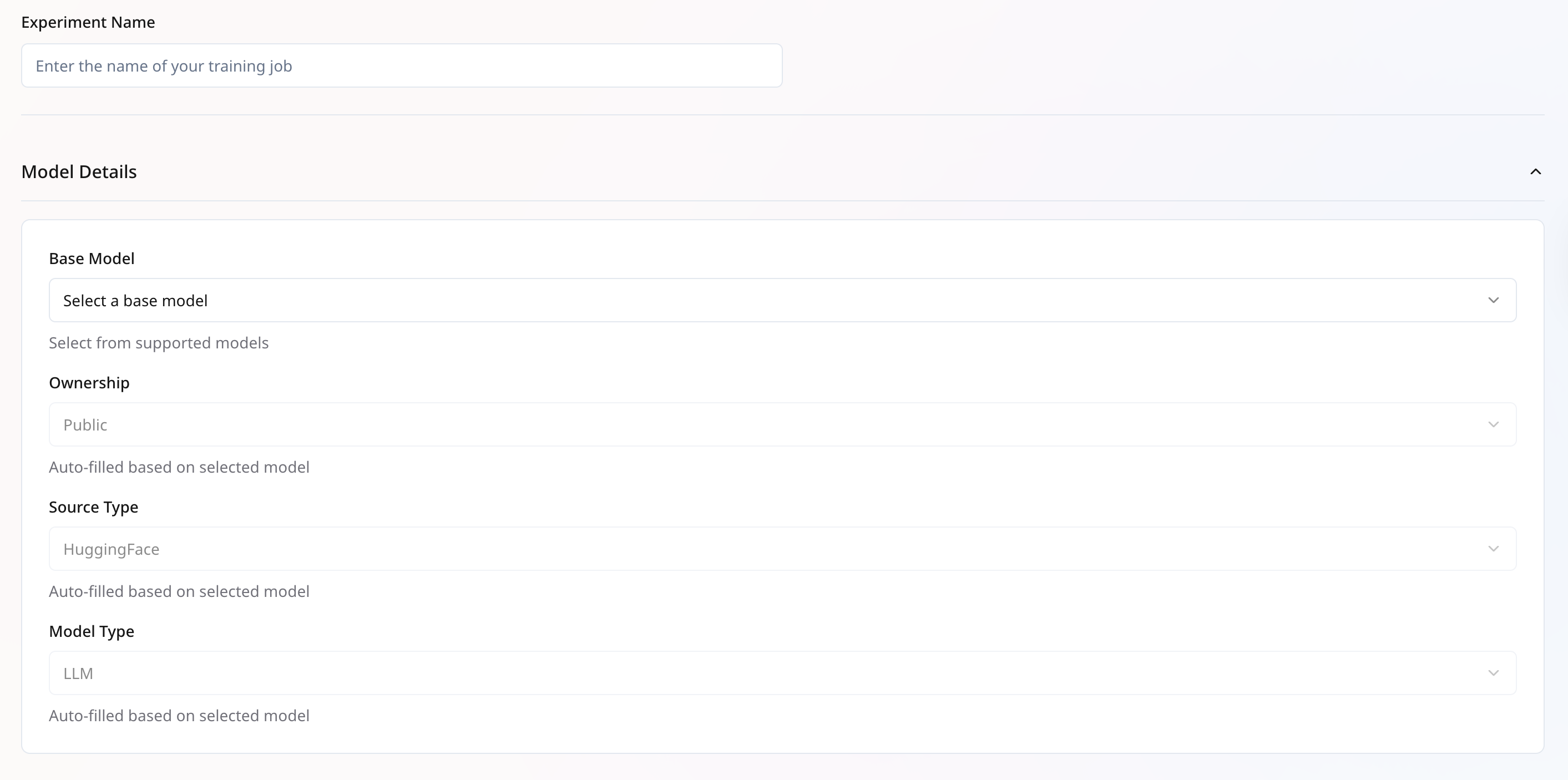
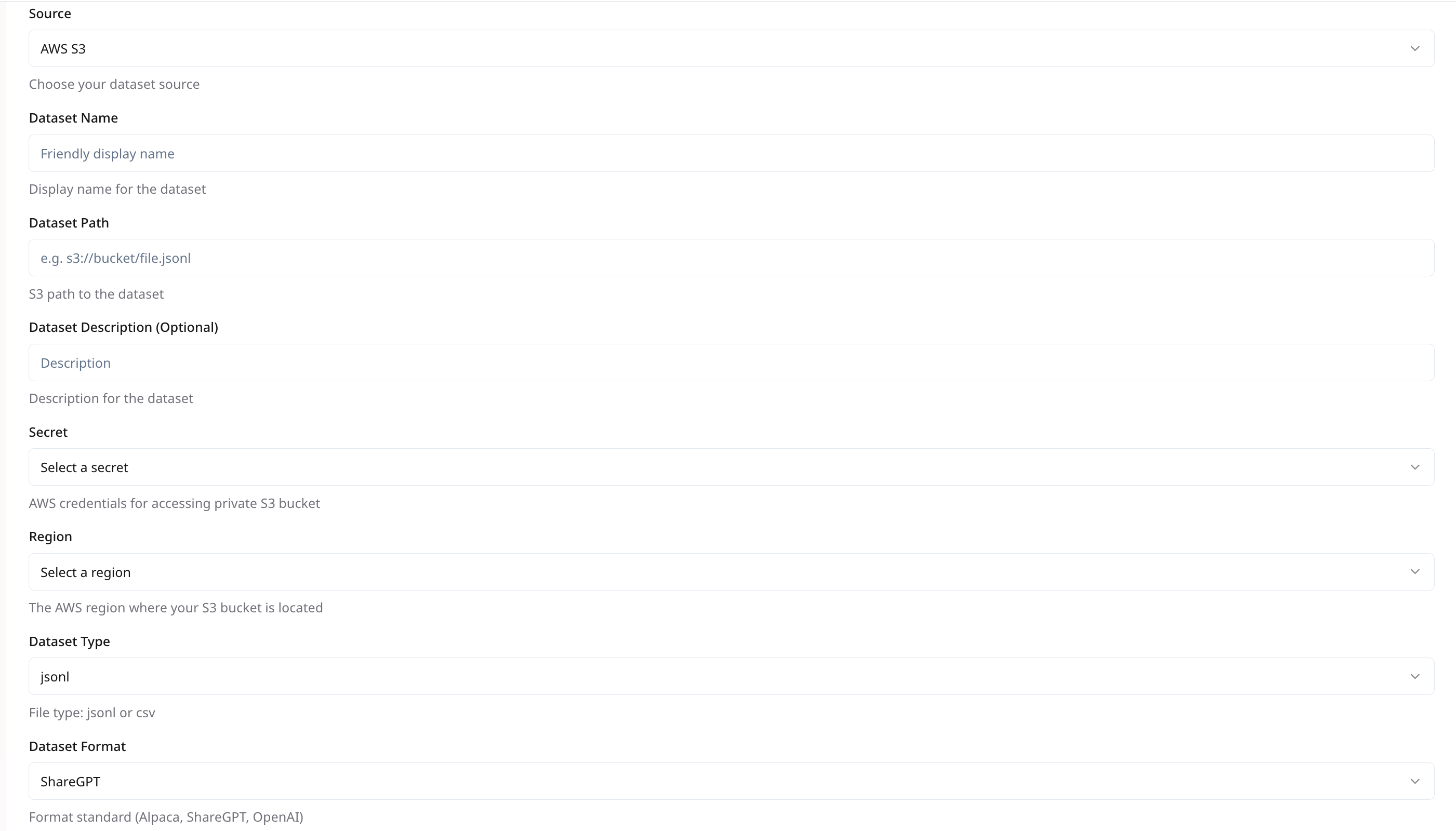
 ## **Dataset Configuration**
* **Lazy Tokenize**: Delay tokenization until needed. Speeds up dataset loading for large files.
* **Streaming**: Enable only for public HF Datasets to load records on-the-fly, reducing local storage needs.
* **Prompt Max Length**: Maximum token length for prompt. Longer sequences will be truncated.
> **Recommended:** 2048
* **System Prompt**: *(Optional)* A global prefix to every example, e.g., `You are a helpful assistant.`
* **Prompt Template**: *(Optional)* If your data needs wrapping in a custom template, e.g., `
## **Dataset Configuration**
* **Lazy Tokenize**: Delay tokenization until needed. Speeds up dataset loading for large files.
* **Streaming**: Enable only for public HF Datasets to load records on-the-fly, reducing local storage needs.
* **Prompt Max Length**: Maximum token length for prompt. Longer sequences will be truncated.
> **Recommended:** 2048
* **System Prompt**: *(Optional)* A global prefix to every example, e.g., `You are a helpful assistant.`
* **Prompt Template**: *(Optional)* If your data needs wrapping in a custom template, e.g., ` ***
## **Training Configuration**
1. **Core Options**
| **Parameter** | **Description** | **Example** |
| :--------------- | :----------------------------- | :------------- |
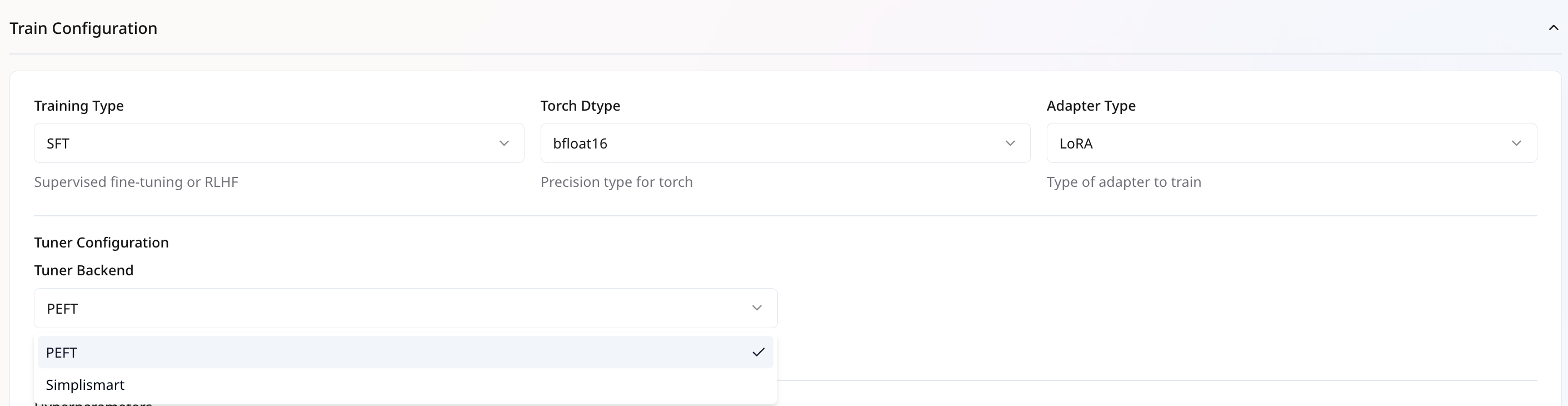
| **Train Type** | Select the tuning algorithm | `SFT` |
| **Adapter Type** | Choose adapter method | `LoRA`, `Full` |
| **Torch DType** | Precision setting for training | `bfloat16` |
***
## **Training Configuration**
1. **Core Options**
| **Parameter** | **Description** | **Example** |
| :--------------- | :----------------------------- | :------------- |
| **Train Type** | Select the tuning algorithm | `SFT` |
| **Adapter Type** | Choose adapter method | `LoRA`, `Full` |
| **Torch DType** | Precision setting for training | `bfloat16` |
 2. **Tuner Backend** ***(Applicable only for SFT Training type)***\
The **Tuner Backend** defines the framework used to run fine-tuning and enables faster performance through efficient training strategies.
* **PEFT (Parameter-Efficient Fine-Tuning) Backend**\
Standard backend widely used for LoRA-based fine-tuning.
* Supports distributed training with either `DDP (Distributed Data Parallel)` or `DeepSpeed`.
* **Simplismart Backend**\
Optimized backend designed for more efficient GPU compute and memory utilization.
* Currently supports only `DDP` for distributed training, ensures consistent and predictable scaling across multiple GPUs.
2. **Tuner Backend** ***(Applicable only for SFT Training type)***\
The **Tuner Backend** defines the framework used to run fine-tuning and enables faster performance through efficient training strategies.
* **PEFT (Parameter-Efficient Fine-Tuning) Backend**\
Standard backend widely used for LoRA-based fine-tuning.
* Supports distributed training with either `DDP (Distributed Data Parallel)` or `DeepSpeed`.
* **Simplismart Backend**\
Optimized backend designed for more efficient GPU compute and memory utilization.
* Currently supports only `DDP` for distributed training, ensures consistent and predictable scaling across multiple GPUs.
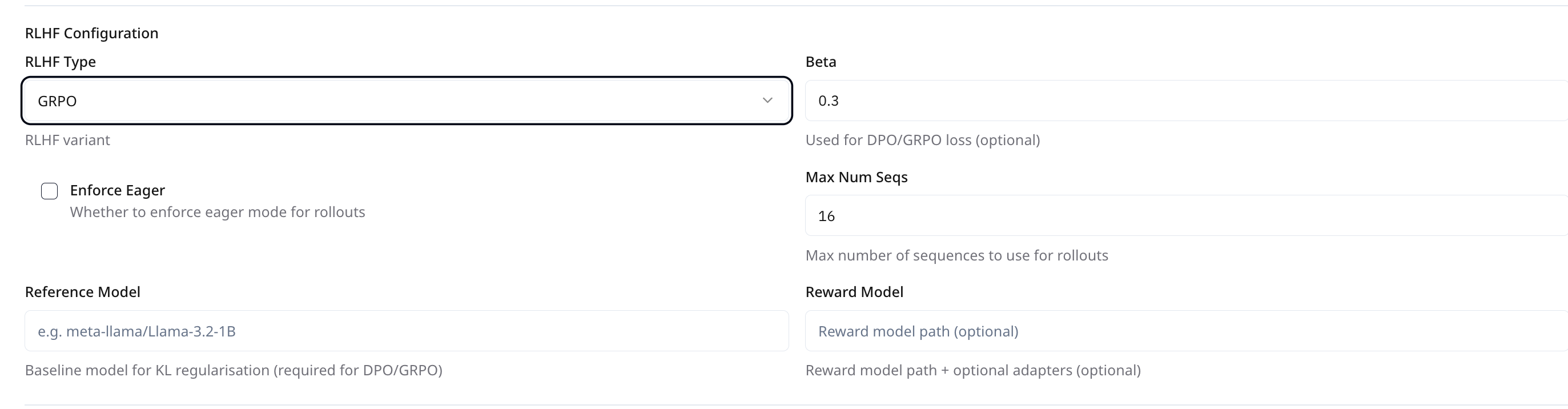 When selecting **Training Type = RLHF**, additional configuration fields appear under **RLHF Config**. These vary depending on the chosen **RLHF Type**. The platform supports the following RLHF variants:
* **DPO (Direct Preference Optimization)**
* **Beta**\
Controls the trade-off between preference loss and KL regularization.\
**Default:** `0.3`\
**Optional:** Yes, but recommended.
* **GRPO (Generative Rollouts with Preference Optimization)**
* **Beta**\
Similar to DPO, this governs the preference vs. KL loss balance.\
**Default:** `0.0001`
* **Max Num Seqs**\
Number of sequences to use during rollout.\
**Default:** `1`\
**Recommended Value:** `1`
* **Enforce Eager**\
If enabled, forces rollouts to run in eager mode rather than compiled mode. Useful for debugging or compatibility issues.\
**Default:** Unchecked\
**Recommended:** We suggest enabling **Enforce Eager** during **GRPO** training.
* **Common Parameters:**
| **Field** | **Description** | **Required** | **Default** |
| --------------- | ----------------------------------------------------- | ------------ | ----------- |
| RLHF Type | Select the RLHF variant to use | ✅ | - |
| Reference Model | Path to the baseline model used for KL regularization | `Optional` | - |
| Reward Model | Path to the reward mode | `Optional` | - |
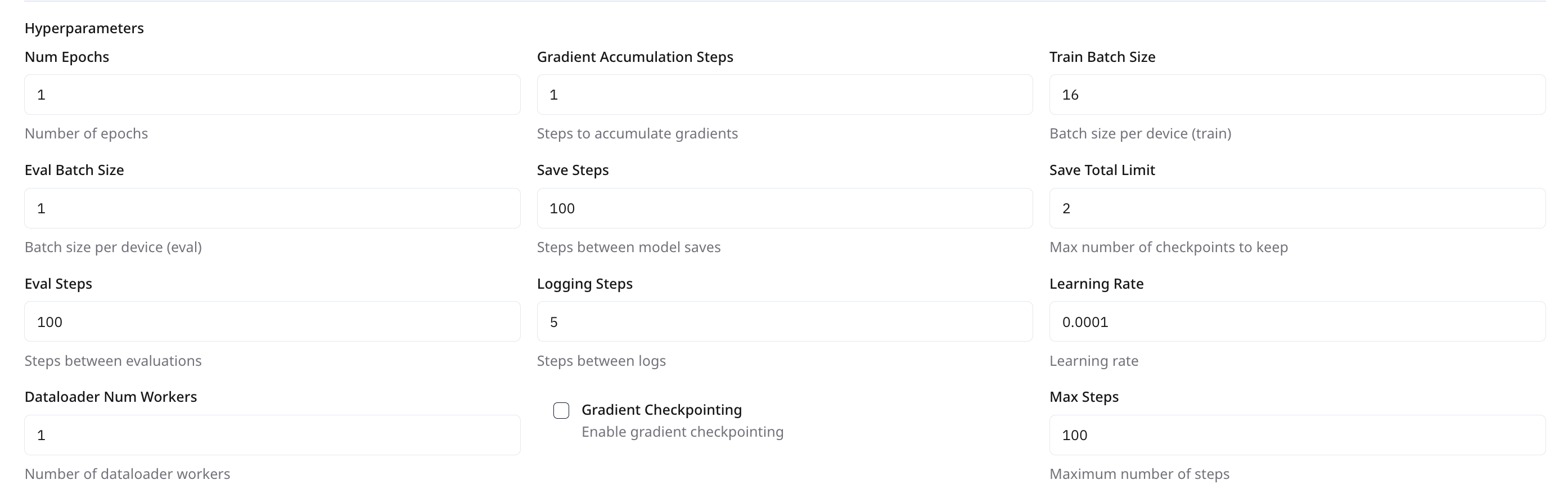
4. **Optimization Hyperparameters**
| **Parameter** | **Description** | **Default**
When selecting **Training Type = RLHF**, additional configuration fields appear under **RLHF Config**. These vary depending on the chosen **RLHF Type**. The platform supports the following RLHF variants:
* **DPO (Direct Preference Optimization)**
* **Beta**\
Controls the trade-off between preference loss and KL regularization.\
**Default:** `0.3`\
**Optional:** Yes, but recommended.
* **GRPO (Generative Rollouts with Preference Optimization)**
* **Beta**\
Similar to DPO, this governs the preference vs. KL loss balance.\
**Default:** `0.0001`
* **Max Num Seqs**\
Number of sequences to use during rollout.\
**Default:** `1`\
**Recommended Value:** `1`
* **Enforce Eager**\
If enabled, forces rollouts to run in eager mode rather than compiled mode. Useful for debugging or compatibility issues.\
**Default:** Unchecked\
**Recommended:** We suggest enabling **Enforce Eager** during **GRPO** training.
* **Common Parameters:**
| **Field** | **Description** | **Required** | **Default** |
| --------------- | ----------------------------------------------------- | ------------ | ----------- |
| RLHF Type | Select the RLHF variant to use | ✅ | - |
| Reference Model | Path to the baseline model used for KL regularization | `Optional` | - |
| Reward Model | Path to the reward mode | `Optional` | - |
4. **Optimization Hyperparameters**
| **Parameter** | **Description** | **Default****Values** | **Recommended Values** | **Permissible Range** | | -------------------------- | ----------------------------------------- | --------------------------- | ---------------------- | --------------------- | | **Num Epochs** | Number of full passes through the dataset | `1` | `2-5` | \< `50` | | **Train Batch Size** | Samples per device for training | `8` | `8` | \< `16` | | **Eval Batch Size** | Samples per device for evaluation | `1` | `8` | \<`16` | | **Learning Rate** | Initial learning rate for optimizer | `0.0001` | `1×10⁻⁵ to 2×10⁻⁵` | \< `5×10⁻⁵` | | **Dataloader Num Workers** | Parallel data-loading threads per device | `1` | `4` | \<`10` |
 ***
## **LoRA Adapter Configuration**
| **Parameter** | **Description** | **Default** | **Recommended Value** | **Permissible Range** |
| ------------- | ------------------------------------------------------ | ------------ | --------------------- | --------------------- |
| **Rank (r)** | Dimensionality of the low-rank decomposition. | `16` | `16` | `64` |
| **Alpha** | Scaling factor for the adapter output. | `16` | `32` | `64` |
| **Dropout** | Dropout probability for adapter layers. | `0.1` | `0.1` | `1` |
| **Targets** | Which modules to apply adapters to (e.g., all-linear). | `all-linear` | `all-linear` | `NA` |
These settings control the LoRA injection into your base model. Higher rank increases capacity but uses more memory.
***
## **LoRA Adapter Configuration**
| **Parameter** | **Description** | **Default** | **Recommended Value** | **Permissible Range** |
| ------------- | ------------------------------------------------------ | ------------ | --------------------- | --------------------- |
| **Rank (r)** | Dimensionality of the low-rank decomposition. | `16` | `16` | `64` |
| **Alpha** | Scaling factor for the adapter output. | `16` | `32` | `64` |
| **Dropout** | Dropout probability for adapter layers. | `0.1` | `0.1` | `1` |
| **Targets** | Which modules to apply adapters to (e.g., all-linear). | `all-linear` | `all-linear` | `NA` |
These settings control the LoRA injection into your base model. Higher rank increases capacity but uses more memory.
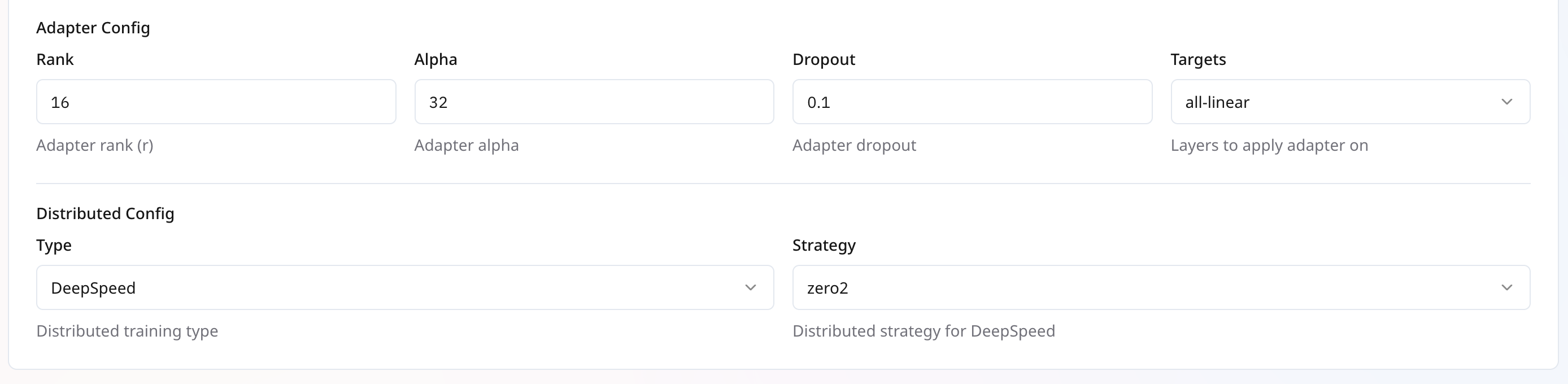 ***
## **Distributed Training Configuration**
| **Parameter** | **Description** | **Default** | **Recommended Value** | **Available Options** |
| :------------ | :------------------------------ | :-------------- | :-------------------- | :------------------------------------------------------------------------------ |
| **Type** | Choose your distributed backend | `DeepSpeed` | `DeepSpeed` | `DeepSpeed`, `DDP` |
| **Strategy** | Only available for deepseed | `zero3_offload` | `zero3_offload` | `zero1`,
***
## **Distributed Training Configuration**
| **Parameter** | **Description** | **Default** | **Recommended Value** | **Available Options** |
| :------------ | :------------------------------ | :-------------- | :-------------------- | :------------------------------------------------------------------------------ |
| **Type** | Choose your distributed backend | `DeepSpeed` | `DeepSpeed` | `DeepSpeed`, `DDP` |
| **Strategy** | Only available for deepseed | `zero3_offload` | `zero3_offload` | `zero1`,`zero2`,
`zero2_offload`,
`zero3`,
`zero3_offload` |
 ***
## **Launching Your Job**
1. **Review** all settings.
2. Click **Create Job**.
3. Monitor progress under **My Trainings** > **Your Training Job** > **Metrics** .
4. Compile the model and deploy when training completes.
***
***
## **Launching Your Job**
1. **Review** all settings.
2. Click **Create Job**.
3. Monitor progress under **My Trainings** > **Your Training Job** > **Metrics** .
4. Compile the model and deploy when training completes.
***