> ## Documentation Index
> Fetch the complete documentation index at: https://docs.simplismart.ai/llms.txt
> Use this file to discover all available pages before exploring further.
# VictorOps
> Send alert notifications to VictorOps (Splunk On-Call) via REST endpoint
The VictorOps integration sends alert notifications to VictorOps (now Splunk On-Call) using a REST endpoint URL when an alert fires or resolves.
## Configuration
| Field | Required | Description |
| ---------------- | -------- | ---------------------------------------------------------------------- |
| **Label** | Yes | A display name for this integration, visible in the integrations table |
| **URL** | Yes | VictorOps REST endpoint URL |
| **Message Type** | No | Severity of the incident: `CRITICAL`, `WARNING`, or `INFO` |
## Obtain a REST endpoint URL
Log in to [portal.victorops.com](https://portal.victorops.com/) and go to **Integrations**.
Find and select **REST** from the integrations list.
Click **Generate** to create a new REST endpoint URL and copy it.
## Add to a contact point
Go to **Alerting** → **Contact Points** and open an existing contact point or create a new one.
Click **Add Integration** and select **VictorOps** from the **Integration** dropdown.
Enter a **Label** for this integration, paste the **URL** you copied from VictorOps, and optionally set the **Message Type**.
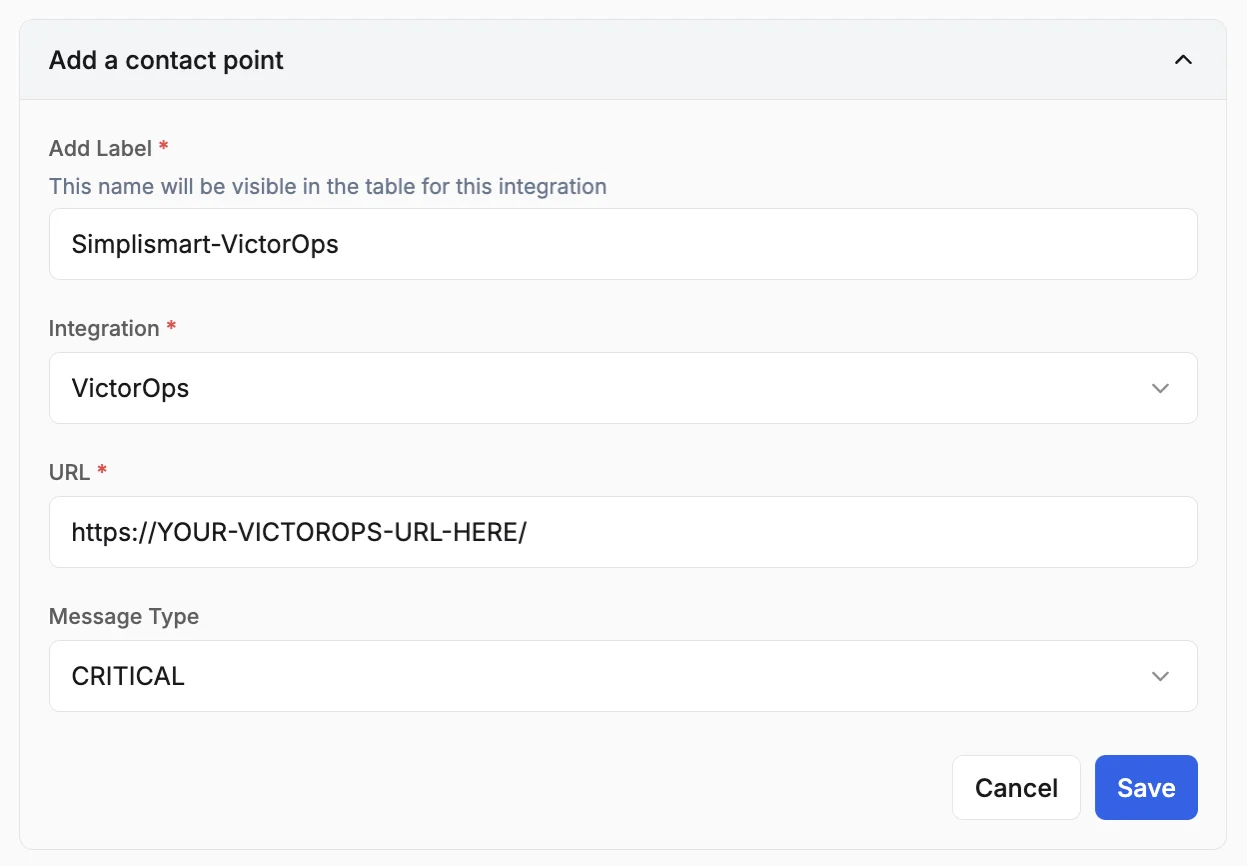 Review the configuration and click **Save**.