> ## Documentation Index
> Fetch the complete documentation index at: https://docs.simplismart.ai/llms.txt
> Use this file to discover all available pages before exploring further.
# Optimise a Model
> End-to-end process for adding, configuring, and compiling a model on the Simplismart platform.
This guide walks you through adding a model, choosing infrastructure, and applying model-specific optimisation settings for LLMs, diffusion, and speech (ASR).
Models are scoped to the active workspace. Use the workspace toggle in the breadcrumb navigation to switch workspaces before importing or compiling a model. See [Workspaces](/model-suite/settings/workspaces) for details.
## 1. Enter model details
Navigate to **Add Model** to register a new model in Simplismart.
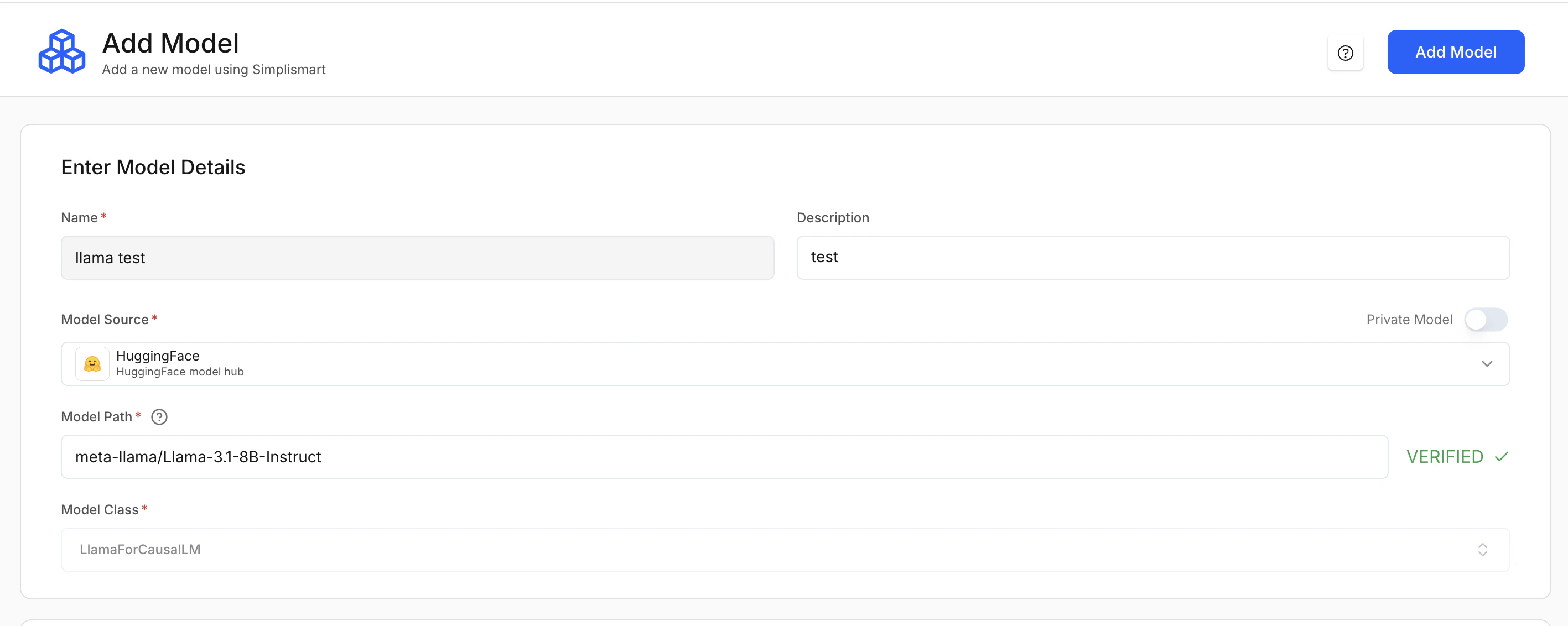 * **Name (Required)**: A unique identifier for the model within the platform.
* **Description (Optional)**: Short note about the model’s purpose.
### Model source (required)
Specifies where the model artifacts are loaded from.
| Option | Description |
| --------------------- | --------------------------------------- |
| **Hugging Face (HF)** | Load directly from the Hugging Face Hub |
| **AWS S3** | Load from an S3 bucket |
| **GCP GCS** | Load from a Google Cloud Storage bucket |
| **Public URL** | Load from a publicly accessible URL |
If using Hugging Face, you can enable **Private Model** for gated or private repositories.
If you use a **private model from Hugging Face**, add your **Hugging Face access token as a [secret](/model-suite/integrations/secrets)** in [Integrations](https://app.simplismart.ai/integrations/secrets) first, then select that secret when configuring the model.
* Go to [huggingface.co](https://huggingface.co/).
* Use the **search bar** to find the model (e.g. "whisper-large").
* Open the model from the results (e.g. `openai/whisper-large-v3-turbo`).
* Copy the **model path** at the top of the page (format: `creator/model-slug`).
### Model path (required)
The exact path to the model. The platform verifies the path automatically.
* **Hugging Face:** `meta-llama/Llama-3.1-8B-Instruct`
* **AWS S3:** `s3://my-bucket/model/`
* **GCP GCS:** `gs://my-bucket/model/`
* **Public URL:** `https:///model`
**Cloud credentials**: For **AWS S3** or **GCP GCS**, provide the relevant cloud credentials in [Secrets](model-suite/integrations/secrets) tab so the platform can access private storage.
### Model class (required)
Defines the pipeline or architecture class used to load the model. This is usually auto-selected from the model source and path.
Here are some examples of model classes:
| Class | Use case |
| --------------------------------- | --------------------------------------------------------------------- |
| `LlamaForCausalLM` | LLMs |
| `WhisperForConditionalGeneration` | Speech (ASR) models |
| `FluxPipeline` | Diffusion models |
| `CustomPipeline` | [Custom](model-suite/adding-a-custom-model) or non-standard pipelines |
For **LLMs**, only **instruct-style (chat-optimized) models** are supported in model compilation. They often use the suffix `-Instruct` (e.g. `meta-llama/Llama-3.2-3B-Instruct`). Base models such as `meta-llama/Llama-3.2-3B` are **not supported**.
***
## 2. Optimising infrastructure
This section determines **where the model will be deployed**. Configuration depends on whether you choose **Simplismart Cloud** or **Bring Your Own Cloud (BYOC)**.
* **Name (Required)**: A unique identifier for the model within the platform.
* **Description (Optional)**: Short note about the model’s purpose.
### Model source (required)
Specifies where the model artifacts are loaded from.
| Option | Description |
| --------------------- | --------------------------------------- |
| **Hugging Face (HF)** | Load directly from the Hugging Face Hub |
| **AWS S3** | Load from an S3 bucket |
| **GCP GCS** | Load from a Google Cloud Storage bucket |
| **Public URL** | Load from a publicly accessible URL |
If using Hugging Face, you can enable **Private Model** for gated or private repositories.
If you use a **private model from Hugging Face**, add your **Hugging Face access token as a [secret](/model-suite/integrations/secrets)** in [Integrations](https://app.simplismart.ai/integrations/secrets) first, then select that secret when configuring the model.
* Go to [huggingface.co](https://huggingface.co/).
* Use the **search bar** to find the model (e.g. "whisper-large").
* Open the model from the results (e.g. `openai/whisper-large-v3-turbo`).
* Copy the **model path** at the top of the page (format: `creator/model-slug`).
### Model path (required)
The exact path to the model. The platform verifies the path automatically.
* **Hugging Face:** `meta-llama/Llama-3.1-8B-Instruct`
* **AWS S3:** `s3://my-bucket/model/`
* **GCP GCS:** `gs://my-bucket/model/`
* **Public URL:** `https:///model`
**Cloud credentials**: For **AWS S3** or **GCP GCS**, provide the relevant cloud credentials in [Secrets](model-suite/integrations/secrets) tab so the platform can access private storage.
### Model class (required)
Defines the pipeline or architecture class used to load the model. This is usually auto-selected from the model source and path.
Here are some examples of model classes:
| Class | Use case |
| --------------------------------- | --------------------------------------------------------------------- |
| `LlamaForCausalLM` | LLMs |
| `WhisperForConditionalGeneration` | Speech (ASR) models |
| `FluxPipeline` | Diffusion models |
| `CustomPipeline` | [Custom](model-suite/adding-a-custom-model) or non-standard pipelines |
For **LLMs**, only **instruct-style (chat-optimized) models** are supported in model compilation. They often use the suffix `-Instruct` (e.g. `meta-llama/Llama-3.2-3B-Instruct`). Base models such as `meta-llama/Llama-3.2-3B` are **not supported**.
***
## 2. Optimising infrastructure
This section determines **where the model will be deployed**. Configuration depends on whether you choose **Simplismart Cloud** or **Bring Your Own Cloud (BYOC)**.
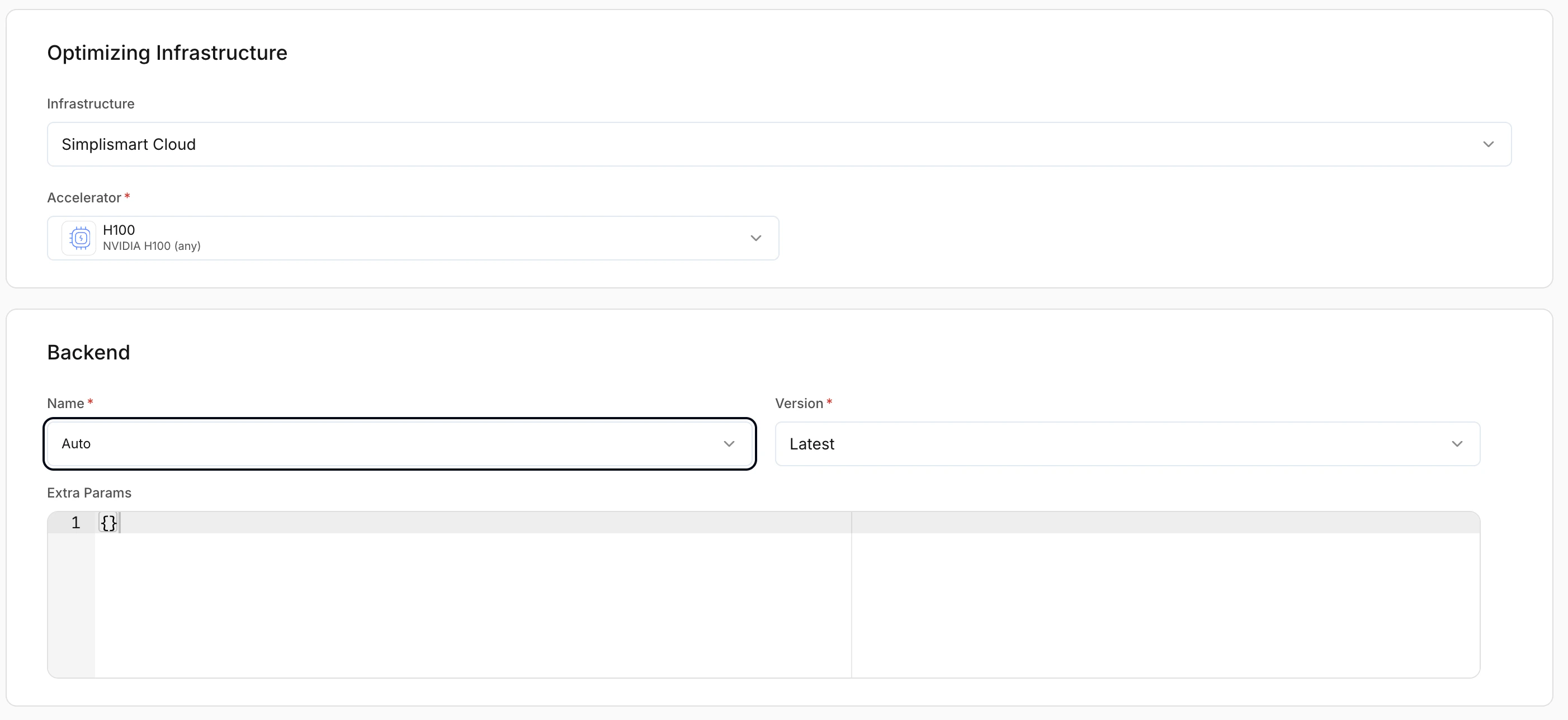 A fully managed environment where infrastructure is provisioned automatically.
**Accelerator options**
* **L40S**: Recommended for most production speech workloads.
* **H100**: Best for high-throughput or low-latency deployments.
Choose an accelerator that matches your model size and latency requirements.
Deploy the model into your own cloud account. You must provide:
* **Accelerator (Required)**: Hardware for running the model.
* **Cloud account (Required)**: Connected cloud account where the deployment will run. Select an account added under [Cloud Accounts](/model-suite/integrations/cloud-account).
* **Region (Required)**: Cloud region for deployment.
* **Machine type (Required)**: Instance type that includes the chosen accelerator.
* **Machine count (Required)**: Number of machines to deploy.
A fully managed environment where infrastructure is provisioned automatically.
**Accelerator options**
* **L40S**: Recommended for most production speech workloads.
* **H100**: Best for high-throughput or low-latency deployments.
Choose an accelerator that matches your model size and latency requirements.
Deploy the model into your own cloud account. You must provide:
* **Accelerator (Required)**: Hardware for running the model.
* **Cloud account (Required)**: Connected cloud account where the deployment will run. Select an account added under [Cloud Accounts](/model-suite/integrations/cloud-account).
* **Region (Required)**: Cloud region for deployment.
* **Machine type (Required)**: Instance type that includes the chosen accelerator.
* **Machine count (Required)**: Number of machines to deploy.
 ***
## 3. Model-specific configuration
After **model details** and **optimising infrastructure**, the remaining settings depend on the **type of model** you are adding:
* **LLMs**: Chat, completion, embedding
* **Diffusion models**: Image generation
* **Speech (ASR / Whisper)**: Transcription
* **Custom pipelines**: User-defined or non-standard architectures. For more information check out this doc on [adding a custom model](model-suite/adding-a-custom-model).
***
## 3. Model-specific configuration
After **model details** and **optimising infrastructure**, the remaining settings depend on the **type of model** you are adding:
* **LLMs**: Chat, completion, embedding
* **Diffusion models**: Image generation
* **Speech (ASR / Whisper)**: Transcription
* **Custom pipelines**: User-defined or non-standard architectures. For more information check out this doc on [adding a custom model](model-suite/adding-a-custom-model).
 The sections below describe the options for each type.
***
## Adding LLMs
LLM models include chat, completion, and embedding workloads.
By default, the platform selects the most suitable compilation settings for LLMs based on the model architecture.
### Backend selection
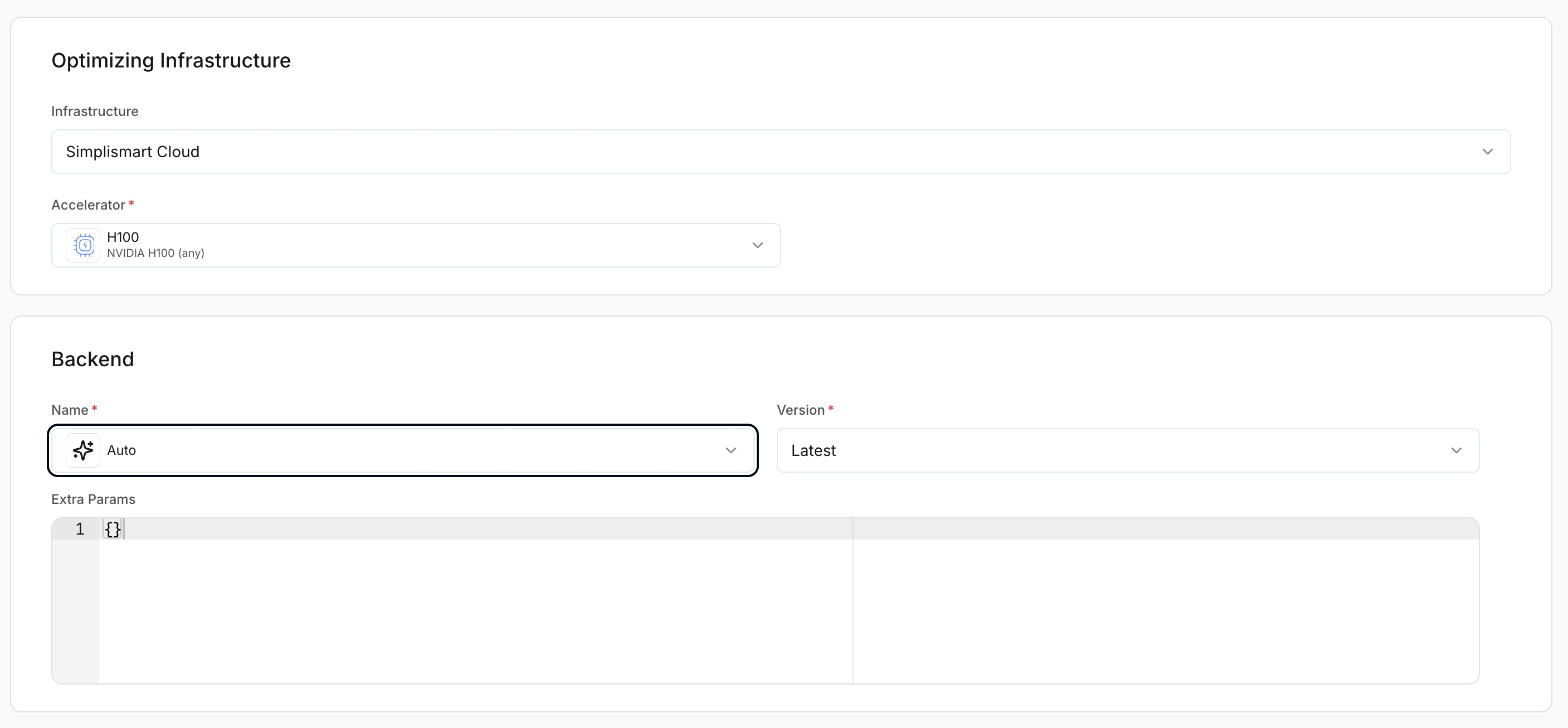
Controls the inference backend used to serve the model. LLMs support multiple optimised backends.
* **Auto**: Simplismart selects the optimal backend automatically.
* **Latest**: Recommended unless you need a specific version.
For details, see the [LLM Optimization Guide](/guides/optimization-guide).
The sections below describe the options for each type.
***
## Adding LLMs
LLM models include chat, completion, and embedding workloads.
By default, the platform selects the most suitable compilation settings for LLMs based on the model architecture.
### Backend selection
Controls the inference backend used to serve the model. LLMs support multiple optimised backends.
* **Auto**: Simplismart selects the optimal backend automatically.
* **Latest**: Recommended unless you need a specific version.
For details, see the [LLM Optimization Guide](/guides/optimization-guide).
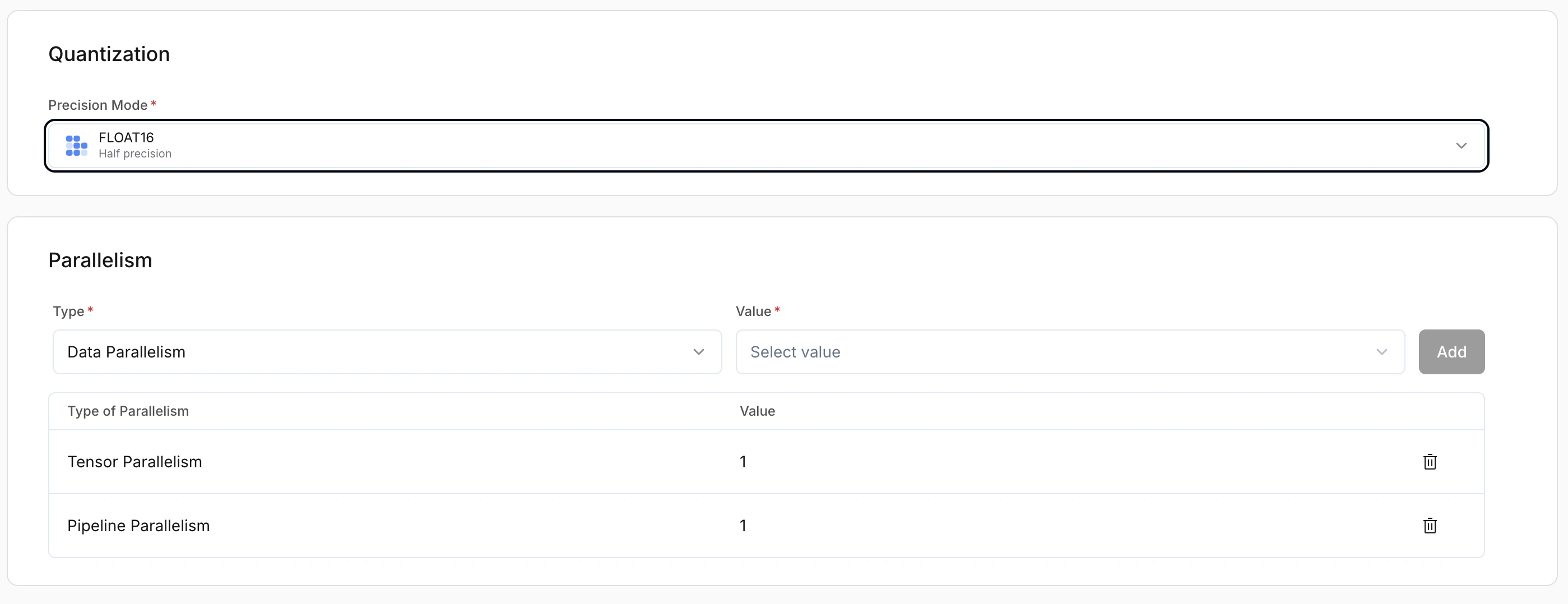
 ### Parallelism
| Strategy | Description | Use case |
| ------------------------ | --------------------------------------------------------------------- | -------------------------------------------- |
| **Data parallelism** | Full model replicated on each GPU; each GPU handles separate requests | Higher throughput; concurrent traffic |
| **Pipeline parallelism** | Model layers split across GPUs; each GPU holds part of the model | When the model is too large for a single GPU |
| **Expert parallelism** | For **Mixture-of-Experts (MoE)**; experts distributed across GPUs | MoE scalability and efficiency |
### Parallelism
| Strategy | Description | Use case |
| ------------------------ | --------------------------------------------------------------------- | -------------------------------------------- |
| **Data parallelism** | Full model replicated on each GPU; each GPU handles separate requests | Higher throughput; concurrent traffic |
| **Pipeline parallelism** | Model layers split across GPUs; each GPU holds part of the model | When the model is too large for a single GPU |
| **Expert parallelism** | For **Mixture-of-Experts (MoE)**; experts distributed across GPUs | MoE scalability and efficiency |
 ### Pipeline task
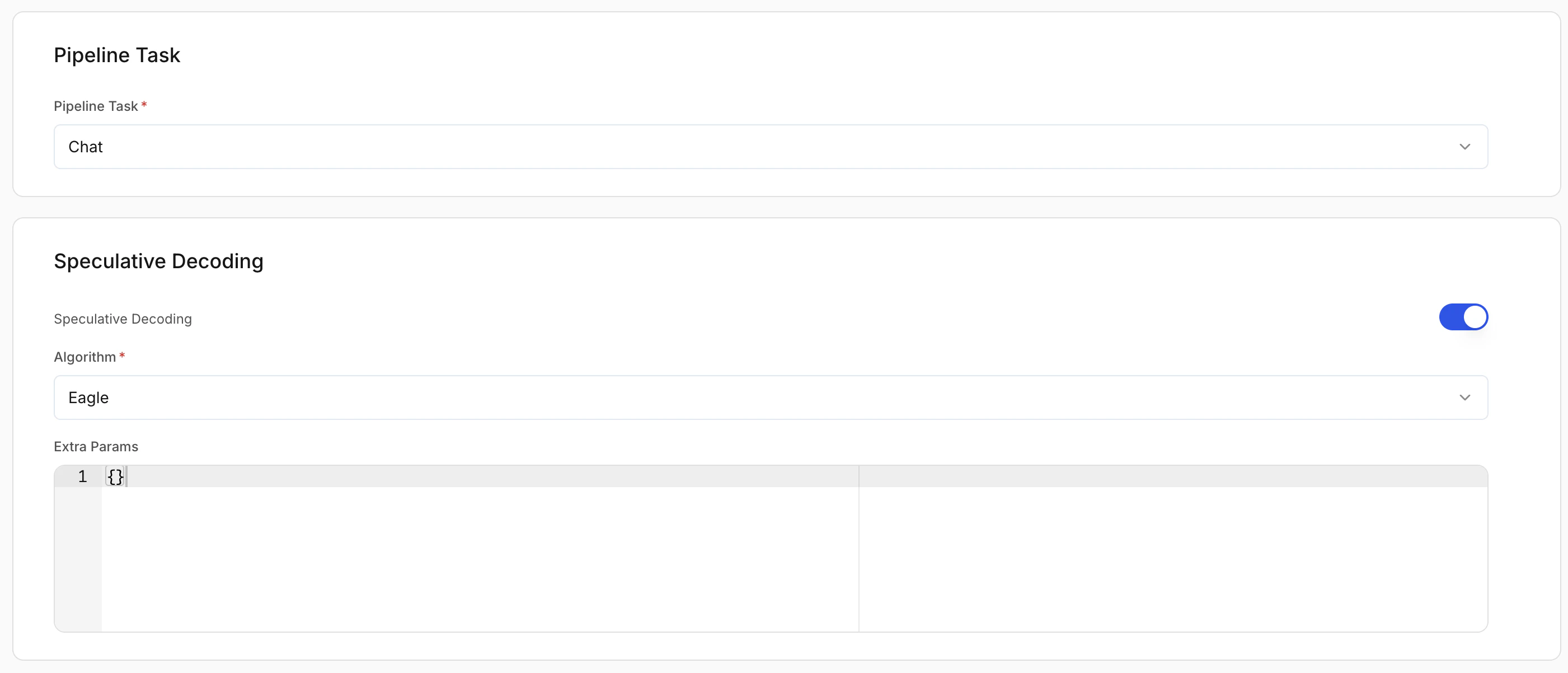
Defines what the model is used for. This affects request/response formatting and runtime behaviour.
* **Chat**: Conversational models
* **Completion**: Text generation
* **Embedding**: Vector generation models
### Speculative decoding (optional)
Improves latency by generating tokens using a draft strategy. **Recommended: On** for chat and completion workloads.
### Extra params
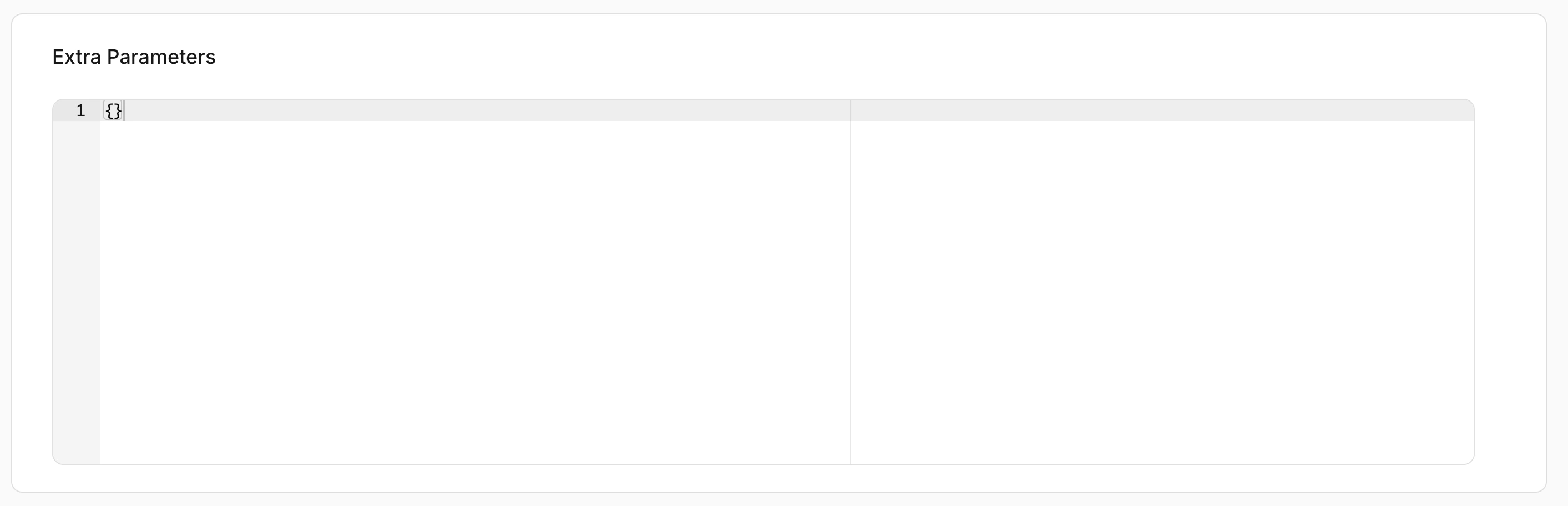
Advanced backend-specific configuration in JSON format. Leave empty unless you need custom tuning.
### Pipeline task
Defines what the model is used for. This affects request/response formatting and runtime behaviour.
* **Chat**: Conversational models
* **Completion**: Text generation
* **Embedding**: Vector generation models
### Speculative decoding (optional)
Improves latency by generating tokens using a draft strategy. **Recommended: On** for chat and completion workloads.
### Extra params
Advanced backend-specific configuration in JSON format. Leave empty unless you need custom tuning.
 ### LoRA configuration (optional)
LoRA (Low-Rank Adaptation) lets you load fine-tuned adapters on top of a base model.
* **Enable LoRA**: Turn this on to attach LoRA adapters to the base model.
* **Via LoRA list**: Add adapters from **different** sources (e.g. one from Hugging Face, another from S3). Use **Add LoRA path** for each adapter.
* **Via LoRA repo**: Add **all** adapters from a **single** source in one go. Use **Add LoRA Repo** and give one repo location; the platform fetches every LoRA in that repo.
### LoRA configuration (optional)
LoRA (Low-Rank Adaptation) lets you load fine-tuned adapters on top of a base model.
* **Enable LoRA**: Turn this on to attach LoRA adapters to the base model.
* **Via LoRA list**: Add adapters from **different** sources (e.g. one from Hugging Face, another from S3). Use **Add LoRA path** for each adapter.
* **Via LoRA repo**: Add **all** adapters from a **single** source in one go. Use **Add LoRA Repo** and give one repo location; the platform fetches every LoRA in that repo.
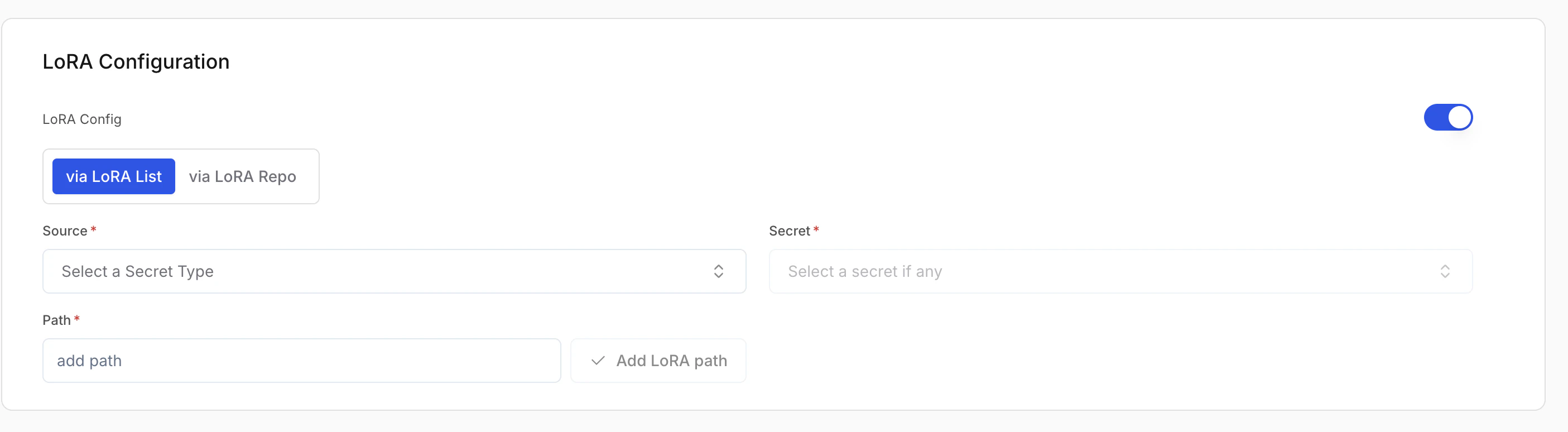
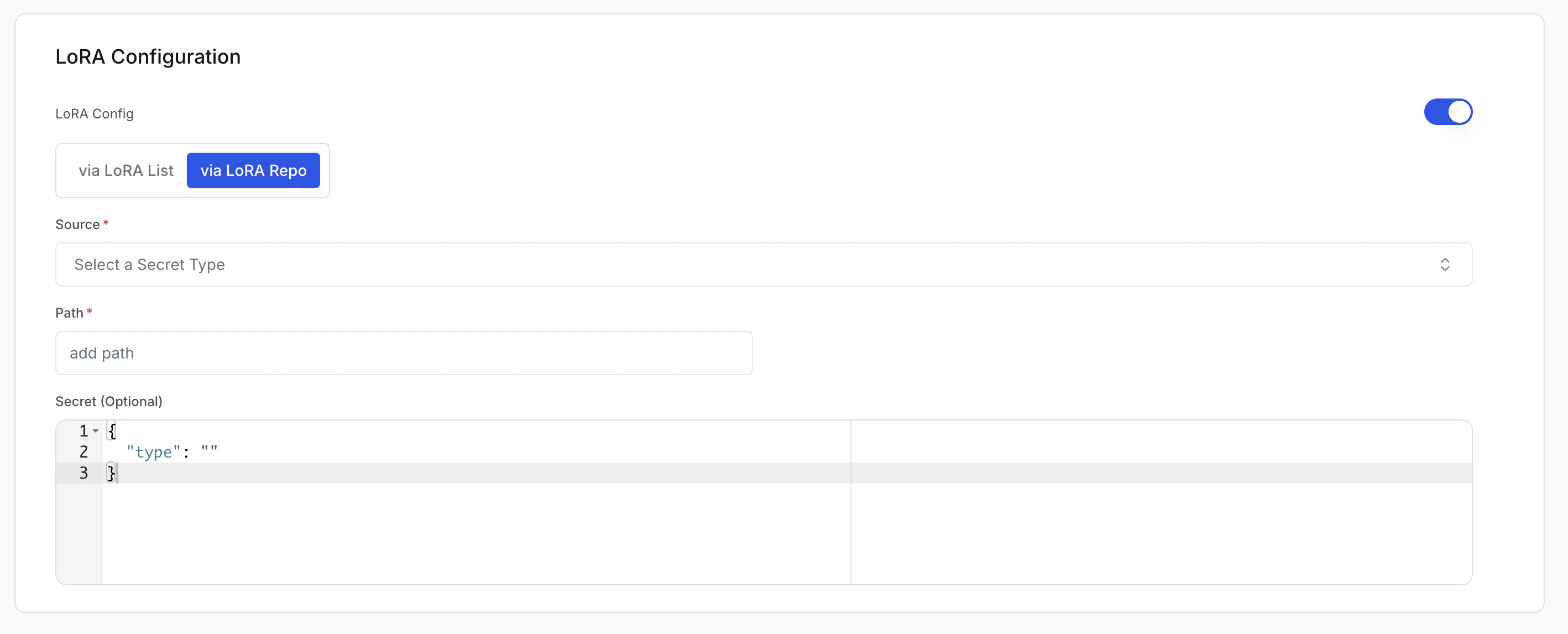 For each path or repo you add, set:
| Field | Description |
| --------------------- | ----------------------------------------------------------------------------------------------------- |
| **Source (Required)** | Where the weights are stored (e.g. AWS S3, Hugging Face, GCP GCS). |
| **Secret (Required)** | Credentials for that source. Create or pick a secret in [Secrets](/model-suite/integrations/secrets). |
| **Path (Required)** | Adapter location in the source (e.g. `s3://my-bucket/my-lora`). |
For **Via LoRA repo**, the secret field must be in the JSON format expected by the platform. See [Secrets](/model-suite/integrations/secrets) for the required format.
***
## Adding diffusion models
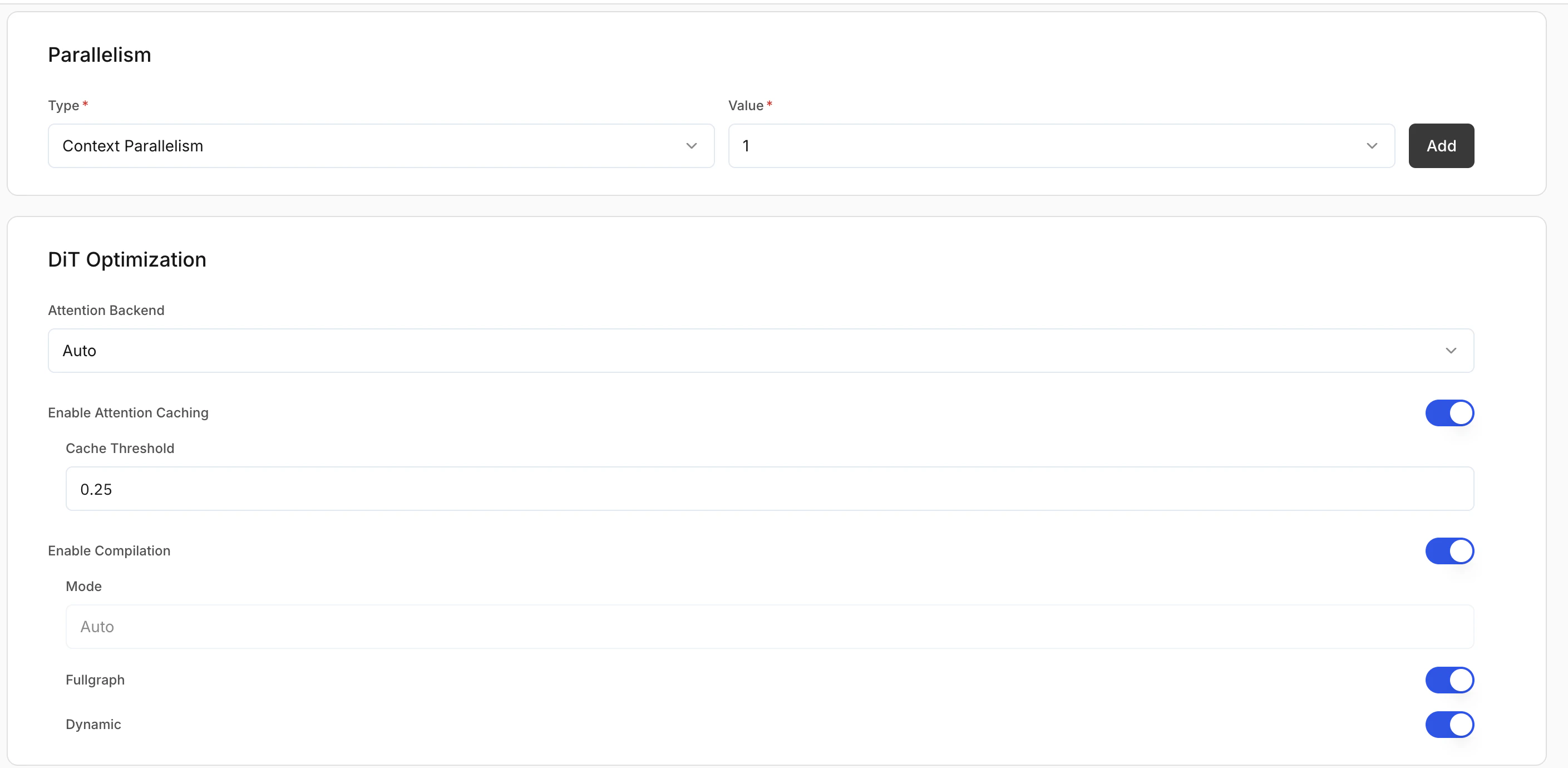
### Parallelism
| Type | Description | Use case |
| --------------------------------- | -------------------------------------------------------------------- | --------------------------------------------------------- |
| **Context parallelism** | Splits input context or latent representation across GPUs | High-resolution image generation; memory-intensive models |
| **Fully shared data parallelism** | Replicates the model across GPUs; each GPU handles separate requests | High-throughput production; concurrent image generation |
### DiT optimisation (diffusion only)
**Attention backend**: Selects the attention implementation during inference.
* **Flash**: Optimised attention for better performance.
* **Torch**: Standard PyTorch attention.
* **Auto**: Platform selects the best option.
**Recommended:** Auto
### Additional optimisation settings
* **Enable attention caching**: Caches attention states to reduce repeated computation and improve speed.
* **Cache threshold**: When caching is applied (default: `0.25`). Higher values can improve speed but may reduce output quality.
* **Enable compilation**: Compiles the model graph for faster inference.
* **Fullgraph**: Compiles the entire model for maximum performance.
* **Dynamic**: Supports variable input shapes.
**Recommended:** Enable **Fullgraph** for stable production workloads.
For each path or repo you add, set:
| Field | Description |
| --------------------- | ----------------------------------------------------------------------------------------------------- |
| **Source (Required)** | Where the weights are stored (e.g. AWS S3, Hugging Face, GCP GCS). |
| **Secret (Required)** | Credentials for that source. Create or pick a secret in [Secrets](/model-suite/integrations/secrets). |
| **Path (Required)** | Adapter location in the source (e.g. `s3://my-bucket/my-lora`). |
For **Via LoRA repo**, the secret field must be in the JSON format expected by the platform. See [Secrets](/model-suite/integrations/secrets) for the required format.
***
## Adding diffusion models
### Parallelism
| Type | Description | Use case |
| --------------------------------- | -------------------------------------------------------------------- | --------------------------------------------------------- |
| **Context parallelism** | Splits input context or latent representation across GPUs | High-resolution image generation; memory-intensive models |
| **Fully shared data parallelism** | Replicates the model across GPUs; each GPU handles separate requests | High-throughput production; concurrent image generation |
### DiT optimisation (diffusion only)
**Attention backend**: Selects the attention implementation during inference.
* **Flash**: Optimised attention for better performance.
* **Torch**: Standard PyTorch attention.
* **Auto**: Platform selects the best option.
**Recommended:** Auto
### Additional optimisation settings
* **Enable attention caching**: Caches attention states to reduce repeated computation and improve speed.
* **Cache threshold**: When caching is applied (default: `0.25`). Higher values can improve speed but may reduce output quality.
* **Enable compilation**: Compiles the model graph for faster inference.
* **Fullgraph**: Compiles the entire model for maximum performance.
* **Dynamic**: Supports variable input shapes.
**Recommended:** Enable **Fullgraph** for stable production workloads.
 ***
## Adding ASR (speech) models
***
## Adding ASR (speech) models
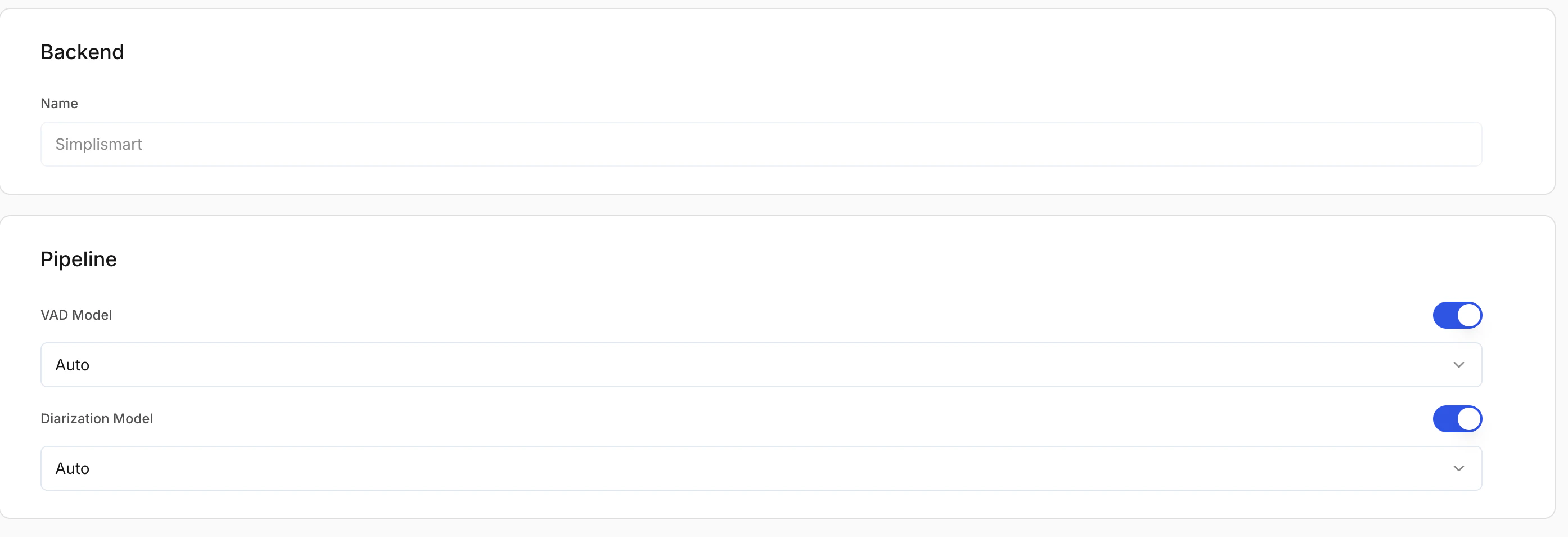 ### Optional pipeline add-ons
#### **Voice activity detection (VAD) model**
Detects speech segments and removes silence before transcription.
**VAD options:**
* **Auto**: Platform selects the best VAD.
* **Silero**: Lightweight, fast VAD.
* **Frame**: Frame-based detection.
**Recommended:** Auto or Silero
#### **Diarization model (optional)**
Separates and labels different speakers in the audio.
Enable diarization if you need **speaker-wise transcripts**.
### Optional pipeline add-ons
#### **Voice activity detection (VAD) model**
Detects speech segments and removes silence before transcription.
**VAD options:**
* **Auto**: Platform selects the best VAD.
* **Silero**: Lightweight, fast VAD.
* **Frame**: Frame-based detection.
**Recommended:** Auto or Silero
#### **Diarization model (optional)**
Separates and labels different speakers in the audio.
Enable diarization if you need **speaker-wise transcripts**.