> ## Documentation Index
> Fetch the complete documentation index at: https://docs.simplismart.ai/llms.txt
> Use this file to discover all available pages before exploring further.
# Hosted Zone
> Step-by-step guide for creating and managing Hosted Zones.
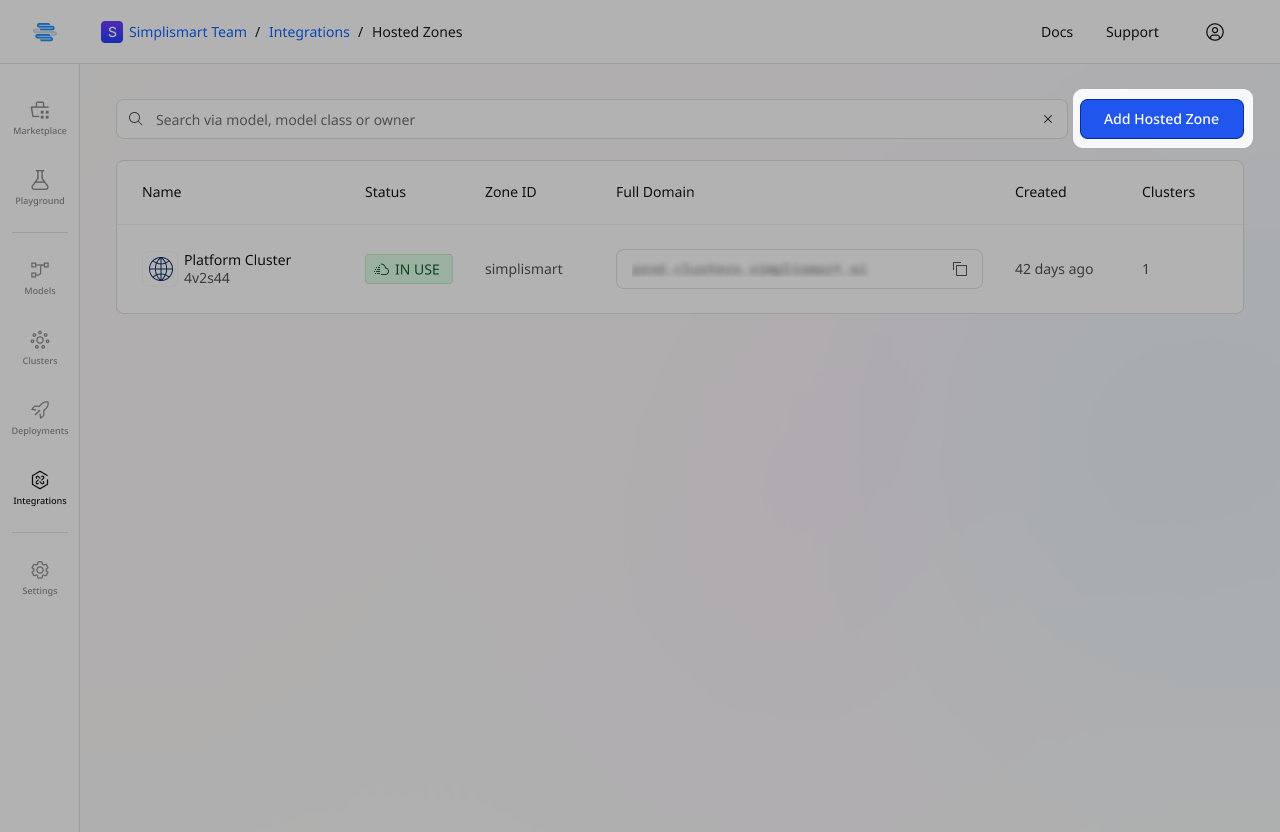
* Navigate to the **Integrations** tab in the main menu and click on [**Hosted Zones**](https://app.simplismart.ai/integrations/hosted-zones)**.**
* On the Hosted Zones page, click the **Add Hosted Zone** button.
 * Provide a name for your hosted zone, and enter details of the domain, subdomain and the zone id of the same.
* Select the linked cloud credentials from the dropdown menu. (previously added in the [Cloud Accounts](/model-suite/integrations/cloud-account) tab)
* Provide a name for your hosted zone, and enter details of the domain, subdomain and the zone id of the same.
* Select the linked cloud credentials from the dropdown menu. (previously added in the [Cloud Accounts](/model-suite/integrations/cloud-account) tab)
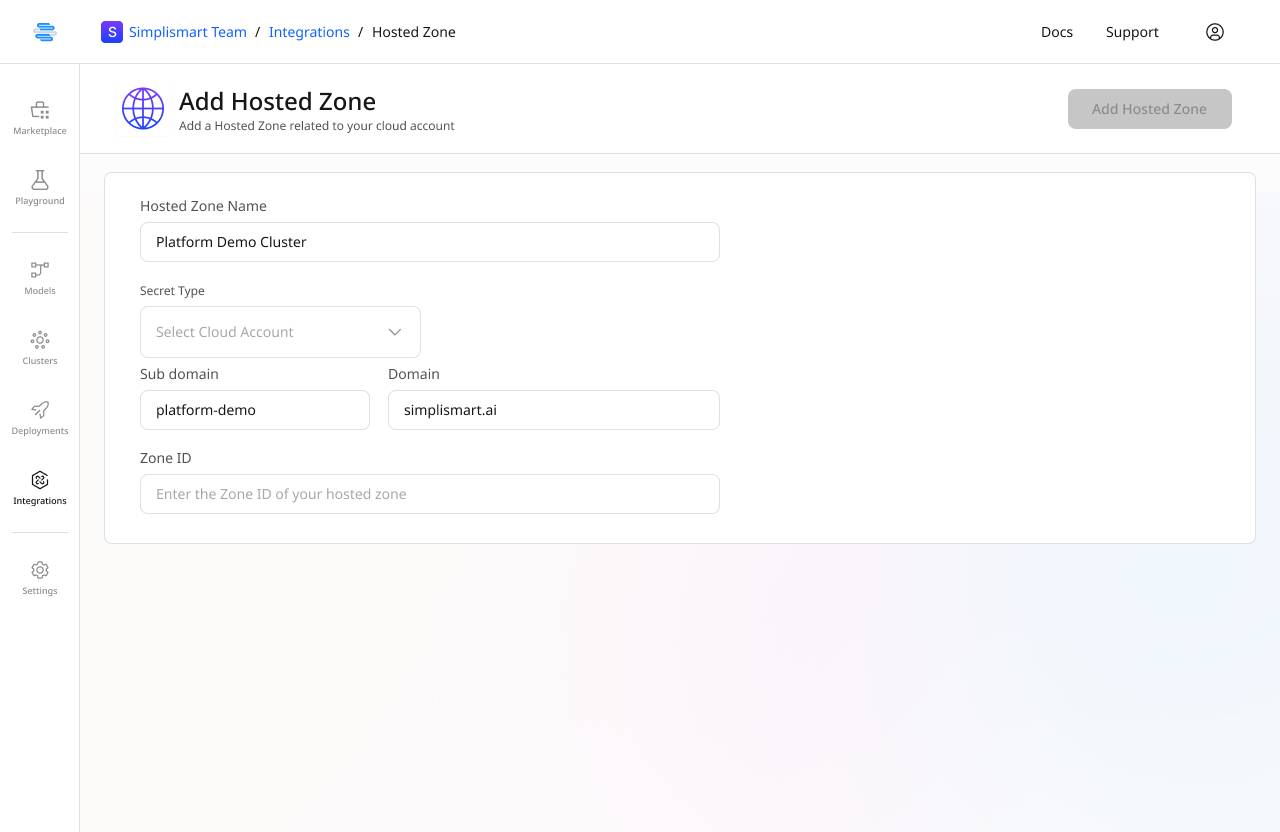 * After entering all the necessary details, click the **Add Hosted Zone** button to save.
* Your organization’s hosted zones will now be displayed on the main [Hosted Zones](https://app.simplismart.ai/integrations/hosted-zones) page.
* After entering all the necessary details, click the **Add Hosted Zone** button to save.
* Your organization’s hosted zones will now be displayed on the main [Hosted Zones](https://app.simplismart.ai/integrations/hosted-zones) page.