> ## Documentation Index
> Fetch the complete documentation index at: https://docs.simplismart.ai/llms.txt
> Use this file to discover all available pages before exploring further.
# Inference & Monitoring
### Steps for Using the Deployed Model and Monitoring it's Performance
Once the model is successfully deployed, you can follow these steps to begin inference:
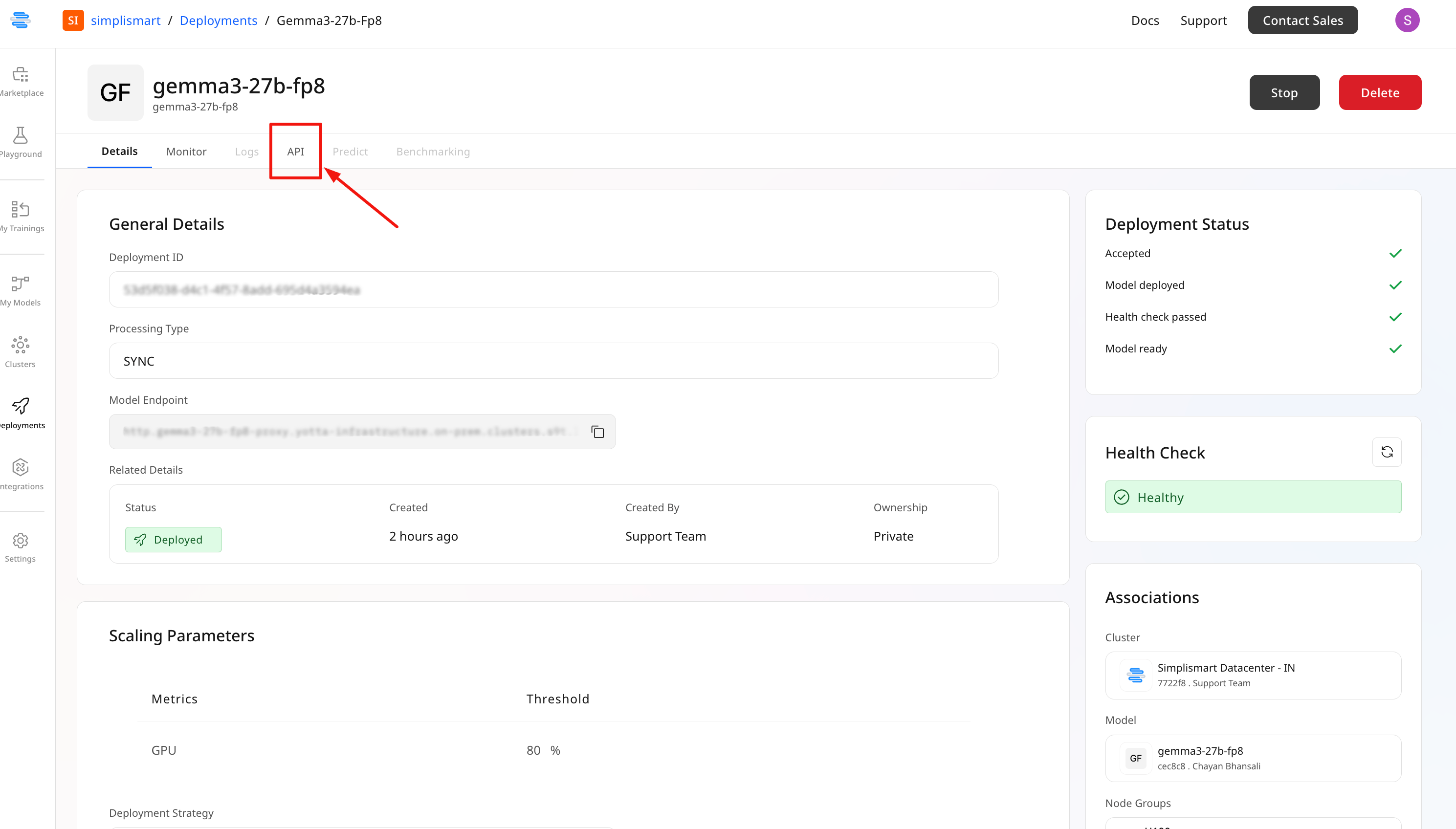
* Go to the **API** tab of your model
* Find the **Endpoint URL** and the pre-generated inference script
* Copy the script, replace placeholder values, and execute it to call the model
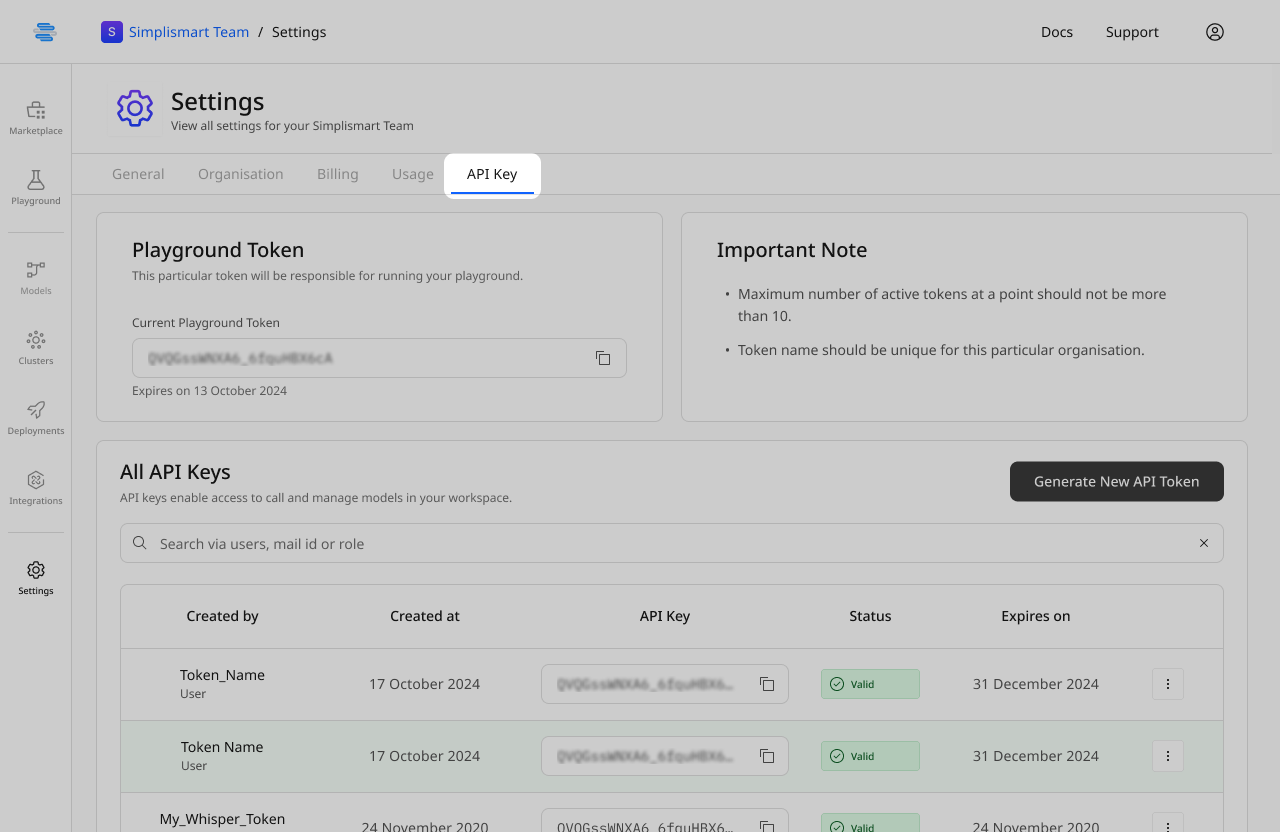
 **How to access your API Key?**
Go to **Account Settings** and select **API Key**
**How to access your API Key?**
Go to **Account Settings** and select **API Key**
 ***
The Monitor tab provides an overview of your deployment's performance.
1. **Monitor Real-Time Status:**
* **Pod Info:** Status and count of active pods
* **Throughput & Latency:** Requests per second and processing time
* **Success & Failure Rates:** Percentage of successful and failed inferences
***
The Monitor tab provides an overview of your deployment's performance.
1. **Monitor Real-Time Status:**
* **Pod Info:** Status and count of active pods
* **Throughput & Latency:** Requests per second and processing time
* **Success & Failure Rates:** Percentage of successful and failed inferences
.png?fit=max&auto=format&n=rAJH-ZUhxs1j7eMd&q=85&s=de4cd53b5a9cce6f707344c4ab36845b) **2. Resource Monitoring**: Various system level metrics can be tracked along with system load information; such as CPU/ GPU usage & request metrics.
**2. Resource Monitoring**: Various system level metrics can be tracked along with system load information; such as CPU/ GPU usage & request metrics.
.png?fit=max&auto=format&n=rAJH-ZUhxs1j7eMd&q=85&s=0f894f4df0c5b43536c348206d3bbab8)