> ## Documentation Index
> Fetch the complete documentation index at: https://docs.simplismart.ai/llms.txt
> Use this file to discover all available pages before exploring further.
# Quality Benchmarking
> Measure the accuracy and quality of LLM outputs using curated datasets and standardized evaluation metrics.
# Creating a Quality Benchmark
## Start a New Benchmark
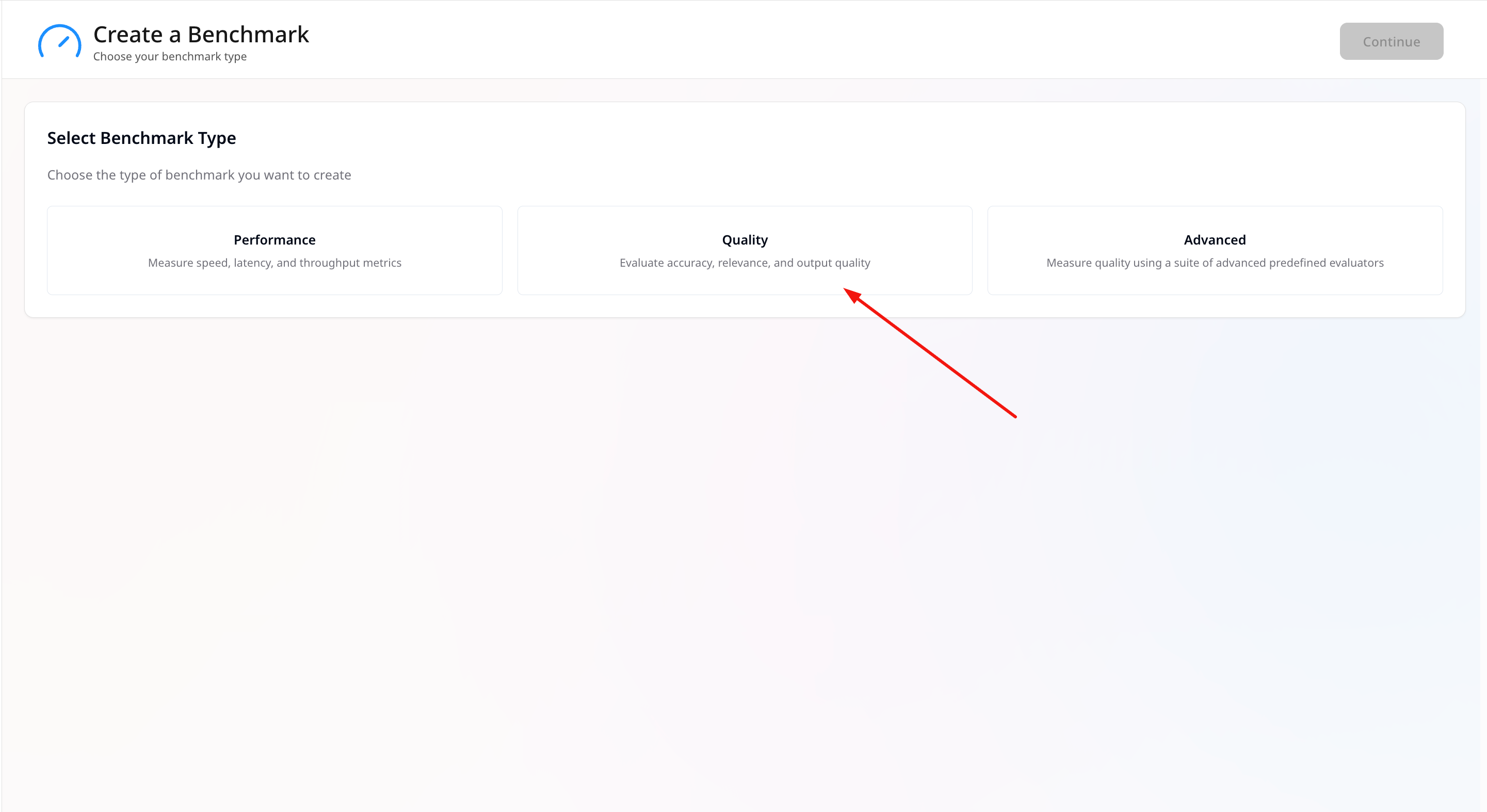
1. Go to **Benchmarking → Create**.
2. Choose **Quality** as the benchmark type.
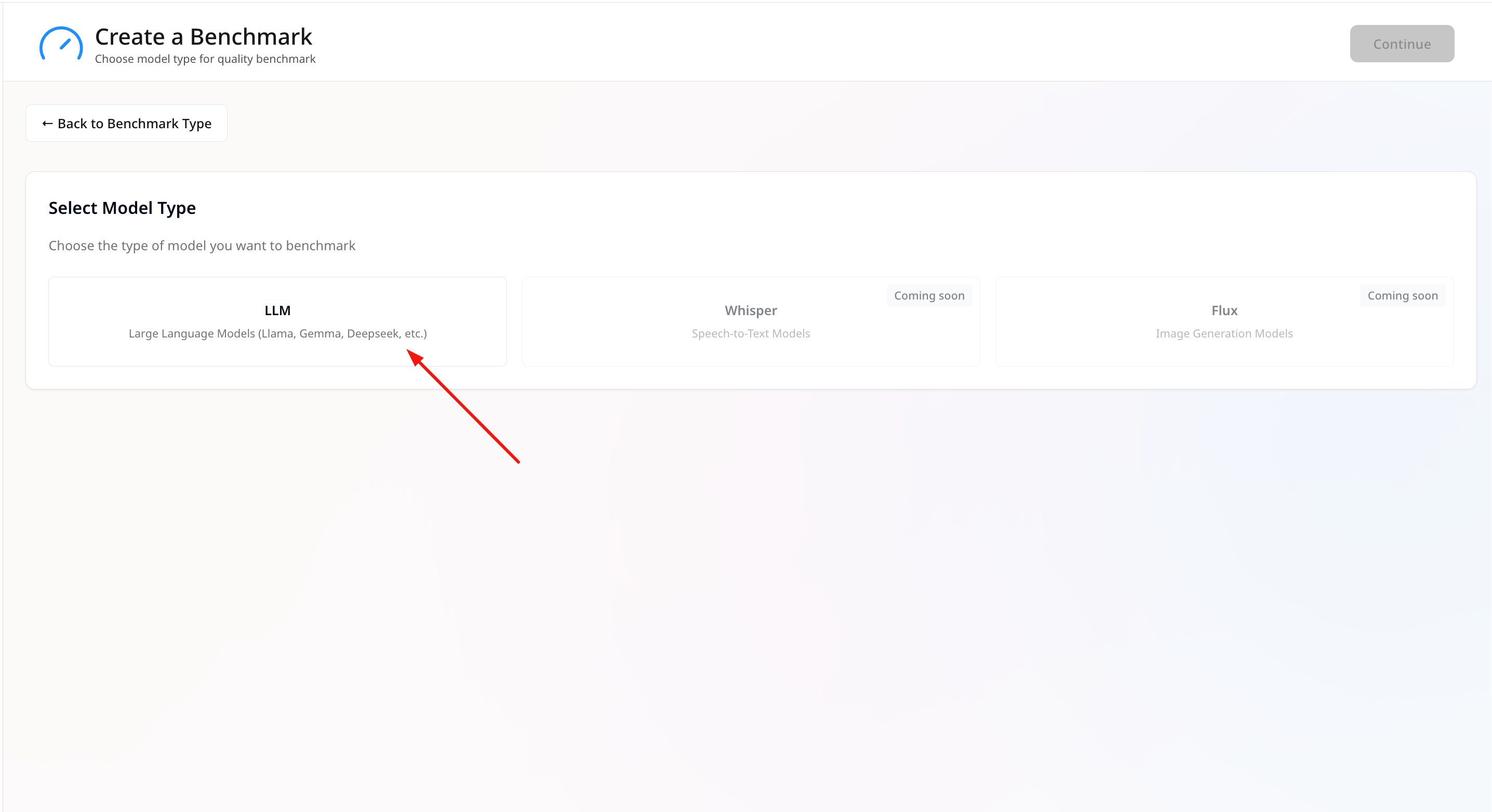
 3. Select **LLM** as the model type.
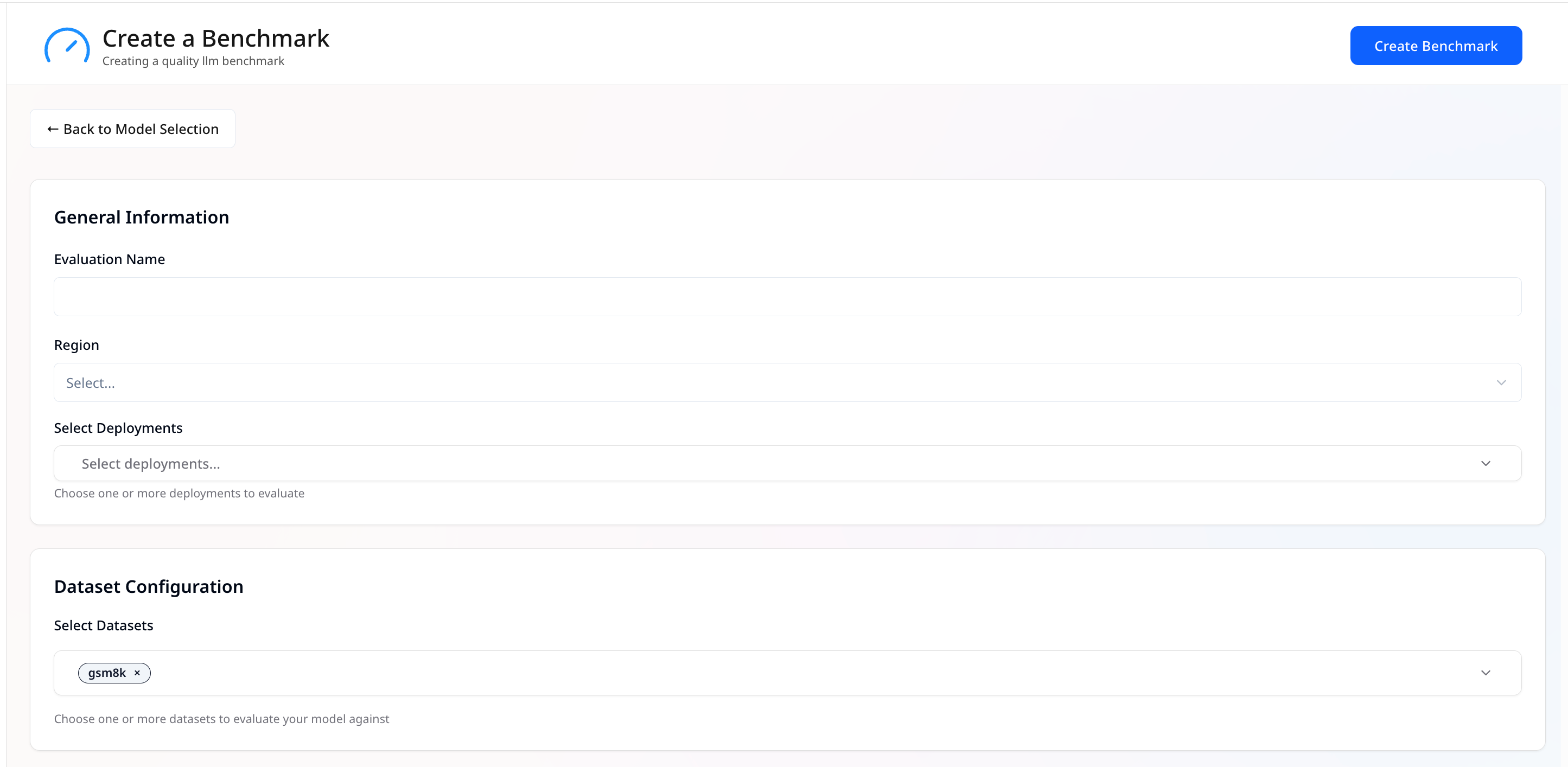
 ## General Information
* **Evaluation Name** — Name for this evaluation.
* **Select Deployments** — Choose one or more deployments to evaluate.
## Dataset Configuration
* **Select Datasets** — Pick one or more datasets (e.g., *gsm8k*).
## General Information
* **Evaluation Name** — Name for this evaluation.
* **Select Deployments** — Choose one or more deployments to evaluate.
## Dataset Configuration
* **Select Datasets** — Pick one or more datasets (e.g., *gsm8k*).
 ## Generation Configuration
* **Max Tokens** — Maximum tokens the model can generate per response.
* **Temperature** — Controls randomness; lower = more focused, higher = more creative.
* **Top P** — Nucleus sampling; limits token choices to the top probability mass (e.g., `0.9` = top 90%).
## Generation Configuration
* **Max Tokens** — Maximum tokens the model can generate per response.
* **Temperature** — Controls randomness; lower = more focused, higher = more creative.
* **Top P** — Nucleus sampling; limits token choices to the top probability mass (e.g., `0.9` = top 90%).
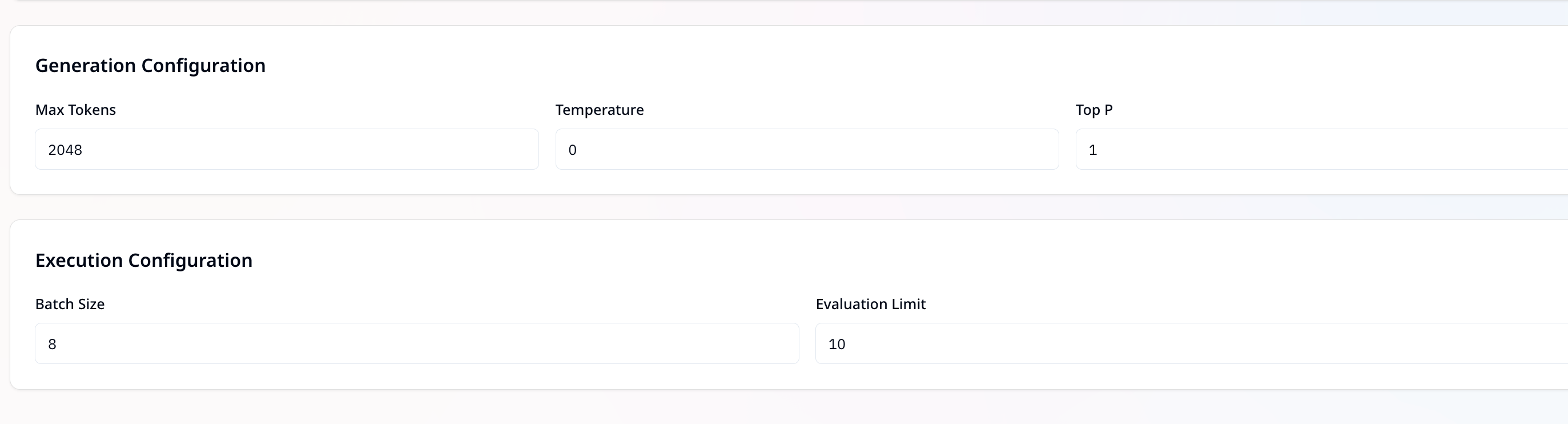 ## Execution Configuration
* **Batch Size** — Requests processed together.
* **Evaluation Limit** — Limit number of dataset samples to evaluate (e.g., `10`).
## Run the Evaluation
* Click **Create Benchmark** to start.
## Execution Configuration
* **Batch Size** — Requests processed together.
* **Evaluation Limit** — Limit number of dataset samples to evaluate (e.g., `10`).
## Run the Evaluation
* Click **Create Benchmark** to start.