> ## Documentation Index
> Fetch the complete documentation index at: https://docs.simplismart.ai/llms.txt
> Use this file to discover all available pages before exploring further.
# Advanced Benchmarking
> Perform in-depth, customizable evaluations of LLM outputs using custom datasets and a range of evaluator types including programmatic, human, and AI-based.
# Creating an Advanced Evaluation LLM Benchmark
## Start a New Benchmark
1. Go to **Benchmarking → Create**.
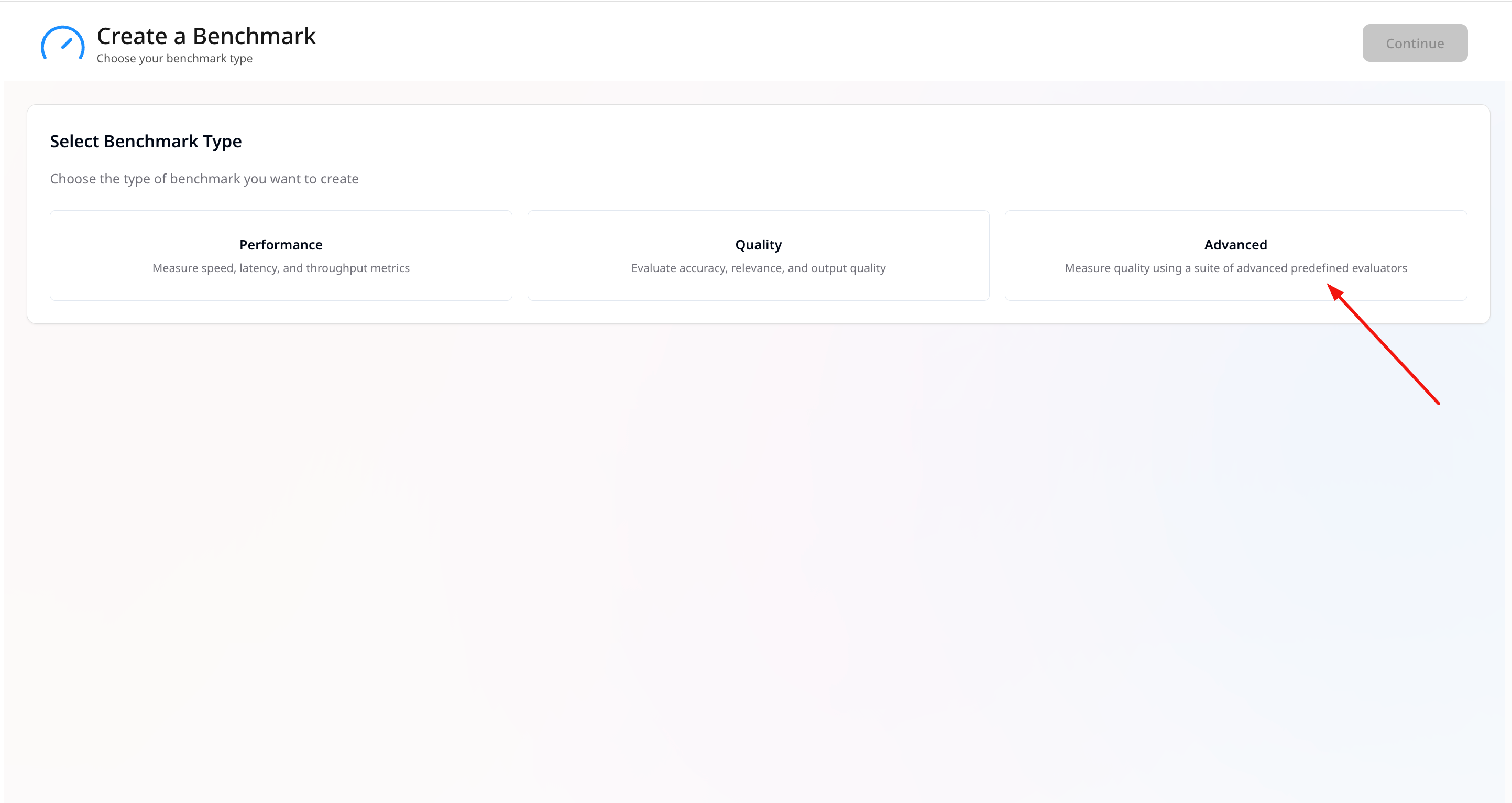
2. Choose **Advanced** as the benchmark type.
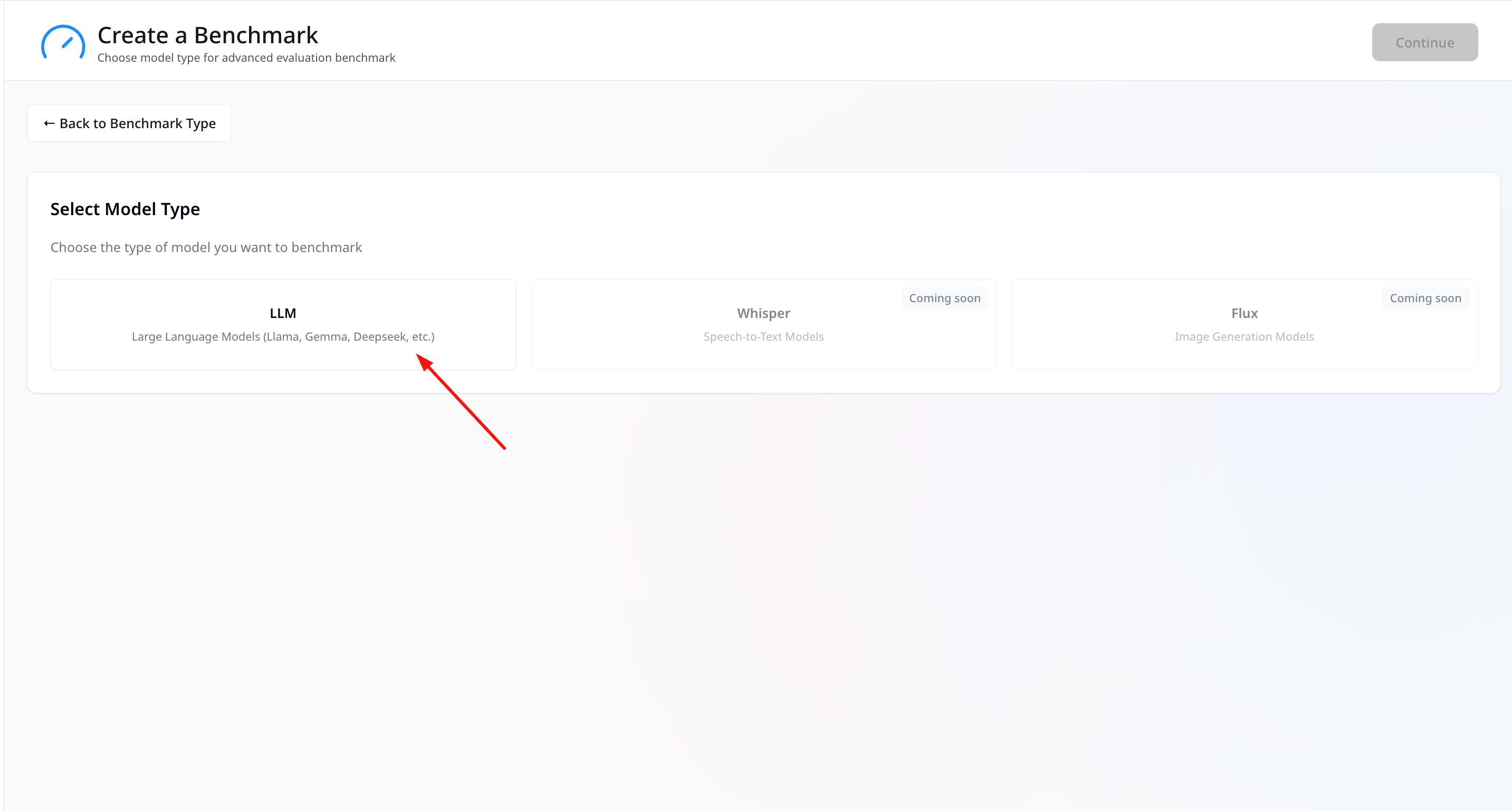 3. Select **LLM** as the model type.
 ## General Information
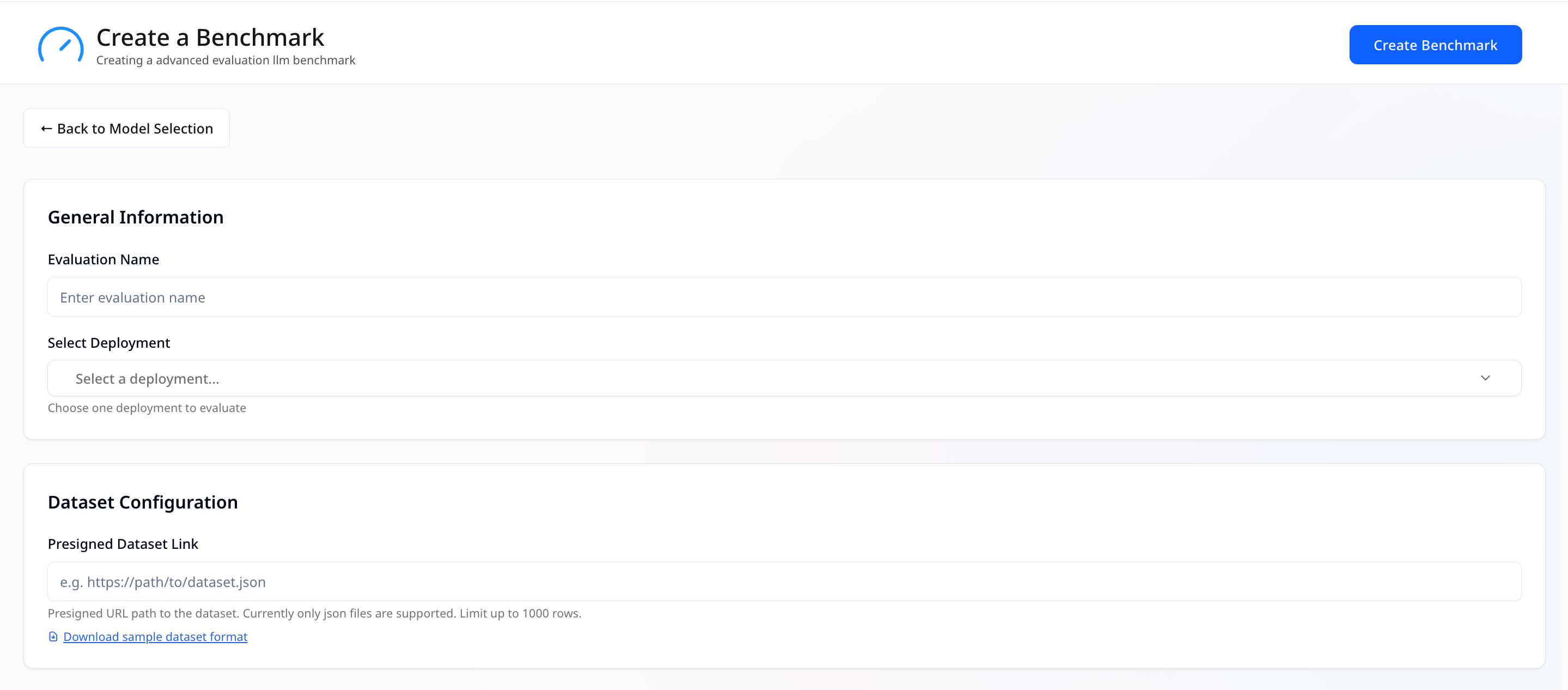
* **Benchmark Name** — Give the run a clear, unique name.
* **Select Deployments** — Pick **one** deployment to benchmark.
> Only one LLM deployment can be chosen at once.
## General Information
* **Benchmark Name** — Give the run a clear, unique name.
* **Select Deployments** — Pick **one** deployment to benchmark.
> Only one LLM deployment can be chosen at once.
 ## Dataset Configuration
* **Presigned Dataset Link** — Provide a presigned URL path to your dataset file.
* Only **JSON** files are supported.
* If the dataset has more than **1000 rows**, only the **first 1000 datapoints** will be used.
* You can use the provided \[[sample dataset format](https://simplismart-public-assets.s3.ap-south-1.amazonaws.com/benchmarking/eval.json)] as a reference.
## LLM Configuration
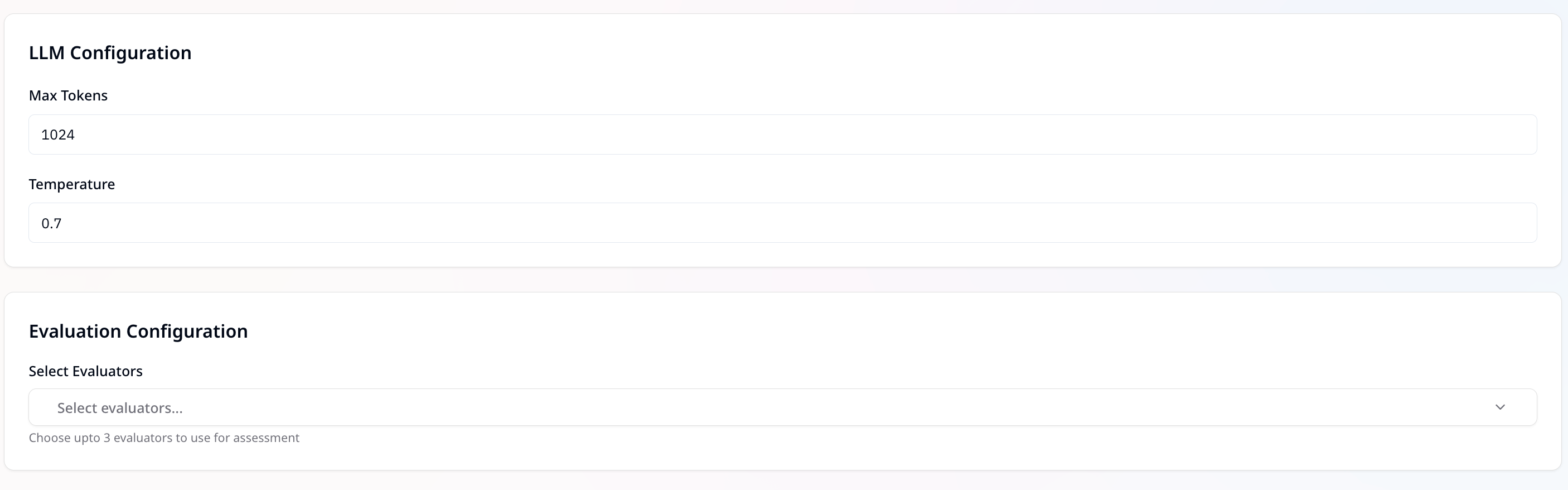
* **Max Tokens** — Defines the maximum number of tokens the model can generate in a response.\
Example: `1024` means the response will be capped at 1024 tokens.
> A higher value allows longer outputs but also increases resource usage.
* **Temperature** — Controls the randomness/creativity of the model’s output.\
Range: `0` to `1`
* Lower values (e.g., `0.2`) → More deterministic and focused responses
* Higher values (e.g., `0.8`) → More diverse and creative responses
* Example: `0.7` balances creativity and consistency
## Dataset Configuration
* **Presigned Dataset Link** — Provide a presigned URL path to your dataset file.
* Only **JSON** files are supported.
* If the dataset has more than **1000 rows**, only the **first 1000 datapoints** will be used.
* You can use the provided \[[sample dataset format](https://simplismart-public-assets.s3.ap-south-1.amazonaws.com/benchmarking/eval.json)] as a reference.
## LLM Configuration
* **Max Tokens** — Defines the maximum number of tokens the model can generate in a response.\
Example: `1024` means the response will be capped at 1024 tokens.
> A higher value allows longer outputs but also increases resource usage.
* **Temperature** — Controls the randomness/creativity of the model’s output.\
Range: `0` to `1`
* Lower values (e.g., `0.2`) → More deterministic and focused responses
* Higher values (e.g., `0.8`) → More diverse and creative responses
* Example: `0.7` balances creativity and consistency
 ## Evaluation Configuration
We provide a collection of **pre-built evaluators** that you can use immediately for your AI evaluation needs. Choose **up to 3 evaluators** for assessing model outputs.
Evaluators can be selected from the following categories:
* **Programmatic**\
Uses custom JavaScript or Python code to programmatically evaluate quality.\
Useful for deterministic checks (e.g., regex validation, schema conformance, rule-based scoring).
* **Human**\
Relies on human reviewers to assess outputs based on subjective or nuanced criteria like:
* Readability
* Tone
* Clarity
* Relevance
* Factual correctness
* **Statistical**\
Uses traditional ML metrics for text comparison. Helpful for benchmarking against reference outputs.
* **AI-based**\
Uses LLMs as judges with carefully designed prompts.\
Provides **automated, scalable evaluation** with high alignment to human judgment.
## Evaluation Configuration
We provide a collection of **pre-built evaluators** that you can use immediately for your AI evaluation needs. Choose **up to 3 evaluators** for assessing model outputs.
Evaluators can be selected from the following categories:
* **Programmatic**\
Uses custom JavaScript or Python code to programmatically evaluate quality.\
Useful for deterministic checks (e.g., regex validation, schema conformance, rule-based scoring).
* **Human**\
Relies on human reviewers to assess outputs based on subjective or nuanced criteria like:
* Readability
* Tone
* Clarity
* Relevance
* Factual correctness
* **Statistical**\
Uses traditional ML metrics for text comparison. Helpful for benchmarking against reference outputs.
* **AI-based**\
Uses LLMs as judges with carefully designed prompts.\
Provides **automated, scalable evaluation** with high alignment to human judgment.